
Accounts Payable Automation for Small Business: A Practical 2026 Plan
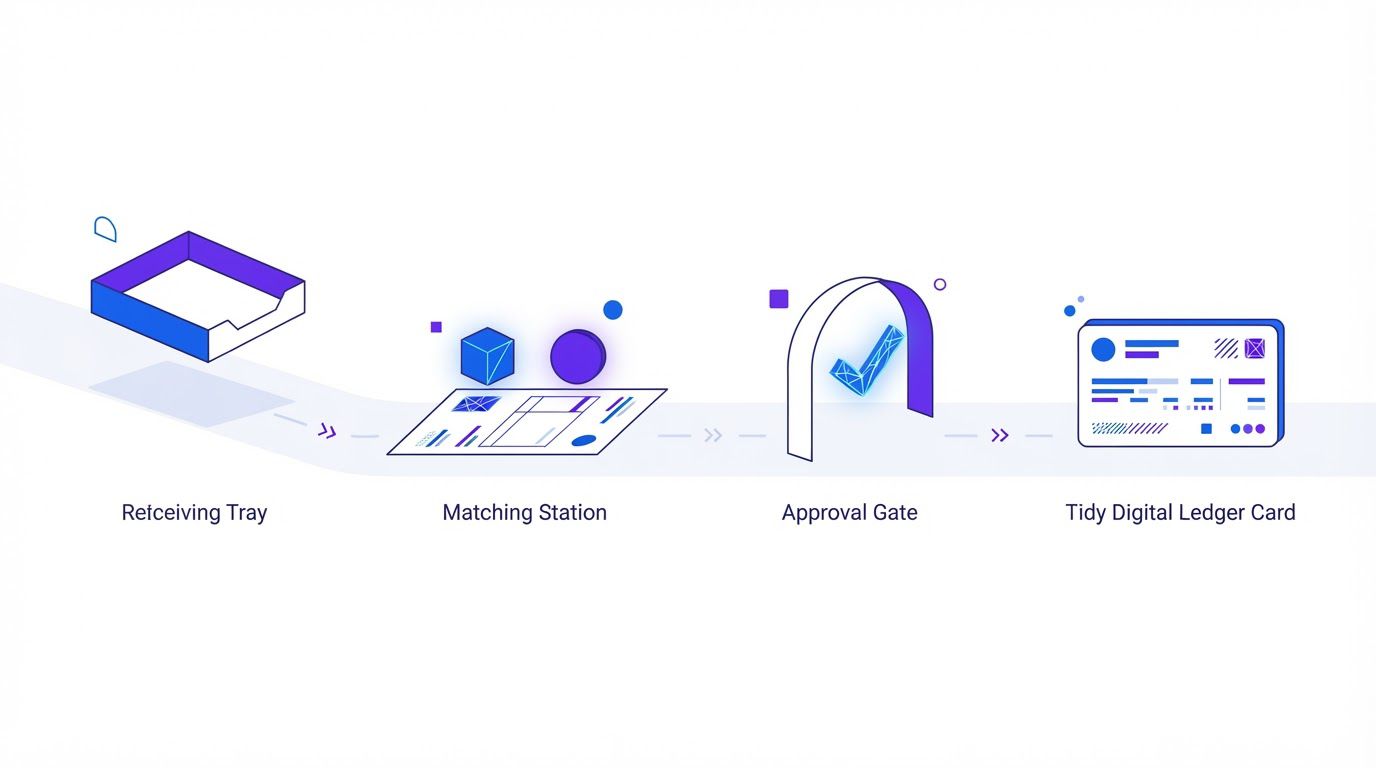
Picture a Tuesday at 4:40 p.m. An office manager opens the shared inbox and finds an invoice that arrived as a phone photo. There is no purchase order for it. The person who should approve it is traveling. The vendor has already emailed twice to ask whether it has been paid. Meanwhile the same vendor’s last invoice might still be sitting in a different folder. (This is an illustration, not a case study.)
That scene is what accounts payable looks like in many small businesses, and it is the reason most owners say the same thing: invoices cost more attention than they should. Most guides on the topic respond with a list of software. This one does something different. It shows you how to calculate what your own invoices cost, how to map your flow in 30 minutes, how to set approval thresholds that remove the chasing without removing control, where matching and OCR actually break, which five exceptions should stay with a person, and how to track the early-payment discounts that usually slip by.
A note on what this is. It is a practical framework built from public sources (listed at the end, each with the date we checked it) and from standard internal-control ideas such as segregation of duties and three-way matching. We did not run a benchmark of our own for it. Instead of a benchmark we cannot show, you get templates and formulas to measure your own invoices. Every number inside a worked example is a made-up illustration, labeled as one. Thresholds are starting points for you to adjust. This is general information, not legal, tax or financial advice.
- Cost is more than typing time. It is handling minutes, rework from errors, duplicate or late payments, and discounts you did not take. Measure each one for your own invoices.
- Map before you automate. List the stages an invoice passes through, then time the last 20 invoices. Most of the delay is waiting, not working.
- Approval by threshold removes the chasing. Clean, small invoices can be approved by a written policy. Mid-size ones go to a manager. Large ones need two people.
- Matching breaks on the boring cases: vendors without purchase orders, partial deliveries, and receipts nobody recorded. Choose the match type by spend category.
- Keep five exceptions human, and track early-payment discounts in a simple table with deadlines. That table alone can pay for the project.
- The real cost of a manual invoice
- Map your current flow in 30 minutes
- Approval by threshold: a model you can adopt
- OCR and 3-way matching: where it really breaks
- The five exceptions that stay human
- The early-payment discount tracker
- Your ROI in ten minutes and a 90-day plan
- When it is time to hand it to someone
- Frequently asked questions
- Sources
The real cost of a manual invoice
Ask most small business owners what an invoice costs them and they will name the price of the software they do not have. The real figure sits in four places, and only one of them shows up on a bill.
- Handling time. Receiving, keying, coding to an account, routing, chasing the approver, scheduling the payment, filing. Add the minutes for every touch, not only the typing.
- Rework from errors. A wrong amount, a wrong vendor, a coded-to-the-wrong-account line. Each one costs a correction, and sometimes a conversation with the vendor.
- Money that leaves the wrong way. Duplicate payments, payments to the wrong account, late fees, and early-payment discounts you did not take.
- Waiting time. An invoice that sits for a week in someone’s inbox does not cost labor, but it costs you a vendor relationship and sometimes a discount.
What the public benchmarks say
Benchmark studies give you reference points for the first bucket. The numbers below come from Ardent Partners’ report AP Metrics That Matter in 2025, as reported by two vendor articles that cite it (Tipalti and apexanalytix). We could not open the report itself from our workspace, so treat them as second-hand and check the original if you plan to quote them.
Three cautions before you compare yourself to those numbers.
- "Best-in-class" is not the same as "automated." In the report as Tipalti describes it, best-in-class means the 20% of enterprises with the lowest average invoice processing cost and the shortest cycle times. Those teams are usually automated, but the label is defined by results, not by tools.
- The sample is not small businesses. Tipalti reports 204 AP and finance leaders. The sources do not describe their company sizes, so your cost per invoice may sit well above or below these averages.
- Older figures circulate without a source. You may have seen per-invoice numbers such as $12 to $15 for paper processing, or time-per-invoice figures, attributed to industry bodies. We could not trace those to a primary source we could read, so we do not use them. Your own measurement (below) will beat any quoted average.
Calculate your own cost per invoice
The point of a benchmark is to prompt a measurement, not to replace it. Here is a formula you can fill in with the numbers from your own business in about ten minutes.
Cost per invoice = (t ÷ 60 × h) + e × (r ÷ 60 × h) + o
- t: minutes of handling per invoice, counting every touch from receipt to filing.
- h: loaded hourly cost of the person doing it (pay plus payroll costs).
- e: the share of invoices that need rework, as a decimal (0.08 for 8%).
- r: minutes a rework takes, including emails and calls.
- o: other per-invoice costs, such as check stock, postage or payment fees.
All inputs are invented for illustration. Replace them with your own numbers. The tool cost of $150 per month is a placeholder, not a price quote.
| Input | Manual | With a checked workflow |
|---|---|---|
| Handling minutes per invoice (t) | 14 | 5 |
| Loaded hourly cost (h) | $32 | $32 |
| Rework rate (e) | 8% | 3% |
| Rework minutes (r) | 30 | 30 |
| Other cost per invoice (o) | $0.80 | $0.30 |
| Cost per invoice | $9.55 | $3.45 |
Working it out for the manual column: 14 ÷ 60 × $32 = $7.47 of handling, plus 0.08 × (30 ÷ 60 × $32) = $1.28 of rework, plus $0.80, which is $9.55. For the automated column: $2.67 + $0.48 + $0.30 = $3.45.
| Invoices per month | Manual cost per month | With workflow | Monthly saving | After a $150 tool cost |
|---|---|---|---|---|
| 60 | $572.80 | $206.80 | $366.00 | $216.00 |
| 150 | $1,432.00 | $517.00 | $915.00 | $765.00 |
| 400 | $3,818.67 | $1,378.67 | $2,440.00 | $2,290.00 |
In this made-up case, the saving per invoice is $6.10, so a $150 monthly tool cost breaks even at about 25 invoices per month. The lesson is the shape, not the numbers: savings scale with volume, and they depend heavily on your handling time and rework rate. If your invoices are already quick to handle and rarely wrong, the case is weaker. If chasing approvals eats your week, the case is stronger.
The part the formula misses: money that leaves wrongly or late
The formula covers labor. It does not cover a duplicate payment, a late fee or a discount you did not take, because those are irregular. Keep a short log for three months: every duplicate caught, every late fee, every discount missed. Section 6 shows how to track discounts, and the duplicate check in the 3-way match workflow later in this guide handles the first one. When you add these to the labor figure, the true cost per invoice is usually higher than the labor-only number.
Most of what makes an invoice expensive is a handful of repeatable steps: read it, check it, route it, remind someone. That is the kind of work a workflow does well, and it is why we build these in n8n (may be an affiliate link) at LeenLabs. If you already know which step is yours, you can describe it on our Request a Custom Workflow page and get a quote. If not, the next section will help you find it.
Map your current flow in 30 minutes
You cannot automate a process you cannot describe. The good news is that an invoice flow is short. Almost every small business has the same seven stages, in the same order, even when the tools differ.
- Receive. The invoice arrives by email, mail, a portal or a photo.
- Capture. Someone, or something, reads the vendor, number, date and amounts.
- Code. The invoice is assigned to an account, a department or a job.
- Match. It is checked against a purchase order, a contract or a delivery.
- Approve. A person with authority says yes or no.
- Pay. The payment is scheduled and released.
- Record and file. The payment is posted and the document is stored.
Step 1: fill in the stage template
Open a spreadsheet and write one row per stage. Fill in the columns below from memory first, then correct them after you look at real invoices.
| Stage | Who does it | Tool used | Minutes per invoice | Where it waits | What goes wrong |
|---|---|---|---|---|---|
| Receive | |||||
| Capture | |||||
| Code | |||||
| Match | |||||
| Approve | |||||
| Pay | |||||
| Record and file |
Step 2: trace your last 20 paid invoices
Pull the last 20 invoices you paid, with a mix of vendors. For each one, write down four dates (arrived, entered, approved, paid), who touched it, and how many emails or messages it took to get it paid. This is the 20-invoice log. It takes about 20 minutes and it replaces a benchmark nobody can show you, because it is your data.
Illustrative rows only.
| Vendor | Arrived | Entered | Approved | Paid | Touches | Exception? |
|---|---|---|---|---|---|---|
| Office supplier | Mar 3 | Mar 3 | Mar 5 | Mar 12 | 2 | No |
| New freelance designer | Mar 4 | Mar 9 | Mar 17 | Mar 20 | 6 | New vendor, no PO |
| Equipment lessor | Mar 6 | Mar 6 | Mar 7 | Mar 14 | 2 | No |
Step 3: time the next 20
For the next 20 invoices that come in, use a timer. Start it when you pick the invoice up and stop it when you put it down, and write down what you did in that session. After 20, add up the minutes. You now have t for the formula in section 1, and it is based on your own work.
Step 4: calculate three numbers
- Average touch minutes per invoice. This is t.
- Exception share, by type. How many of the 20 needed something unusual: new vendor, no PO, a mismatch, a dispute? Group them. This tells you which of the five exceptions in section 5 you actually have.
- Days spent waiting. For each invoice, count the days between "arrived" and "approved." In most small teams this is the longest part of the cycle, and it is also the part software handles best with routing and reminders.
Write the three numbers at the top of the sheet. Every decision in the rest of this guide is easier once you have them. If you stop here, you have already done more than most guides ask of you.
Approval by threshold: a model you can adopt
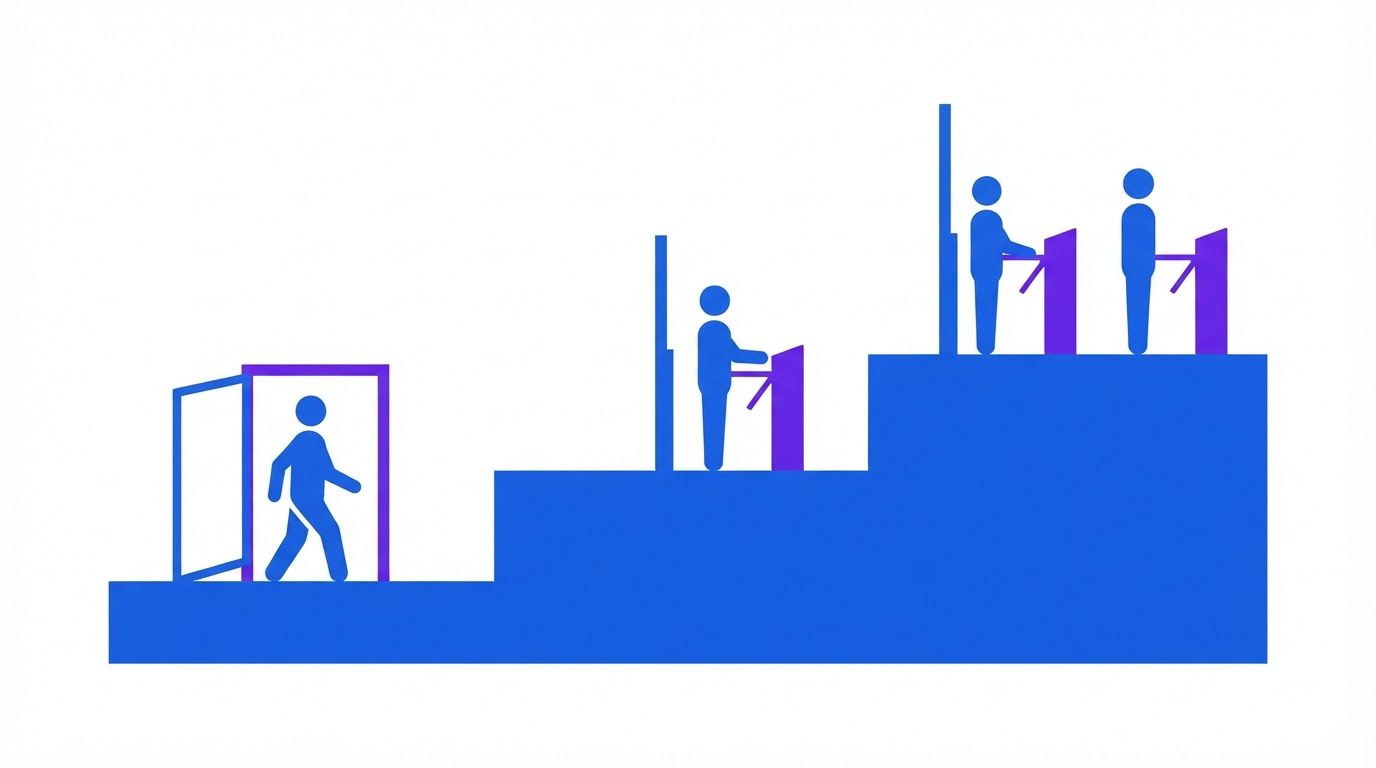
Most of the waiting time in AP comes from one habit: every invoice goes to the same person, regardless of size or risk. The owner approves a $45 subscription with the same attention as a $9,000 equipment bill, and the pile grows. A threshold model fixes this by matching the level of approval to the level of risk.
The three-tier model
| Tier | Invoice total (example) | Who approves | Conditions |
|---|---|---|---|
| 1 | Under $500 | Approved by policy, then sampled | Known vendor, matches a purchase order or a recurring contract, bank details unchanged, no flags, within budget |
| 2 | $500 to $5,000 | The budget owner (a manager) | Same conditions, plus a reminder if not approved within the time limit |
| 3 | Over $5,000 | Budget owner and a second approver (finance or the owner) | Both must approve; payment is held until both have |
| Any | Any amount | Finance, plus vendor verification | New vendor, changed bank details, no PO and no contract, or any failed check |
These numbers are the ones most commonly used in examples, not a rule. Set your own with your owner and your accountant, and write them down.
What "approved by policy" means, and what it does not
Tier 1 is where the time savings live, so it deserves care. "Approved by policy" does not mean an AI decides. It means a written rule approves the invoice when every condition is true: the vendor is on your approved list, the invoice matches an open purchase order or a recurring contract within a set tolerance, the bank details are the ones on file, the invoice is not a possible duplicate, and the cost center has budget. If any condition fails, the invoice drops to a person.
Your owner or controller should sign off on this policy in writing, and someone should review a random sample of policy-approved invoices each month. If the sample finds an error, tighten the rule. This is the same idea as the green zone in our guide to what AI agents can and cannot safely automate in finance: the supervision is a rule plus sampling, not a person on every item.
The rules that make thresholds safe
- The approver cannot be the person who submitted or coded the invoice. This is the oldest control in accounting, and it is the one most often skipped in small teams.
- Thresholds are applied to the vendor’s total, not the single invoice. Two $450 invoices from the same vendor on the same day add up to $900. A simple check that groups by vendor and date catches an invoice split to stay under a limit, whether by accident or on purpose.
- Every approver has a backup. An approver on vacation is the most common reason invoices stall. Name a delegate for each person and have the system route to them after a set number of days.
- Reminders and escalation are automatic. A reminder after two business days (an example) and an escalation to the backup or the owner after five costs nothing and removes the chasing.
- Limits and approvers live outside the invoice. The approval matrix is a table that finance maintains. It should not be a setting that the person submitting invoices can edit.
- Everything is logged. Who approved, when, which rule applied. When a vendor or an auditor asks, you can answer in a minute.
The values are placeholders, not recommendations. Have your owner and your accountant review the final version before you adopt it.
- Scope. This policy applies to every vendor invoice received by [company name].
- Approved vendor list. Maintained by [role]. A vendor is added only after [callback verification and the tax form your accountant requires].
- Tier 1, under [$500]. Approved by policy only when all of these are true: the vendor is on the list; the invoice matches a PO or a contract within [2%]; the bank details are unchanged; it is not flagged as a possible duplicate; the budget has room.
- Tier 2, [$500 to $5,000]. The budget owner approves within [2] business days. A reminder is sent at [2] days and an escalation to the backup at [5].
- Tier 3, over [$5,000]. The budget owner and [the finance lead or the owner] must both approve before payment.
- Separation of duties. The person who submits or codes an invoice cannot approve it. Where headcount allows, the person who creates a PO does not approve its payment.
- Held for a person. New vendors, changed bank details, invoices with no PO or contract above [$500], disputes, credit notes, possible duplicates and [sensitive categories].
- Sampling. [Role] reviews [10] random policy-approved invoices each month and records what was found.
- Changes. Limits, the vendor list and the approver list are changed only by [role], and every change is logged.
- Review. This policy is reviewed every [6] months.
How a workflow carries this out
A workflow tool can run the model above without anyone remembering it. When an invoice is captured, the workflow looks up the vendor, checks it against the matrix, works out which tier applies, and sends the request to the right person with the invoice and the match result attached. In n8n (may be an affiliate link), the workflow can pause and wait for the approver to respond, then continue when they do. If the approver does not respond within the time you set, it sends a reminder and then escalates.
This part is a design pattern, not a free workflow we have published yet. If you want it built around your own thresholds and your own approvers, it is a good candidate for a custom workflow. You can describe your limits and approvers on our Request a Custom Workflow page and get a quote.
OCR and 3-way matching: where it really breaks
Capturing an invoice and matching it to what you ordered are two separate problems, and both look easier in a demo than in a real inbox. This section covers where each one breaks, and which match type fits which spend.
Two-way, three-way, and no match
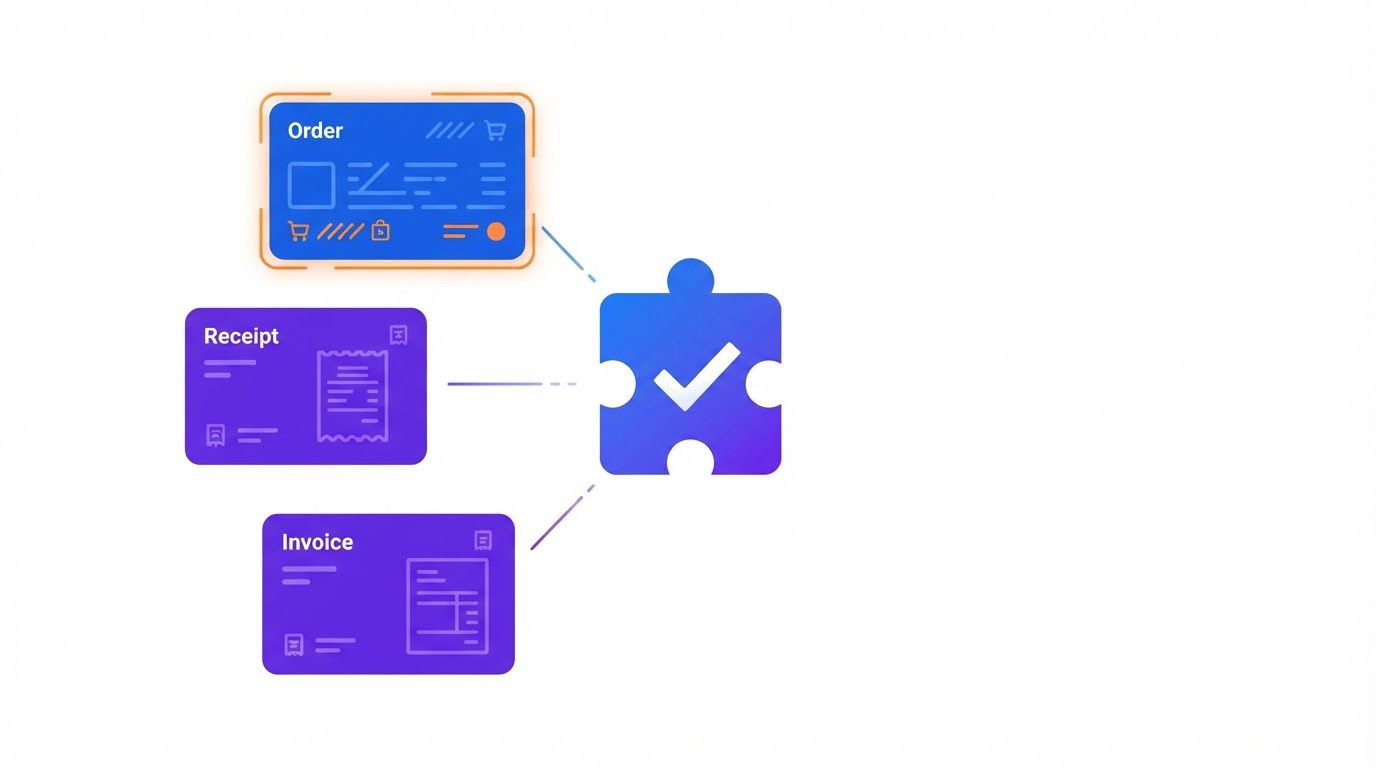
- Two-way match: the invoice against the purchase order (or a contract). It confirms you agreed to the price and quantity.
- Three-way match: the invoice against the purchase order and the goods receipt. It also confirms that the goods or services actually arrived.
- No match: the invoice against a standing approval, such as rent or a monthly subscription. It confirms only that this is the amount you expect.
A small business should not three-way match everything. It is slow, and for a $60 software subscription it is pointless. Pick the match type by category of spend:
| Spend category | Suggested match | Why |
|---|---|---|
| Physical goods above a set amount | Three-way | Someone has to confirm the delivery actually happened and was complete |
| Services with a quote or statement of work | Two-way, plus a confirmation from the budget owner | There is no goods receipt, but you need proof the work was done |
| Recurring contracts and subscriptions | No match against a PO; check against the contract amount | The amount should barely change, so any change is a flag |
| One-off small purchases | Approval by policy under the tier 1 limit | The match costs more than the risk |
| Anything with no PO and no contract above your threshold | Human review | This is an exception (see section 5) |
Where OCR and data capture break
Optical character recognition (OCR), and the newer AI models that read documents, do well on clean PDFs and worse on everything else. The failures are predictable, so you can design for them:
- Poor scans and phone photos. Skewed pages, shadows and low resolution produce misread digits.
- Multi-page invoices. The total is on page three, and the model reads page one.
- Tables. Line items in columns are easy for a person and hard for a machine, especially when descriptions wrap onto two lines.
- Subtotal, tax, freight and total confusion. The model picks the subtotal as the total, or reads a tax-inclusive price as tax-exclusive.
- Credit notes and statements. A credit note read as an invoice, or a monthly statement read as a new bill, can lead to a double payment.
- Dates. Day-month-year against month-day-year changes a due date by months.
The fix is the same in every case: do not trust the read, check it. The cheapest check is arithmetic. If the line items do not add up to the total, the invoice stops. We publish a free workflow that does exactly this: Log Invoice Line Items and Verify Totals with n8n. In the way it is described, someone uploads an invoice PDF through a web form, n8n reads the text, and an OpenAI model returns the invoice header and every line item as structured data. The workflow saves the header in one tab of a Google Sheet and each line item in another, adds up the lines, compares the sum with the invoice total, and emails a report with a green "Total Verified" or an amber "Total Mismatch" banner. The article is also direct about three problems you should know about before you let anyone near the form, so read it before you adapt it.
If you only need the reading part, our earlier workflow Extract Invoice Data from PDFs with n8n and Claude is a good place to start. It covers extraction, and you would add your own validation steps behind it.
Where the match itself breaks
- Vendors without POs. Services, utilities, contractors and many small suppliers never send a PO number. If you require one, the invoice stalls. If you do not, it needs a different check, such as a contract or a budget-owner confirmation.
- Partial deliveries. Ten of twelve items arrived. The invoice is for twelve. A strict match fails the invoice, a loose one pays for items you do not have.
- Price and quantity tolerance. An exact match will fail on a cent of rounding. A tolerance of a small percentage or a fixed amount avoids false stops, but it must be set deliberately and written down.
- Units of measure. The PO says "case of 12." The invoice says "12 each." Same goods, different numbers.
- Receipts nobody recorded. The goods arrived, the person who received them did not log it, and the match fails. The fix is a process, not software: someone needs to own the receipt.
- Invoices that arrive before the PO. After-the-fact POs are common in small teams. They should be allowed, but flagged.
Our second free workflow covers the simple version of a three-way check: Vendor Invoice 3-Way Match with Google Sheets and n8n. As described, someone submits an invoice through a small web form. The workflow first checks that the same vendor and invoice number are not already in your register, and blocks the submission if they are. If the invoice is new, it adds it to the register, looks up the purchase order and the goods receipt in two other sheet tabs, compares the numbers in code, and sets the status to READY_FOR_PAYMENT or PAYMENT_HOLD, with the reasons written down. Finance gets an email either way. It runs on Google Sheets and Gmail alone, and the article shows worked examples of what passes and what fails, and says plainly what this kind of check does not protect you from. Read that part before you rely on it.
If purchase orders are created after the invoice arrives, and by the same person who will approve it, the match proves nothing. A control is only a control if the PO existed first and someone else received the goods. Flag any PO created after its invoice, and keep the person who creates the PO separate from the person who approves the payment where your team size allows it.
A spreadsheet that ranks your repetitive tasks by what is worth automating first. List the task, rate how often it happens, how long it takes, how error-prone it is and how many tools it touches, and the sheet orders your list. Enter your email below and we will send the download link.
The five exceptions that stay human
Automation handles the normal invoice. The value of a good design is what it does with the rest. These five types of invoice should always end up with a person, because each one involves a judgment, a relationship or a risk that a rule cannot settle. For each, the workflow’s job is to spot it, hold it and prepare the evidence, not to decide.

Notice what these five share. In every case, the automation is fast and thorough at the preparation (finding the case, attaching the evidence, asking the right question) and deliberately silent on the decision. If you design your exception queue around these five, you will catch the cases that cause most of the real damage in AP.
Your own 20-invoice log from section 2 will tell you which of these appear most in your business. Start by handling the most frequent one well, and ignore the others until they show up.
Describe how invoices reach you, which tools you use, your approval limits and the exceptions you see most. We reply with a quote to build it as an n8n workflow, or to adapt one of our free workflows to your setup. You pay 40% to start and the remaining 60% on delivery.
The early-payment discount tracker
Early-payment discounts are the easiest money in AP to miss, because nothing prompts you. A vendor writes "2/10 net 30" at the bottom of an invoice, the invoice sits in the approval queue for two weeks, and the window closes without anyone noticing.
How to read the terms
"2/10 net 30" means a 2% discount if you pay within 10 days, and the full amount is due within 30 days. If you skip the discount, you are paying 2% more for 20 extra days. Check the invoice or the vendor agreement for the exact terms, including whether the days count from the invoice date or from the date you receive it.
What the discount is worth, as an annual rate
A 2% discount sounds small. Expressed as an annual rate, it is not. The calculation is arithmetic, and you can run it yourself:
Annualized return = d ÷ (1 − d) × 365 ÷ (N − D)
Where d is the discount as a decimal, D is the last day you can take it, and N is the day the full amount is due.
| Terms | Days you give up | Return for the period | Annualized |
|---|---|---|---|
| 1/10 net 30 | 20 | 1.01% | about 18.4% |
| 2/10 net 30 | 20 | 2.04% | about 37.2% |
| 2/10 net 45 | 35 | 2.04% | about 21.3% |
| 1/15 net 45 | 30 | 1.01% | about 12.3% |
Compare the result to what your cash costs you. If the annualized figure is higher than the rate on your credit line, or higher than what idle cash earns, paying early is worth it. If paying early would leave you short for payroll, it is not, whatever the percentage says. Not every vendor honors discounts consistently, so check that you actually receive them.
The tracker
Add one sheet to your AP process with one row per invoice that carries discount terms. The columns below are enough:
Invented rows to show the layout. The deadline is the invoice date plus the discount days, so check how your terms define the start.
| Vendor | Invoice | Invoice date | Terms | Discount | Deadline | Cash OK? | Decision | Captured? |
|---|---|---|---|---|---|---|---|---|
| Packaging supplier | P-2210 | Mar 2 | 2/10 net 30 | $84.00 | Mar 12 | Yes | Pay Mar 10 | Yes |
| Parts distributor | D-0457 | Mar 5 | 1/10 net 30 | $31.50 | Mar 15 | Tight | Pay Mar 14 | Yes |
| Print shop | S-889 | Mar 8 | 2/10 net 30 | $22.40 | Mar 18 | Yes | Missed: stuck in approval | No |
How much are you missing? A three-line calculation
Assume $60,000 of monthly spend sits with vendors offering 2% early-payment terms, and you capture the discount on a quarter of it.
- Potential discount: $60,000 × 2% = $1,200 per month
- Captured at 25%: $300
- Missed: $900 per month, or $10,800 per year
These numbers are invented. Replace them with your own eligible spend and your own capture rate, and remember that some of that spend may not be worth paying early, depending on your cash position.
A workflow can do the tracking for you. When an invoice is captured with discount terms, the workflow calculates the deadline, writes a row into the tracker, and sends a reminder to the approver a few days before the window closes. The 3-way match workflow from section 4 already sets a status of READY_FOR_PAYMENT or PAYMENT_HOLD, so a discount deadline is a natural extra column. If you want to read how that status is built, start with Vendor Invoice 3-Way Match with Google Sheets and n8n, and use the free workflows library to see what else is there. If you would rather have the tracker and the reminders built around your own vendors and terms, that is a straightforward request on our Request a Custom Workflow page.
Your ROI in ten minutes and a 90-day plan
One invoice, start to finish
Before the ROI, here is how the pieces fit together on a single invoice. The numbers are invented to show the sequence.
| Step | What happens | Result |
|---|---|---|
| 1. Receive | The invoice from a packaging supplier arrives and is submitted through the intake form. | Invoice enters the flow |
| 2. Capture | The workflow reads the header and the line items and adds up the lines. | Lines total $1,284.00, equal to the invoice total: Total Verified |
| 3. Duplicate check | Vendor and invoice number are compared with the register. | Not found: the invoice is added to the register |
| 4. Match | The workflow finds the purchase order and the goods receipt and compares them in code. | Order and receipt agree: READY_FOR_PAYMENT |
| 5. Tier | $1,284.00 falls in tier 2. The invoice goes to the budget owner with the match result attached. | Approval requested |
| 6. Discount | The terms give a 2% discount if paid within 10 days. The workflow writes the deadline in the tracker. | Discount worth $25.68; reminder set before the deadline |
| 7. Approve and pay | The budget owner approves the next day. A person with bank authority releases the payment before the deadline. | Paid and discount captured |
The same invoice, if the total is wrong. Suppose the lines add up to $1,248.00 but the invoice says $1,284.00. At step 2 the workflow shows a Total Mismatch, stops the invoice and sends it to the exception queue. A person asks the supplier which figure is right. Nothing reaches the approver, and nothing is paid, until it is resolved.
Building your ROI
With the pieces in place, you have everything you need to build a case for yourself, or for your owner. Put the numbers together in this order.
- Cost per invoice today. Use the formula in section 1 with the numbers from your 20-invoice log.
- Estimated cost per invoice after the changes. Be conservative. Cut handling time only for the stages you will actually automate, and keep the rework rate where it is until you have evidence it falls.
- Monthly saving. Invoices per month multiplied by the difference, minus the tool or build cost.
- Discounts and duplicates. Add the discounts you can realistically capture (section 6) and any duplicates you caught in the last three months. Keep these separate, because they are irregular.
- Break-even. Divide the monthly cost of tools or support by the saving per invoice. That is the number of invoices a month at which the project pays for itself.
Which approach fits your business?
There is no single right way to get there. Here is how the main options compare, without prices, because pricing changes and you should check each provider’s current page.
| Option | It fits when | Watch out for |
|---|---|---|
| A better manual process | Volume is low, and your problem is mostly waiting and chasing | It depends on people remembering; it breaks when someone is away |
| Features inside your accounting software, such as QuickBooks (may be an affiliate link) or Xero (may be an affiliate link) | You want to stay in one tool and your needs are standard | Features and limits vary by plan; check the provider’s current documentation before relying on them |
| An all-in-one AP platform, such as BILL (may be an affiliate link) | You want capture, approval and payment execution in one place and you have the volume to justify it | Per-user or per-invoice costs; your approval rules must fit the platform’s model |
| A custom workflow built in n8n on top of your existing tools | Your process is specific, you already work in spreadsheets or email, or you want to see and control every rule | It needs someone to build and maintain it; it works best when the approval rules are written down first |
These approaches are not exclusive. Many teams keep their accounting software, add a workflow for the parts it does not cover, and move to a platform only when volume demands it.
A 90-day plan, step by step
| When | What you do | What you measure |
|---|---|---|
| Weeks 1 and 2 | Stage template, 20-invoice log, time the next 20. Write down your exceptions by type. | Touch minutes (t), exception share, days waiting |
| Weeks 3 and 4 | Add capture with total verification. Everything goes to a draft queue. A person checks every item. | Share of invoices that fail the arithmetic check; time saved per invoice |
| Weeks 5 and 6 | Add the duplicate check and, where you use POs, a match against the PO and the receipt. Hold failures with a reason. | Duplicates caught; share held; reasons for the holds |
| Weeks 7 and 8 | Add approval by threshold, with backups, reminders and escalation. Write the policy for tier 1 and have the owner sign it. | Days from arrival to approval; reminders sent |
| Weeks 9 to 12 | Add the discount tracker and a weekly check of a random sample of automated invoices. Review the numbers against your baseline. | Discounts captured; sample error rate; exception rate trend |
Two rules keep the plan honest. First, change one thing at a time, so you know what moved the numbers. Second, never loosen a control until a few weeks of data support it. A rule that stops too many invoices is annoying. A rule that lets a bad one through is expensive.
Watch the exception rate above all. If it creeps up, your savings shrink quickly, and it usually means a vendor changed its invoice layout or someone has started working around the process. A weekly look at five numbers (exception rate, touch minutes, days waiting, sample error rate, discounts captured) is enough to catch drift early.
When it is time to hand it to someone
Plenty of small businesses will take the templates in this guide, build the first step themselves and be glad they did. The harder part tends to arrive a few weeks later. The approval matrix needs to match how your company really works, the exceptions need a proper queue, and the checks need to live in the workflow instead of in the memory of the one person who understands the process.
That is where LeenLabs comes in. We build custom n8n workflows and adapt existing ones, including the three free workflows in this guide (invoice extraction, line-item verification and 3-way match), to your tools and your rules. A request works like this:
- You send a short form describing how invoices reach you, the tools involved, your volume and your approval limits.
- We read it and send you a quote. You see the cost before anything starts.
- You approve the quote and pay 40% to start.
- We build the workflow and deliver it. You pay the remaining 60% on delivery.
If you have looked for help on a freelance marketplace, you know the usual route: write a job post, collect proposals, interview candidates and manage the build yourself. That works well when you know exactly what to ask for. Accounts payable is harder to specify, because the risky part is not the script. It is the decisions: who approves what, what happens when the match fails, which cases a person must see. A structured request puts those questions up front, so the quote you receive is for a workflow with the controls from this guide built in.
Every workflow we build is an n8n workflow, so every step, branch and approval point is visible and you can read what it does.
Describe how invoices arrive, where they get stuck and what your approval limits are. We will send back a quote for a custom n8n workflow, or for adapting one of our free workflows to your setup.
Not ready to request a quote? Start with the free workflows, download the Scorecard from the form above to rank your repetitive tasks, and come back when you know which one hurts most.
Frequently asked questions
How much does it cost to process an invoice?
It depends on your handling time, your error rate and what you count. Ardent Partners’ 2025 research, as reported by two vendor articles, puts the average at $9.40 per invoice, with a best-in-class average of $2.78. Those are large-sample averages, not small-business figures. Use the formula in section 1 with your own numbers instead.
What is a three-way match, and do small businesses need one?
A three-way match compares the invoice, the purchase order and the goods receipt before paying. Small businesses benefit from it on physical goods above a set amount. For services, subscriptions and small purchases, a two-way check or a rule is usually enough.
What approval limits should I set?
There is no universal number. A common starting point is a low limit that a policy can approve, a middle band for a manager and a higher band that needs two people. Set the amounts with your owner and your accountant, write them down and review them every few months.
How do I stop paying the same invoice twice?
Check every new invoice against vendor, invoice number and amount before it is entered, and block or hold matches. Also group by vendor and day to catch invoices split to avoid a limit. A person should decide on every flagged pair.
Is OCR accurate enough to trust?
Not on its own. It reads clean PDFs well and struggles with poor scans, multi-page invoices and tables. Treat the output as a draft, check that line items add up to the total, and send anything that fails to a person.
Is an early-payment discount always worth taking?
No. Work out the annualized return (section 6) and compare it to what your cash costs you. If paying early would strain your cash flow, skip it, whatever the percentage says.
Do I need a purchase order system to automate AP?
Not to begin with. You can start with capture, total checks and duplicate detection, which need no POs. Add matching for the categories where POs make sense, and handle invoices without POs through the exception queue.
How long does it take to automate accounts payable?
It depends on your volume, your tools and how clear your rules are. The 90-day plan in section 7 is a sequence of small steps, not a promise of a timeline. The fastest progress usually comes from writing down the approval rules before anything is built.
Sources and how we checked them
Every external figure in this guide was read on the page linked below on October 31, 2026. The worked examples, tables, thresholds and formulas are illustrations or arithmetic, and are not drawn from any source. We could not open the Ardent Partners report itself, so its figures are as reported by the pages below.
- Tipalti, Cost per Invoice: Formula, Benchmarks, and How to Reduce It: reports Ardent Partners’ 2025 figures of $9.40 average, $2.78 best-in-class and $12.88 for other companies, with a sample of 204 AP and finance leaders and a definition of best-in-class as the 20% with the lowest cost and shortest cycle times.
- apexanalytix, Ardent Partners Key AP Metrics 2025: reports the same report’s $9.40 and $2.78, a 14% exception rate for 2024, and 32.6% overall and 49.2% best-in-class touchless processing.
- The early-payment annualized return is arithmetic from the formula shown in section 6. No source is needed beyond the terms printed on your invoices.
- About Us: who we are and how we work
- Free Workflows: n8n workflows with JSON you can import
- Request a Custom Workflow: describe a task and get a quote
- Terms of Service
- Privacy Policy
This article is general information and not legal, tax or financial advice. Laws and rules differ by country and state and change over time. Check with a qualified professional about your own situation.