
How to Catch Duplicate Invoices Before You Pay Them: A Four-Layer Duplicate Invoice Detection System
Picture a bookkeeper at a ten-person distribution company. On September 2 she enters invoice INV-10482 from Northwind Supplies for $4,280.00 and it is paid in the next run. On September 25 a second copy arrives through the vendor’s customer portal, and a colleague who has never seen the first one enters it under a vendor record that was created two years ago with a slightly different name. The accounting tool’s duplicate warning stays silent because the vendor is, as far as it knows, a different company. The second payment goes out. (This is an illustration, not a case study.)
Duplicate payments are rarely a clever fraud. Mostly they are the product of ordinary processes meeting ordinary typos. That is good news, because ordinary causes can be caught with ordinary checks. This guide builds a four-layer duplicate invoice detection system: exact matching, fuzzy matching, a vendor master check, and a check for recurring payments and one-cent variations. You get the thresholds to start with, a downloadable test sheet and a short script you can run on your own data, a way to measure how often each layer is right, and a ten-point checklist for the moment before you press pay.
A note on what this is. The framework, thresholds and tools are ours, built on public sources (listed at the end with the date we read each one) and standard accounts payable practice. We have no detection logs and no real false-positive rates from any company, so none are claimed. The thresholds are starting points that you tune on your own data, and the sheet includes a way to measure that. Every vendor, invoice and amount in an example is invented and labeled. This is general information, not accounting or legal advice.
- Exact matching is necessary and not enough. It misses a number typed differently, a copy resubmitted under a new number, an invoice that arrives by two channels, and the same vendor entered twice.
- Run four layers in order: exact match, fuzzy match on invoice numbers, a vendor master check on bank account, tax ID and name, and a check for near-identical amounts close in time.
- Normalize before you compare. Removing spaces, dashes, dots and leading zeros turns many near-misses into exact matches without any fuzzy logic.
- Edit distance alone creates false alarms. INV-1001 and INV-1002 are one character apart and usually different invoices. Combine the number with vendor, amount and date.
- Check at three gates: when the bill is entered, when it is approved, and on the final payment list. Then measure which layer earns its keep.
- Why duplicates get through: four blind spots of exact matching
- Layer 1: exact matching, done properly
- Layer 2: fuzzy matching on invoice numbers, and which thresholds to start with
- Layer 3: duplicate vendors in the vendor master file
- Layer 4: near-identical amounts, recurring payments and one-cent variations
- The test sheet and script: run it on your own data
- Duplicate payment prevention: where to put the checks
- When a duplicate has already been paid: recovery and audit
- The ten-point checklist before payment
- Automating detection without losing control
- When it is time to hand it to someone
- Frequently asked questions
- Sources
Why duplicates get through: four blind spots of exact matching
Most accounting tools and AP processes include some form of duplicate check, typically a warning when the same invoice number is entered twice for the same vendor. Check what yours does and whether a user can click past it. Even a good version of that check has gaps, and the same four show up again and again.
Blind spot 1: the same number, typed differently
“CL-2209,” “CL 2209,” “cl2209” and “CL-2209 ” (with a trailing space) are one invoice to a human and four strings to a computer. Leading zeros do the same thing: “0087” and “87.” A system that compares raw text will not match them.
Blind spot 2: the same invoice under a new number
A vendor reissues an invoice after a dispute, sends a “reminder copy” with a suffix (90311 becomes 90311A), or corrects a price by a cent. The amount and date are nearly identical. The number is not.
Blind spot 3: the same vendor, entered twice
“Northwind Supplies Inc” and “Northwind Supplies, Inc.” are one company with two vendor records. Because the duplicate check is usually scoped to one vendor record, the same invoice number under a second record passes. This is the angle most guides skip, and it is the one that explains many of the duplicates that survive an otherwise decent process.
Blind spot 4: the same invoice through two channels
An email PDF, a portal upload, a paper copy and a statement line item can all describe the same invoice. If two different people enter them, no single person sees both.
How big is the problem?
We looked for a reliable, current figure for how often duplicate payments occur at small businesses, and did not find a source we could verify, so we do not quote one. What we can verify is about fraud, which is a related but narrower problem. The Association of Certified Fraud Examiners’ 2024 Report to the Nations (read November 7, 2026) is based on 1,921 occupational fraud cases from 138 countries and territories. It reports a median loss of $145,000 per case, and says certified fraud examiners estimate that organizations lose 5% of revenue to fraud each year. That 5% is an estimate from survey respondents, not a measured rate. The report also says billing schemes were 22% of the cases, with a median loss of $100,000, and that 43% of frauds were first detected by tips.
Read that carefully. Most duplicate invoices are mistakes, not fraud, and the ACFE data is about deliberate schemes. It still tells you two useful things: invoice-related schemes are a large category of loss, and detection by controls is not how most cases are found. People talking is. A system that catches duplicates before payment closes part of that gap.
All numbers are invented. The invoice is $4,280.00 and it was paid twice, so $4,280.00 is out the door. Suppose the vendor agrees to a credit on the next invoice after three emails and a call, about 90 minutes in total. At a $50 hourly cost for the person’s time that is 1.5 × $50 = $75 of effort, and the company is without $4,280.00 until the credit arrives. If the vendor is slow or closes, recovery is uncertain.
The point is not that every duplicate is a disaster. It is that prevention costs a check at entry, and cure costs time, awkward conversations and sometimes the money.
If you want a sense of where duplicate checks fit in a broader accounts payable setup, our guide to accounts payable automation for small business covers invoice cost, approval thresholds and where three-way matching breaks. For the wider map of what to automate and what to keep with a person, see what’s safe to automate in finance.
Layer 1: exact matching, done properly
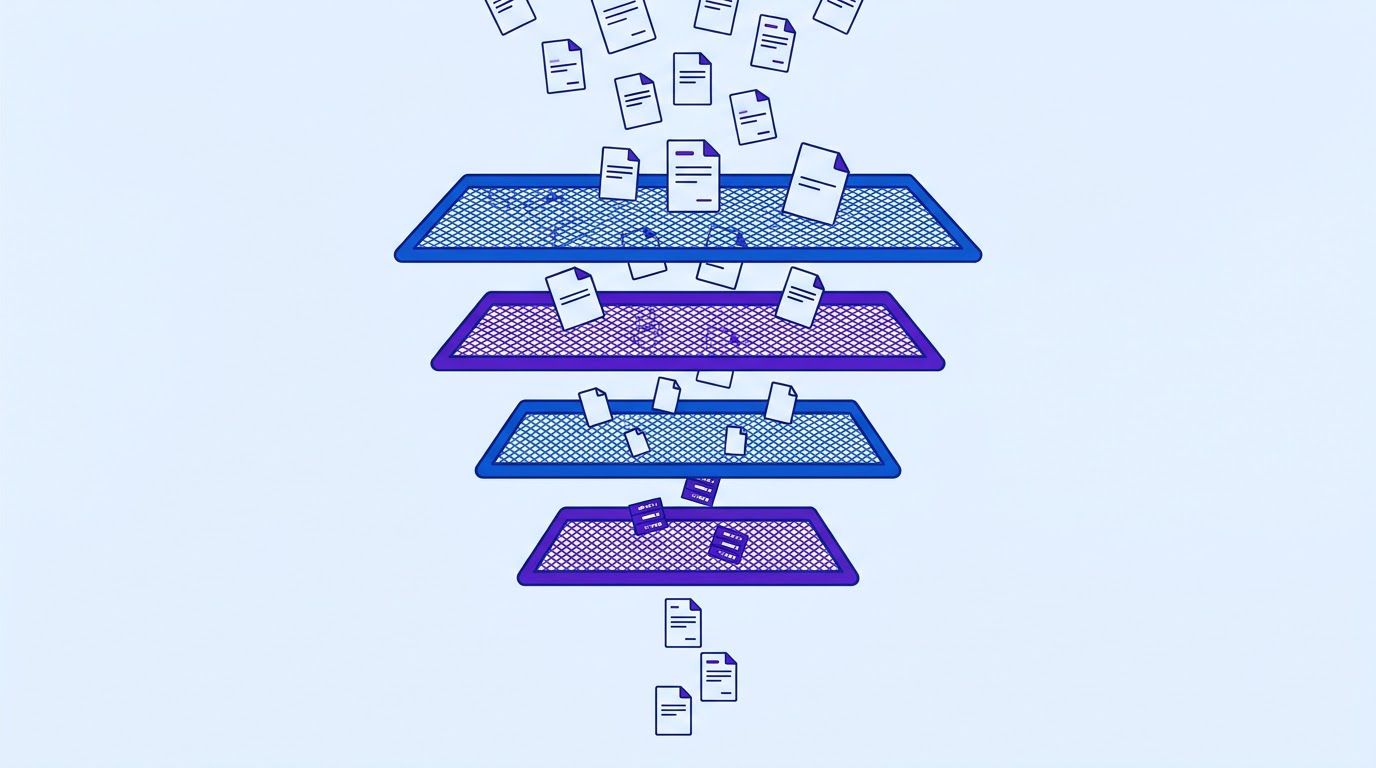
Layer 1 is the check everyone already has: same vendor, same invoice number, same amount. Done properly it does two things the basic version does not. It compares the number exactly as typed (so you can see the raw match), and it runs on the whole history of the vendor, not only the current batch.
The rule
| Field | Compare | Notes |
|---|---|---|
| Vendor ID | Equal | Not the vendor name: names are typed differently. |
| Invoice number | Equal, exactly as typed | Layer 2 handles the typed-differently cases. |
| Amount | Equal | Exact to the cent. |
A match is a hold, not a rejection: the invoice goes to a person who confirms or clears it. Dates are deliberately left out. A true duplicate often carries a different date because the vendor reissued it.
Do it in a spreadsheet
If you keep your invoice log in Google Sheets (may be an affiliate link) or Excel, the check is one formula. Assuming vendor ID in column B, invoice number in D and amount in F, with data in rows 4 to 200:
=IF(SUMPRODUCT(($B$4:$B$200=B4)*($D$4:$D$200=D4)*($F$4:$F$200=F4))>1,"Y","")
Why SUMPRODUCT and not COUNTIFS? COUNTIFS treats a number that looks numeric as a number, so it can quietly treat “0087” and “87” as the same value. That is the right behavior for Layer 2 and the wrong behavior for Layer 1, where you want to see exact text matches. SUMPRODUCT compares the text as it is.
Normalize first: the cheapest improvement you can make
Before any fuzzy logic, build a normalized invoice number: uppercase, with spaces, dashes, slashes, dots and # removed, and leading zeros dropped when the whole number is digits. Then compare the normalized numbers. This turns many Layer 2 cases into exact matches.
| As typed | Normalized | Matches |
|---|---|---|
| CL-2209 | CL2209 | CL 2209, cl2209, CL-2209 (trailing space) |
| 0087 | 87 | 87, 087, 00087 |
| INV-10482 | INV10482 | INV 10482, inv.10482, INV/10482 |
| #5531 | 5531 | 5531, 5531 (typed as text), 05531 |
=IFERROR(TEXT(VALUE(UPPER(SUBSTITUTE(SUBSTITUTE(SUBSTITUTE(SUBSTITUTE(SUBSTITUTE(D4," ",""),"-",""),"/",""),"#",""),".",""))),"0"),UPPER(SUBSTITUTE(SUBSTITUTE(SUBSTITUTE(SUBSTITUTE(SUBSTITUTE(D4," ",""),"-",""),"/",""),"#",""),".","")))
- Two real invoices that normalize to the same text. Vendor A bills INV-12 and INV-012 as separate invoices (rare, but it happens with templates that reset). The match is a hold for a person, not a verdict.
- Letters that look like digits. O and 0, I and 1 are a typo source. Do not auto-convert them without reviewing, because a vendor can legitimately use both.
- Short numbers. After normalizing, “87” is two characters. Short numbers collide often, which is why Layer 2 needs vendor and amount as well.
Layer 2: fuzzy matching on invoice numbers, and which thresholds to start with
Normalization fixes formatting. It does not fix a transposed digit (INV-10482 typed as INV-10428) or an added suffix (90311 versus 90311A). For those you need a measure of how different two strings are. The standard one is the Levenshtein distance: the minimum number of single-character edits (insertions, deletions or substitutions) needed to turn one string into the other.
A few computed examples, on normalized numbers (we calculated these with the script in Section 6):
| Number A | Number B | Distance | What it usually means |
|---|---|---|---|
| INV10482 | INV10428 | 2 | Two digits swapped: a typo or a copy entered with an error. |
| INV10482 | INV10483 | 1 | One digit different: could be a typo or the next invoice. Need vendor, amount and date. |
| 5531 | 5513 | 2 | Two digits swapped, but short: weak evidence on its own. |
| 90311 | 90311A | 1 | A suffix added: often a reissue. |
| INV1001 | INV1002 | 1 | Sequential numbers: usually two different invoices. |
| INV2201 | INV2210 | 2 | Digits swapped, or two deliveries. Amount and dates decide. |
The trap: distance alone creates false alarms
Look at the table again. INV1001 and INV1002 are one edit apart and are almost certainly two different invoices, because vendors number sequentially. A rule that flags everything at distance 1 will bury your reviewer in alerts about legitimate consecutive invoices, and a reviewer who sees too many false alarms stops reading them. The fix is to never use the number on its own. Combine it with vendor, amount and date.
Starting thresholds
These are starting points we chose for this guide, not values tuned on real data. We have no false-positive rates to give you. Start here, review the flags for a few weeks, and adjust using the measurement method in Section 6.
| Condition (all must be true) | Action | Reasoning |
|---|---|---|
| Same vendor, same amount, normalized numbers equal | Hold for review | Very strong signal: same vendor, same amount and the same number once formatting is ignored. |
| Same vendor, amount within $1, distance 1, dates within 10 days | Hold for review | A suffix or typo on an otherwise matching invoice. |
| Same vendor, same amount, distance 2, dates within 10 days | Review, lower priority | Two edits is weaker evidence. The amount and the date window do the work. |
| Distance 3 or more | Ignore on this layer | Too different to be a typo. Layer 4 may still catch it. |
| Normalized number shorter than 5 characters | Require distance 0 | Short numbers are too easy to match by accident. |
The amount tolerance of $1 and the 10-day window are the two settings you will adjust most. If your vendors reissue invoices weeks later, widen the window. If your amounts are small, tighten the tolerance.
Run it in a script
Spreadsheet formulas cannot calculate edit distance, so here is a short Python script that does it. It reads a CSV file with the columns invoice_id, vendor_id, invoice_no, date and amount, and prints pairs for a person to review. It never pays or blocks anything, and it runs fine on a slow computer with a few thousand rows.
import csv, sys, re
from datetime import date

AMOUNT_TOL = 1.00   # dollars: amounts closer than this count as "the same"
WINDOW_DAYS = 10    # invoices closer than this many days count as "close in time"
MAX_DISTANCE = 2    # edit distance up to this value counts as "similar number"

def norm(s):
    s = re.sub(r"[\s\-/#.]", "", s.upper())
    return s.lstrip("0") if s.isdigit() else s

def lev(a, b):
    prev = list(range(len(b) + 1))
    for i, ca in enumerate(a, 1):
        cur = [i]
        for j, cb in enumerate(b, 1):
            cur.append(min(prev[j] + 1, cur[j-1] + 1, prev[j-1] + (ca != cb)))
        prev = cur
    return prev[-1]

rows = list(csv.DictReader(open(sys.argv[1], newline="")))
for r in rows:
    r["amount"] = float(r["amount"])
    r["d"] = date.fromisoformat(r["date"])
    r["n"] = norm(r["invoice_no"])

for i in range(len(rows)):
    for j in range(i + 1, len(rows)):
        a, b = rows[i], rows[j]
        if a["vendor_id"] != b["vendor_id"]:
            continue
        if abs(a["amount"] - b["amount"]) > AMOUNT_TOL:
            continue
        if abs((a["d"] - b["d"]).days) > WINDOW_DAYS:
            continue
        dist = lev(a["n"], b["n"])
        if min(len(a["n"]), len(b["n"])) < 5 and dist > 0:
            continue    # short numbers: only exact matches count
        if dist <= MAX_DISTANCE:
            print(a["invoice_id"], "vs", b["invoice_id"], "| vendor", a["vendor_id"],
                  "|", a["invoice_no"], "vs", b["invoice_no"], "| distance", dist)
The script does not separate priority tiers: read the distance printed on each line and review distance 0 and 1 first. Save it as dup_check.py, export your invoices to a CSV with those five columns, and run python3 dup_check.py invoices.csv. Note that the script compares every pair, so it is fine for thousands of rows and slow for hundreds of thousands. For larger files, group by vendor first.
If you would rather have this check run inside your own stack, on every new invoice, without anyone remembering to run a script, the Request a Custom Workflow page is where you describe it and get a quote.
Layer 3: duplicate vendors in the vendor master file
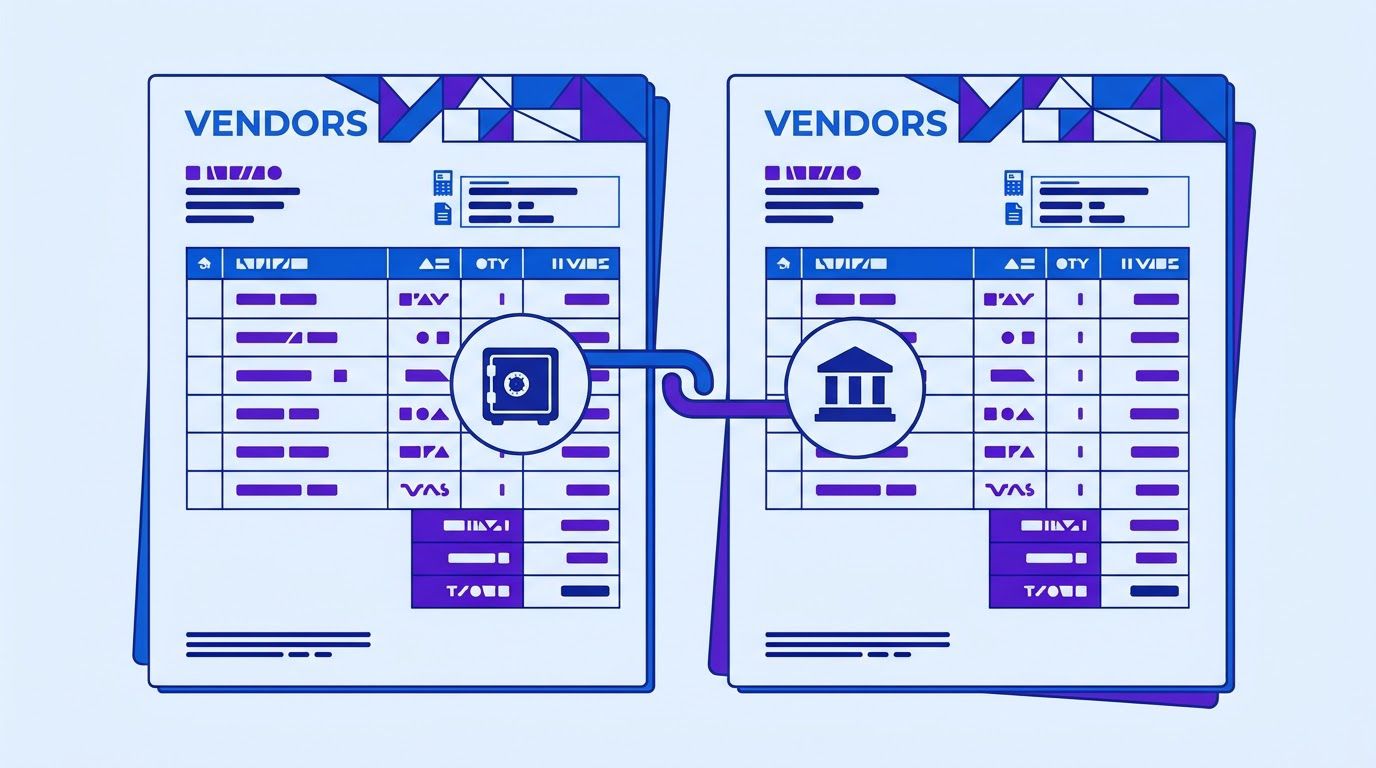
The vendor master file is the list of everyone you pay, with their names, tax IDs, addresses and bank details. When it holds the same company twice, every control that is scoped to a single vendor, including most duplicate-invoice warnings, stops working across the two records. Cleaning the vendor master file is also one of the cheapest ways to improve everything downstream.
How duplicate vendors appear
- Typed twice by different people, with a comma, an abbreviation or a different ending (Inc, LLC, Ltd) in one of them.
- A new record created instead of an update when the vendor changed address, name or bank account.
- Mergers, rebrands and subsidiaries, where the vendor is legally one group but paid through several entities.
- A one-time vendor set up for a single purchase that later became a regular supplier.
- Imports and migrations that bring in a list without checking it against the existing one.
Four signals, from strongest to weakest
| Signal | Strength | What to check | Watch out for |
|---|---|---|---|
| Same bank account | Strongest | Same account number (and routing number in the US) under two vendor IDs | A legitimate shared account, such as a payment processor or a parent company. Review, do not auto-merge. |
| Same tax ID | Strong | Same employer or tax identification number on two records | Missing tax IDs are common, so blanks must not match each other. |
| Same normalized name | Medium | Name with punctuation and endings like Inc, LLC and Ltd removed, compared | Similar names of different companies (two “Pine Supply” businesses in different cities). |
| Same address or phone | Weak | Street address and phone number, normalized | Shared offices, accountants and registered agents. |
The test sheet in Section 6 checks the first three. In the sample, “Northwind Supplies Inc” (V001) and “Northwind Supplies, Inc.” (V017) share a bank account and the same normalized name, so both records are marked for review, and Layer 3 on the Invoices sheet catches INV-10482 appearing under both IDs.
If you pay vendors abroad: the IBAN angle
Outside the United States, the bank account usually appears as an IBAN. According to a Trustpair guide (published July 10, 2026, last modified July 21, 2026, read November 7, 2026), every IBAN follows the same structure: a two-letter country code, two check digits and a country-specific account number (the BBAN), with lengths from 15 to 34 characters depending on the country. It says check digits are verified with a MOD-97-10 calculation, and that the United States, Canada and Australia do not use IBANs. In the US, a bank account is an ABA routing number plus an account number.
For duplicate detection, the practical value of an IBAN is that it is a clean, standardized identifier: two vendor records with the same IBAN after removing spaces and uppercasing are very likely the same payee. A valid check digit tells you the IBAN was typed without a mistake. The same guide warns that structural validation alone is not enough, because it does not prove who owns the account. It is a source with a commercial interest in vendor verification, so treat its claims as a vendor’s view and confirm important ones elsewhere.
Cleaning the vendor master, step by step
- Export the vendor list with ID, name, tax ID, bank account and address.
- Run the Vendors sheet from the test sheet and sort by the Review column.
- Confirm each pair by hand: look at the contracts, the invoices and, if needed, ask the vendor.
- Merge or deactivate, never delete. Keep the history so past invoices still link to a vendor. Mark the unwanted record inactive so no new bill can be entered against it.
- Move open invoices to the surviving record and re-run Layer 1 to see if hidden duplicates appear.
Control changes to bank details
A change of bank account is the moment when vendor data is both most likely to be updated by mistake and most attractive to fraud. A simple control costs little: when a vendor sends a request to change bank details, confirm it by calling a number you already had on file, not one printed on the request, and require a second person to approve the change before it is saved. Trustpair’s guide goes further and calls changed bank details the primary fraud vector for business email compromise. That is its own claim, not one we could verify independently, but the control is cheap whatever the exact number.
- Search the vendor master by tax ID, bank account and a normalized name before creating a record.
- Collect a tax form and written bank details from the vendor, not from an email forward.
- Verify the bank details with a call to a known number.
- Record who created the vendor and when.
- Review new vendors with a bank account that already exists on another record.
A spreadsheet that ranks your repetitive tasks by what is worth automating first. List the task, rate how often it happens, how long it takes, how error-prone it is and how many tools it touches, and the sheet orders your list. Enter your email below and we will send the download link.
Layer 4: near-identical amounts, recurring payments and one-cent variations
Some duplicates carry a different number and a slightly different amount: a freight line added, a rounding difference, a corrected total. Layer 4 looks for the same vendor, an amount within a small tolerance and a date close in time, with a different invoice number. It is the noisiest layer and the most useful when the others are quiet.
| Pattern | Example | Usually |
|---|---|---|
| One-cent or rounding difference | $1,299.99 on invoice 90311 and $1,300.00 on 90311A, two days apart | A reissue. Hold and ask. |
| Same amount, close dates, different numbers | $725.00 on INV-2201 and INV-2210, one day apart | Often two real deliveries. A person checks the purchase orders. |
| Recurring monthly charge | $2,000.00 on OCT-77 and OCT-78, 30 days apart | Legitimate. A 10-day window keeps it quiet. |
| Invoice split in two | Two invoices that add up to an amount paid last month | Needs a separate check (see below). |
| Credit and rebill | An invoice credited and reissued with a new number | Match the credit memo before paying. |
Keep a list of recurring vendors
Rent, subscriptions, retainers and utilities will always match on vendor and amount, so give them their own treatment. Keep a short list of vendors with a regular monthly charge, and set the window to well under a month so that the real recurring payments do not fire, as the sample does with the retainer 30 days apart. For these vendors, the useful check is different: did this month’s invoice arrive twice? A normal month has one.
Splits and sums: a check a sheet cannot do well
A vendor that splits one invoice into two, or pays a bill you had already settled in a different way (a card payment and then an invoice), produces amounts that do not match any single earlier row. Catching it takes a review of the payment list: for each vendor, does the total proposed this week plus last week’s payments look normal? That is a human check at the payment run, covered in Section 7.
- A window that is too wide (30 days or more) matches every recurring payment, and your reviewer learns to ignore the layer.
- A tolerance that is too wide matches invoices that are simply similar in size.
- Treating a flag as a verdict. Layer 4 produces questions. Two $725.00 deliveries can be exactly what they look like.
- Never reviewing the false alarms. If you do not record the decision, you cannot tune the layer.
The test sheet and script: run it on your own data
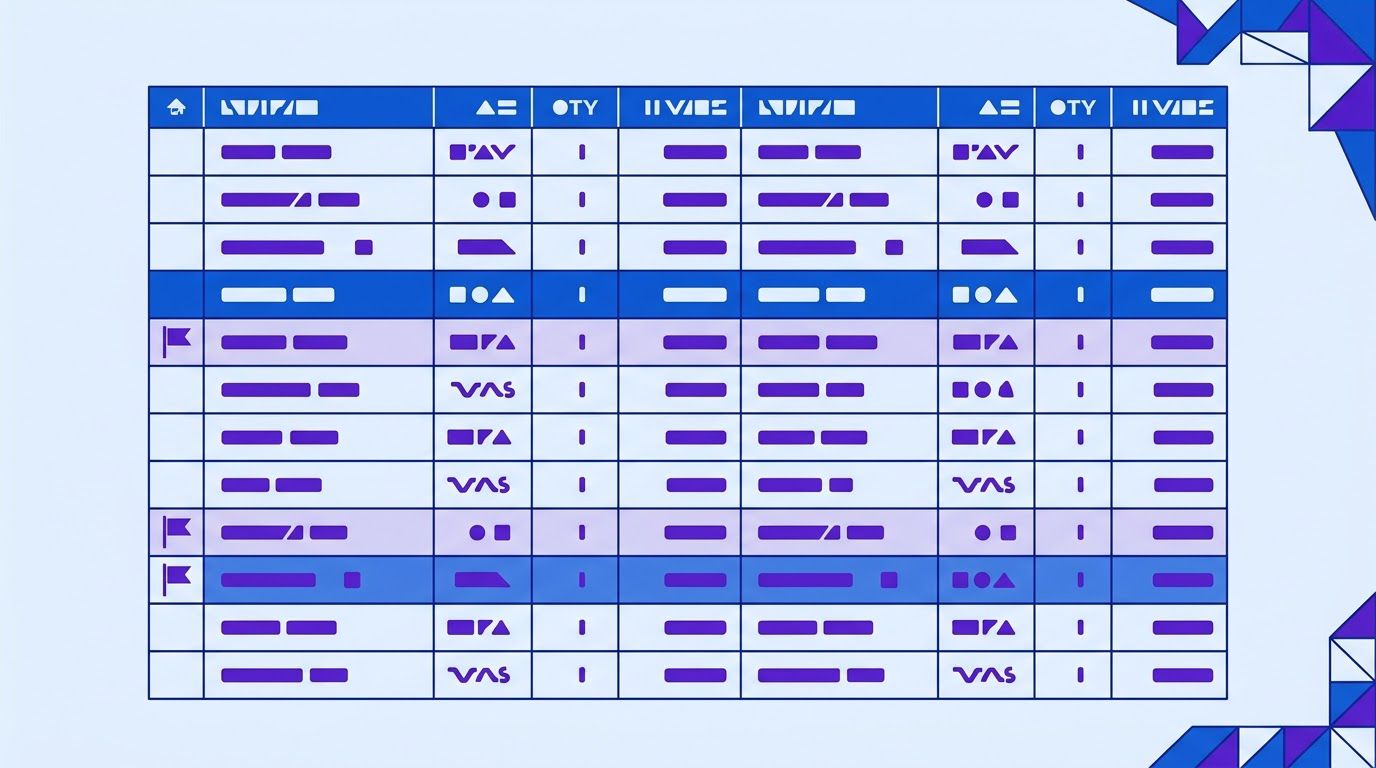
The LeenLabs Duplicate Invoice Test Sheet is a spreadsheet that runs Layers 1, 3 and 4 and a normalized version of Layer 2 with formulas, and records your review of each flag. The script from Section 3 adds the typo and transposition matching that spreadsheets cannot do. Together they let you test the whole system on your own data in an afternoon.
A spreadsheet with the four layers, a Vendors tab and a review log, filled with invented sample data. Copy it to your own Google Drive or Excel before you use it.
What is in the sheet
| Tab | What it does |
|---|---|
| How to use | Instructions and the limits of the method. |
| Parameters | The amount tolerance ($1.00) and the date window (10 days). Change the blue cells. |
| Invoices | Paste your invoices. It calculates the normalized number and the L1, L2, L3 and L4 flags, and shows which rows to hold. |
| Vendors | Paste your vendor list. It flags the same bank account, the same tax ID and the same normalized name across records. |
| Summary | Counts flags per layer and, once you record your review, the share of flags that were real duplicates. |
What the sample data shows
The sheet comes with 16 invented invoices and 12 invented vendors that contain planted cases. The expected results, which we checked by recalculating the workbook and running the script on the same data, are:
| Invoices | Planted case | Layer that flags it |
|---|---|---|
| 1 and 4 (V001, INV-10482) | The same invoice entered twice | L1 exact |
| 3 and 6 (V003, CL-2209 and CL 2209) | A space instead of a dash | L2 normalized |
| 5 and 7 (V004, 0087 and 87) | Leading zeros dropped | L2 normalized |
| 14 (V017) against 1 and 4 (V001) | The same invoice under a second vendor record | L3 same bank account, other vendor |
| 12 and 13 (V007, 90311 and 90311A) | A suffix and a one-cent difference | L4 near amount and date (and the script, distance 1) |
| 8 and 9 (V005) | Two real deliveries with the same price | L4, which a reviewer clears as legitimate |
| 10 and 11 (V006) | A monthly retainer, 30 days apart | Not flagged |
| 16 (V009) | The same number, 2209, at a different vendor | Not flagged |
Measure how often each layer is right
This is the part most guides lack, and it replaces the claims about false-positive rates you will see elsewhere. After you check a flagged row, set Reviewer decision to Duplicate or Legitimate. The Summary tab then shows, for each layer, how many flags you reviewed and what share were real duplicates. After a few weeks you have your own numbers, which are the only ones that matter for your vendors.
The numbers below are invented to show how to read the tab. They are not benchmarks.
| Layer | Flagged | Real duplicates | Legitimate | Share real |
|---|---|---|---|---|
| L1 exact | 12 | 11 | 1 | 92% |
| L2 normalized | 9 | 6 | 3 | 67% |
| L3 same bank, other vendor | 5 | 5 | 0 | 100% |
| L4 near amount and date | 30 | 7 | 23 | 23% |
A reasonable reading: L1 and L3 earn their keep and should always hold the payment. L2 is worth reviewing. L4 produces many false alarms, so tighten the window or the tolerance, or review it only for amounts above a threshold. What a careful reader would add: four weeks and 56 flags is a small sample, and an invoice that is a real duplicate and was never flagged does not show up here at all. To estimate misses, sample some paid invoices at random and check them by hand.
What the sheet cannot do
- Typos and transpositions: use the script.
- Invoices that arrive as images or PDFs: someone, or a tool, has to extract the number, vendor and amount first.
- Different vendors that are the same company with a different bank account: only a human review of the vendor master finds those.
- Fraud with fabricated vendors: a duplicate check is not a fraud control. Combine it with the bank-detail and onboarding controls in Section 4.
Duplicate payment prevention: where to put the checks
Detection logic is only half the system. The other half is where in the process it runs. A check that runs after payment is an audit. A check that runs before payment is prevention. Put checks at three gates.
| Gate | When | What runs | Who reviews |
|---|---|---|---|
| 1. Entry | When a bill is created in the accounting tool or the sheet | Layer 1 and normalized Layer 2 on the single invoice, plus a vendor search by bank account and tax ID for new vendors | The person entering the bill. A hold cannot be skipped without a note. |
| 2. Approval | When the approver opens the invoice | The flag results are visible next to the invoice, including any near matches | The approver, who sees why it was flagged. |
| 3. Payment run | On the final list before money moves | Layers 1 to 4 on the whole payment list against the last 12 months, plus a per-vendor total for the week | A person other than the one who entered the bills. |
Gate 3 is the most valuable and the one most often skipped. It is the last chance to stop a payment, and a different set of eyes on the list catches things the person who typed the bills no longer sees. The per-vendor total also catches split invoices that a row-by-row check misses.
A duplicate invoice check is not the same as invoice matching
Two checks are often confused. Invoice matching compares an invoice with other documents: a purchase order (two-way matching) or a purchase order and a goods receipt (three-way matching). It answers “did we order and receive this?” A duplicate invoice check compares an invoice with other invoices and payments. It answers “have we already seen or paid this?” An invoice can pass three-way matching twice, because the order and the receipt are still there the second time. You need both.
Make a hold hard to ignore
- A flagged invoice cannot be paid until a person records a decision (Duplicate or Legitimate) and a short reason.
- The person who clears a flag is not the person who entered the bill, where your team size allows it.
- Keep the decision and the note. They are your evidence for the audit and the data for tuning thresholds.
- Never let a duplicate warning be dismissed without a reason. A warning that can be clicked away is a warning that will be.
Separate the work by person where you can
In a five-person company this may mean the owner reviews the payment run. In a larger one it can be a separation of entering, approving and paying. The principle is simple: the person who can create a vendor and the person who can pay it should not be the same person, and the person who enters an invoice should not be the only one who sees it before it is paid.
When a duplicate has already been paid: recovery and audit
Prevention will not catch everything. This is the sequence when you find a duplicate payment after the money has gone. We are not accountants or lawyers, and recovery options depend on the payment method, the vendor and your contract, so treat this as a practical outline.
Duplicate payment recovery, step by step
- Confirm it is a duplicate. Find both payments and both invoices, and check that they cover the same goods or services.
- Stop the damage. Hold any further payment to the vendor, and check other invoices from the same vendor for the same problem.
- Contact the vendor in writing, with both invoice numbers, dates, amounts and payment dates. Ask whether they prefer a refund or a credit against future invoices.
- Ask your bank about options early if the payment was recent. What can be reversed, and for how long, depends on the payment method, so ask the bank rather than assume.
- Record it: the amount, the dates, the cause, the vendor’s reply and the resolution.
- Fix the cause. Why did the check not catch it? A second vendor record, a typo, a channel? Add the rule that would have stopped it.
Subject: Duplicate payment on invoice [number]

Hi [Name],

While reconciling our accounts we found that invoice [number] for $[amount], dated [date], was paid twice: on [date 1] (reference [ref 1]) and on [date 2] (reference [ref 2]).

Could you confirm receipt of both payments? We would like the second one returned, or credited against our next invoice if you prefer. Please tell me which you would like and how long it will take.

Thank you for your help,
[Your name]
A look-back audit: run the sheet on the past
Duplicate payments that have already happened are the best argument for the system, and you can find them. Export the last 12 to 24 months of paid invoices, paste them into the Invoices tab and the vendor list into the Vendors tab, and review every flag. Treat it as a duplicate payment audit you do for yourself. Expect some false alarms. Any real ones are money you can ask for back, and each one tells you which layer would have stopped it.
We did not find a universal rule for how long a vendor must honor a refund request, and it depends on your agreements and applicable law. Start with the most recent 12 months, where records are fresh and vendors still remember the work, and extend if you find a pattern. Ask your accountant or lawyer about older items.
The ten-point checklist before payment
Use this on the final payment list, every time. It is the AP controls above in a form you can tick off in a few minutes.
| # | Check | Done when |
|---|---|---|
| 1 | Every invoice has been compared with the last 12 months of payments to the same vendor | Layer 1 and normalized Layer 2 show no unresolved flags. |
| 2 | Near matches have been reviewed | Layer 2 and Layer 4 flags each have a recorded decision. |
| 3 | No vendor on the list shares a bank account, tax ID or normalized name with another vendor | Vendor flags are cleared or the records merged. |
| 4 | Recurring vendors have one invoice this period | No recurring vendor appears twice. |
| 5 | Per-vendor totals look normal | Nothing is more than usual without an explanation. |
| 6 | Bank details changed this period were verified by a call to a known number | Each change has a name and a date. |
| 7 | Invoices with a PO matched the PO and receipt | Three-way matches pass, or the exception is explained. |
| 8 | The person who enters bills is not the only reviewer | A second person has seen the list. |
| 9 | Credit memos have been applied | No invoice is paid in full that has an open credit. |
| 10 | Decisions and notes are saved | The log is up to date and the list is signed off. |
Automating detection without losing control
The checks above are repetitive and rule-based, which suits automation. The risk is to automate the decision as well. A good pattern is for the workflow to catch, flag and notify, and for a person to release or reject.
What is already on this site
Several of the published workflows touch the invoice flow, and each can be combined with the checks in this guide:
- The vendor invoice three-way match workflow is the closest to this guide. As described in its entry, it blocks duplicate vendor invoices, matches each invoice to a purchase order and goods receipt in Google Sheets, and emails Finance. The layers in this guide (normalization, fuzzy matching, vendor master and near-amount checks) go beyond an exact-match block, and adding them is a customization.
- The supplier invoice auto-capture workflow watches a Gmail label, reads each PDF with OpenAI, checks the totals and logs clean invoices to Google Sheets. That log is the natural place to run the normalized key before anything is paid.
- The invoice line item logging workflow reads an invoice PDF, logs every line item to a sheet, checks the totals and emails a verification report. Line items are useful for Layer 4, since a repeated line can reveal a resubmitted invoice.
- The invoice data extraction workflow with n8n and Claude covers getting the number, vendor and amount out of a PDF, which every layer in this guide depends on.
A design that keeps a person in charge
- Capture: a new invoice arrives by email or upload, and a workflow in n8n (may be an affiliate link) extracts the vendor, number, date and amount.
- Normalize and compare: the workflow builds the normalized number and runs Layers 1, 2 and 4 against the invoice log. It looks up the vendor’s bank account and runs Layer 3.
- Flag: a flagged invoice gets a Hold status and an email to the reviewer with the reason and links to both invoices.
- Wait for a person: nothing moves to the payment list until a decision is recorded.
- Log: every decision and note is written to the sheet, which feeds the Summary.
- Flag, do not delete. A workflow should never discard an invoice, only hold it.
- Show the reason. “Possible duplicate” is not enough. Say which layer and which other invoice.
- Log everything, including invoices that passed, so you can test for misses.
- Protect bank details. Keep them in a restricted sheet or system, not in an email body.
- Review the thresholds every month for the first quarter.
If you want normalization, fuzzy matching, a vendor master check and near-amount checks wired into your own invoice intake and sheet, with a hold and a reviewer email, describe it on the request page. We review it, send a quote, and you decide whether to go ahead.
When it is time to hand it to someone
You can run all of this with the sheet, the script and discipline at the payment run. Many small teams do, and it is the right way to start. The part that tends to break is consistency: the check that runs every time, on every channel, including the week when the person who usually does it is on holiday.
At LeenLabs we build n8n workflows for exactly this kind of task. The process is plain. You describe the task once on a single form, with your invoice sources, your sheet or accounting tool and the rules that matter to you. We review it and send a quote. You pay 40% to start, and the remaining 60% when we deliver the workflow. There is no bidding round and no profiles to compare. We do not promise a number of duplicates caught, because that depends on your data. What we deliver is a workflow that does what your request describes.
Tell us where invoices arrive, which fields you can extract, which layers you want and who should review a hold. You get a quote, and you decide whether to go ahead.
To see how these workflows are put together first, browse the free workflows, which come with JSON you can import, or read more about us.
Frequently asked questions
How do I catch duplicate invoices and prevent duplicate invoice payments?
Run checks at three points: when the bill is entered, when it is approved and on the final payment list. Compare each invoice with the last 12 months of invoices from the same vendor on number, amount and date, normalize the invoice numbers first, and check the vendor master for the same bank account or tax ID under another record. Sections 1 to 5 describe the four layers.
What is a duplicate payment?
A duplicate payment is when the same invoice, or the same obligation, is paid more than once. Usually it happens because the invoice entered the system twice: typed differently, sent through two channels or entered under two vendor records.
What is duplicate invoice detection?
It is the process of finding invoices that may already have been entered or paid. Simple versions compare vendor, invoice number and amount. Better versions also normalize numbers, use fuzzy matching for typos, check the vendor master for duplicate vendors and look for near-identical amounts close in time.
How does fuzzy matching work for invoice numbers?
It measures how different two numbers are, usually with the Levenshtein distance, which counts the single-character edits needed to turn one into the other. A distance of 1 or 2 on an otherwise matching vendor, amount and date is a strong hint. On its own it creates false alarms for sequential invoices, so it must be combined with the other fields.
Why do duplicate vendors cause duplicate payments?
Most duplicate checks work within one vendor record. If the same company exists as two records, the same invoice number entered under each passes the check. Comparing bank account, tax ID and normalized name across records finds these pairs.
Are duplicate invoices usually fraud?
Most are mistakes. The ACFE’s 2024 Report to the Nations, which we read, covers deliberate occupational fraud, where billing schemes were 22% of cases. Duplicate invoices from honest errors are a different and probably larger group, though we found no reliable figure for it. A duplicate check helps with both, but it is not a fraud control by itself.
How do I recover a duplicate payment?
Confirm the duplicate, hold further payments to that vendor, write to the vendor with both invoices and payment details, and ask whether they will refund or credit you. Contact your bank early if the payment was recent, since options depend on the payment method. Then fix the cause so it cannot recur.
How should I clean up my vendor master file?
Export it, compare bank accounts, tax IDs and normalized names, confirm each possible pair by hand, then merge or deactivate rather than delete so history is kept. Move open invoices to the surviving record and add a search-before-create step to onboarding so it does not happen again.
Sources
- Association of Certified Fraud Examiners, Occupational Fraud 2024: A Report to the Nations (PDF copy hosted by the Ivey Business School, ivey.uwo.ca). Read on November 7, 2026. 1,921 cases from 138 countries and territories, median loss $145,000, 5% of revenue as an estimate by certified fraud examiners, billing schemes 22% of cases with a median loss of $100,000, 43% of frauds first detected by tips. We read all but the last few pages of the document.
- Trustpair, guide to IBAN countries and formats (trustpair.com). Published July 10, 2026, last modified July 21, 2026; read November 7, 2026. IBAN structure, MOD-97-10 check, countries not using IBAN, and a claim about changed bank details and business email compromise. A vendor source with a commercial interest in verification.
- The Levenshtein distance is a standard measure of string similarity. We used the usual definition and calculated the examples with the script in this guide. We could not open a reference page for it from our working environment.
- Checked by us: the test sheet formulas (recalculated on the invented sample data) and the script (run on the same data). The sample data is invented.
- Not found and therefore not quoted: a reliable current figure for how often duplicate payments occur at small businesses, real false-positive rates by detection layer, and a universal time limit for duplicate payment recovery.
- About Us: who we are and how we work
- Free Workflows: n8n workflows with JSON you can import
- Request a Custom Workflow: describe a task and get a quote
- Terms of Service
- Privacy Policy
This article is general information and not legal, tax or financial advice. Laws and rules differ by country and state and change over time. Check with a qualified professional about your own situation.