
Creative Approval Workflow for Agencies: Ending the “Looks Good” Limbo

Thursday, 4 p.m. You send version three of a brochure layout. Six minutes later the client replies: “Looks good!” You exhale and start preparing the files for print. On Friday morning a second email arrives: “Marc from sales had a few thoughts, he will send them over.” On Tuesday there are three emails from three people, two of which ask for opposite things, and one of which says the first email was only a first impression. Is the brochure approved? Nobody can say. You cannot print it and you cannot stop working on it. (An invented scene, and one that most agencies will recognize.)
This guide calls that state the approval limbo: a deliverable that is neither approved nor rejected, so the work can neither move forward nor be put down. Limbo has a cost in hours, in calendar days and in the attention of everyone involved. It also has a cause, and the cause is rarely the tool. Most teams that struggle with approvals already own a shared drive, a chat tool or a proofing tool. What they lack is a process with three properties: a limited, defined number of rounds; feedback gathered into one document; and one named person who is allowed to say yes.
This guide builds that process step by step. It covers what a round is and how many to include, how to ask for feedback so that it arrives in one piece, how to deal with a client team that disagrees with itself, which contract clauses support the process, how to build the review time into the project calendar, and how to automate the reminders. The templates, the tracker and the clause drafts are in a single spreadsheet you can copy.
A note on evidence. Two studies are quoted below. One is the 2025 BetterIdeas Project, published by the UK’s IPA and others, which measured how agencies and marketers rate feedback. The other is a 2019 Digiday report hosted by a software vendor, which surveyed mostly brand-side marketers at large companies and does not state its sample size. We looked for a trustworthy benchmark of the average number of creative rounds per project at agencies and did not find one, so we do not quote any. Every example, number and table of results in this article is invented to illustrate a method, and the templates and clauses are our own drafts, not tested on real client work and not legal advice.
- Treat “looks good” as an incomplete answer. Translate it back into one of three statuses: approved, approved with listed changes, or changes requested.
- Rule 1: count the rounds, define what a round is and include a number in the quote.
- Rule 2: feedback arrives once per round, in one consolidated document.
- Rule 3: one named approver decides. Everyone else is a contributor or is informed.
- Frame each review. A short note states what you are asking the client to judge, what is not up for debate in this round and the date the round closes.
- Sort every comment into must fix, preference, contradiction, new scope or question, then act on each type differently.
- Put the review time in the calendar. In the model project below, a third of the elapsed days is waiting for the client.
- Automate the nudges, not the decisions: reminders at fixed days, a final notice and a status per deliverable.
- The real cost of the limbo
- The three rules
- The workflow in five stages
- Consolidating feedback: five types of comment
- The contract clauses that support the process
- When the client disagrees with itself
- A realistic calendar
- Automating the tracker and the reminders
- A three-week adoption plan
- When it is time to hand it over
- FAQ
- Sources
The real cost of the limbo
A weak design approval process shows up in three different currencies, and agencies tend to count only the first.
- Hours. Every extra round means design, project management, sometimes development and quality checks, plus the cost of getting back into a file that had been put away. The work is real even when the change is small.
- Calendar days. A deliverable waiting for a response is a deliverable that blocks whatever depends on it. A late approval at the design stage moves the build, the launch and often the invoice.
- Attention. An open approval is a thread somebody has to remember. Teams with eight projects in limbo spend part of every day checking what is still pending, which is work nobody planned and nobody bills.
What the evidence says, and what it does not
The best recent data point we found on the quality of feedback comes from the BetterIdeas Project, a study run by BetterBriefs and the research firm Flood + Partners with the IPA and the WFA. It surveyed 1,034 agency, marketer and in-house respondents across 54 countries and was published on 4 March 2025. According to the IPA’s write-up, only 30% of agencies agree that clients provide clear and constructive feedback, while around half of marketers (52%) agree that they themselves do.
Read that gap carefully. It does not prove that clients give bad feedback, and the study covers creative work in marketing in general, not only design review. It measures perceptions, and what it shows is that the two sides of the table experience the same feedback very differently. A client who writes “make it pop” believes the message is clear. The designer who receives it has a question, not an instruction. The process in this guide is a way of closing that gap: the question being asked is framed in advance and the answer is collected in a structure.
A second source is a 2019 report published by Digiday and hosted on the site of the software vendor Hightail. According to the report, 84% of respondents agreed that there are too many rounds of creative review, and 79% pointed to too many people in the review as a reason for missed deadlines. Two cautions apply. The sample size is not stated, and most respondents (78%) were brand-side marketers, with 13% from agencies, so the numbers describe in-house creative review at large companies more than agency work. Read it as supporting evidence for the pattern, not as a benchmark for your agency.
What this costs in a made-up agency
Every number below is invented to show the arithmetic. Replace them with yours from the tracker.
| Input | Value |
|---|---|
| Projects per year | 30 |
| Extra rounds beyond the plan, per project (average) | 1.5 |
| Hours per extra round (design, project management, quality check) | 6 |
| Blended internal cost per hour | 75 |
| Extra round hours per year | 30 x 1.5 x 6 = 270 hours |
| Cost of those hours | 270 x 75 = 20,250 |
In this invented case the agency absorbs about 20,000 a year in rounds nobody quoted, before counting delays and the invoices they push back. If the quote had included two rounds and priced the third, part of that amount would have been billed and part would never have happened, because a priced round makes the client think twice.
The point of the example is not the total. It is that the cost is countable. Once you log the round number of every deliverable, the question changes from “do clients give a lot of feedback?” to “how many rounds does a brochure take on average, and what did the third one cost?” The first question has no answer. The second one has a number, and a number can be negotiated and priced.
Why the limbo survives
If limbo is expensive, why does it persist? Because each of its causes is individually reasonable. The client wants everyone to have a say. Nobody wants to be the person who says no. The agency wants to be seen as flexible and agrees to “one more small thing.” The tool lets anyone add a comment. And no one wrote down what “approved” means. Four small habits, none of them hostile, add up to a project nobody can close.
The fix has to be as small as the habits. It is three rules, one framing note and one status list, and none of them requires a new software subscription.
The three rules
Everything else in this guide rests on three rules. They work together, and if you adopt only one the other two will keep leaking.
Rule 1: rounds are counted, defined and included in the quote
A round is one consolidated set of feedback on one version of a deliverable. That is the whole definition, and each word does work. “One consolidated set” means that five emails sent over three days are one round, not five. “One version” means that when you send version two, the clock restarts on version two. Write the definition in the proposal, not only in the contract, because the proposal is the document the client has actually read.
Then pick a number and put it in the quote. Many agencies include two rounds. The number matters less than the fact that it exists, because a limit turns an endless negotiation into a planning question: “We have used one of two rounds. Is there anything else in this version we should fix before we send it back?” That question is a gift to both sides, because it encourages the client to look at the whole file instead of sending changes one at a time.
Two exceptions are worth writing down. First, mistakes on your side do not consume a round. If you spelled the client’s name wrong or exported the wrong size, fixing it is not a client change. If errors counted against the client’s rounds, clients would hesitate to report them, which is the opposite of what you want. Second, a change of brief is not a round. If the client decides halfway that the audience is different, that is new scope, and it goes through the change request path described in our guide to scope creep and change requests.
| Deliverable type | Starting point for included rounds | Why |
|---|---|---|
| Social media graphic or ad set | 1 to 2 | Small, fast, and easy to judge in one look. |
| Brochure or print layout | 2 | Printing is irreversible, so the second round is the check. |
| Website page design | 2 | Reviewed on screen at two sizes; most issues surface in round one. |
| Brand identity | 2 at concept, then 2 at refinement | Direction is chosen first; details come after. |
| Video edit | 2 rough cuts, then 1 final polish | Changes late in the edit cost the most. |
These are starting points to adapt, not industry benchmarks. We did not find reliable benchmark data on the average number of creative rounds, so the right number for your agency comes from your own tracker after a few months. Start with a number you can defend, then adjust.
Rule 2: feedback arrives once per round, in one document
The biggest source of limbo is not the number of comments. It is the number of channels and people through which they arrive. A comment in the chat, a second one by email, a note from a colleague forwarded without context and a phone call the account manager summarizes from memory are four versions of the truth, and the designer has to reconcile them. Reconciling is not neutral. Whoever reconciles is effectively making decisions the client should make.
Rule 2 moves that work back to the client, gently. You provide the structure (a form, a shared document or a table), you state the date the round closes, and the client team puts every comment in the same place. They may add comments as they think of them. You start work when the round closes, not when the first comment arrives. This also protects your team from the quiet pressure of starting on a half-formed list that then changes.
The section on consolidation, below, shows the five types of comment you will meet and the exact template.
Rule 3: one named approver
Atlassian’s team playbook describes a decision framework called DACI, in which the roles are driver, approver, contributors and informed. Its page defines the approver as “the one person (yes: one!) who makes the decision” and describes the contributors as people who can make recommendations without a vote. You do not need the full framework, but the idea transfers directly to creative review. You can read the DACI play on Atlassian’s site, and note that Atlassian is a software vendor and the page is not dated.
In practice, Rule 3 means that at the kickoff you ask one question and write the answer down: “Who gives the final yes on creative work?” Only one name is accepted. Other people on the client side are welcome to comment (they are contributors), and some will only want to be informed. The approver’s job is to consolidate the comments and decide when they conflict. If the approver is a busy founder, they may delegate in writing to a named person. Delegation is fine. Ambiguity is not.
This is the question to add to your onboarding. It fits naturally next to the access checklist and the brief in our 14-day agency onboarding system, and it costs nothing at that point in the project. It costs a great deal at week six.
How the three rules hold each other up
A round limit only works if rounds are consolidated, because otherwise nobody agrees what counts as one. Consolidation only works if somebody owns it, because otherwise the client team is waiting for someone else to compile the list. And a single approver only works if rounds are limited, because otherwise even a decisive person can keep deciding forever. Remove one and the system turns back into a conversation you have to win each time.
A review process that sends the framing note, collects comments, chases late responses and updates a tracker touches several of the tools your team already uses. If you would rather describe it than assemble it, tell us how your agency reviews work today and we will send a quote for a custom workflow before anything is built. Unlike a freelance marketplace, you deal directly with the people who build the workflow.
The workflow in five stages
A creative approval workflow, as this guide uses the term, has five stages. The first and the last are the ones most agencies skip, and they are the two that end the limbo.
| Stage | What happens | Output |
|---|---|---|
| 1. Frame | You send a short note: what to judge, what is not open in this round, the date the round closes. | The framing note |
| 2. Present | You show the work in context, in one place, with the note on top. | One link, one version name |
| 3. Collect | The client team adds comments to a single document until the round closes. | The raw comments |
| 4. Decide | The approver consolidates, resolves conflicts and chooses one of three statuses. | A status and a list |
| 5. Lock | You confirm in writing what was decided, name the version and move on. Later changes follow the change request path. | The approval record |
Stage 1: frame the review
Most unproductive feedback is a symptom of an unasked question. When a client opens a file with no guidance, they review everything at once: the idea, the colors, the typography, the copy and the strategy. If you ask them to judge only one thing, you get one answer. NN/g makes the same point about structure in its short video on effective feedback by Megan Brown, dated 11 March 2024. Its summary names three tips: remember your insights are valuable, structure your feedback, and provide balanced feedback. The framing note is how you apply the second one from the receiving side.
Subject: {{Project}}: {{Deliverable}}, version {{n}}, round {{r}} of {{total}}

Hi {{approver}},

Attached (one link): {{link}}

In this round, please judge:
- {{one question, for example: Does the layout communicate the offer clearly?}}

Not open in this round (we will come back to these in round {{r+1}}):
- {{for example: colour palette, photo choice, final copy}}

How to send feedback:
- Add every comment to this document: {{link to the feedback form}}
- {{approver}} confirms the list and sets the status (see the end of this note).

This round closes on {{date}}. If we hear nothing by then, we will send a reminder, and the
schedule moves by the number of days beyond that.

When you reply, please choose one:
1. Approved
2. Approved with the changes listed (we make them and do not open a new round)
3. Changes requested (this uses round {{r}} of {{total}})

{{your_name}}
Three details in that note do most of the work. The “please judge” line limits the question. The “not open” line saves you from comments on things the client was never asked about, without telling them they cannot comment. And the three numbered statuses at the end give the client a way to answer that is not “looks good.”
Stage 2: present the work in context
Show the design where it will live: the brochure on a mock page, the web page in a browser frame at desktop and phone width, the ad inside a feed. Context reduces the number of questions, because the client sees the answer to “will this work on a phone?” without asking. Send one link and one version name (for example, Brochure v3), and keep older versions out of the same place so that nobody comments on the wrong one.
Dedicated proofing tools, which let people click on a file and leave comments pinned to a spot, exist for this and some teams like them. We did not compare them for this guide, so we do not recommend one. What matters for the process is that comments end up in one place and that the tool does not let a second place appear.
Stage 3: collect in one place until the round closes
Tell the client where comments go and when the round closes. A date is the most useful sentence in the whole process. Without it, “I will get back to you soon” becomes the project plan. With it, the client team knows when to stop talking and start deciding. Pick a window that fits the deliverable (the kit defaults to three business days) and state it in the proposal, so the framing note is a reminder and not a surprise.
Stage 4: decide and name the status
When the round closes, the approver does two things: they confirm which comments stand (resolving conflicts, as the next sections show) and they choose a status. The three statuses cover every possible outcome, and every outcome has a defined next step.
| Status | Meaning | Does it use a round? | Your next step |
|---|---|---|---|
| Approved | Nothing more to change. | No | Lock the version and move to the next stage. |
| Approved with listed changes | The changes are small, specific and agreed. No further review is needed. | No | Make the listed changes, send the final files, lock. |
| Changes requested | The deliverable needs another version and another review. | Yes | Start the next round or, if the limit is reached, quote an extra round. |
The middle status is the one that frees the most time. Many “looks good, just change X” replies are really approved with listed changes, and treating them as such saves a full review cycle. The script is short: “Thanks. I read this as approved with the changes below, so we will make them and not open another round. Please confirm and we will send the final files.” If the client confirms, you have saved a round. If they hesitate, you have found out that it was not approved after all, which is also useful.
Translating “looks good”
“Looks good” is not a status because it does not say what happens next. Here are the common variants and the translation to use.
| The client says | What it might mean | Your reply |
|---|---|---|
| “Looks good!” | Approved, or a first impression. | “Great. Shall I mark this version as approved?” |
| “Looks good, just a few tweaks.” | Approved with changes, if the tweaks are listed. | “Please send the list and I will treat it as approved with changes.” |
| “Looks good, let me show the team.” | Not approved. A new round has started without being named. | “Of course. Who gives the final yes? We will wait for their reply by {{date}}.” |
| “I like it but something feels off.” | Changes requested, with no instructions. | “Which part feels off: the layout, the colour, the message? A short note is enough.” |
| Silence | Anything. | A dated reminder, then the final notice described in the clauses section. |
Stage 5: lock the version in writing
Locking is the step that makes later change requests possible. Send a short message: “Brochure v3 is approved by {{approver}} on {{date}}. The final files follow today. Further changes to this version will be handled as change requests.” It takes two minutes. Without it, an approval is a mood, and a mood can be revised. The sentence about change requests connects to the pricing and scripts in the scope creep guide.
A spreadsheet with an approval tracker (due dates and the next action for each deliverable), a feedback consolidation table with totals, your round policy in a settings tab, and the clause drafts and scripts used in this guide. The rows in the sample tabs are invented. Overwrite them with your own.
Consolidating feedback: five types of comment
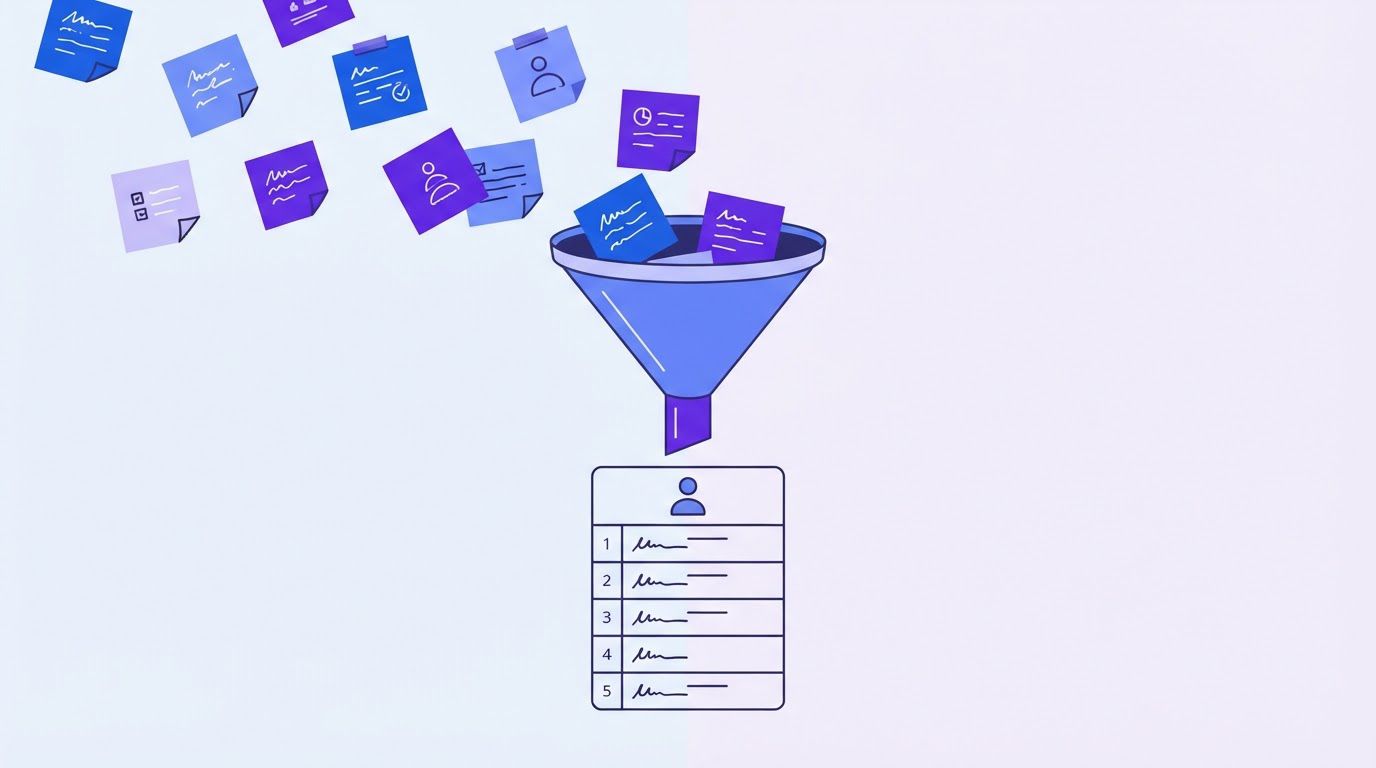
Once a round closes, you hold a pile of comments. Treating them all alike is the second most common cause of limbo, after the missing deadline. A comment about a typo and a comment about the whole strategy need different responses, and mixing them in one list hides the difference. Sorting each comment into one of five types takes minutes and changes the conversation.
| Type | What it is | What you do |
|---|---|---|
| Must fix | An error, a factual mistake or a departure from the agreed brief. | Do it. It does not use a round if the error was yours. |
| Preference | A taste-based change that the brief does not settle. | Do it if the approver confirms it. It is the content of the round. |
| Contradiction | Two comments that cannot both be followed. | Do not choose. Ask the approver to decide. |
| New scope | A request for something that was not in the brief. | Do not do it in this round. Send a change request. |
| Question | The client wants information, not a change. | Answer in writing. It is not a change. |
The table encodes a useful asymmetry. You owe the client your errors, and you owe the approver the decisions. Must fix items are yours to correct without discussion. Everything else passes through the approver, who either confirms it, picks between conflicting versions or sends it away as scope. Because you never choose between two clients’ opinions, you cannot be accused of choosing wrongly.
A made-up consolidation
The names and comments are invented. The same rows appear in the kit.
| Who | Comment | Type | Decision |
|---|---|---|---|
| Marketing lead | The logo feels too small on the homepage. | Preference | Do |
| Founder | Make the logo bigger. | Preference | Do (same change, merged with the line above) |
| Sales lead | The tagline has a typo in the second line. | Must fix | Do, no round used |
| Marketing lead | Use a warmer palette. | Contradiction | Ask the approver |
| Founder | Keep the cool palette, it is on brand. | Contradiction | Ask the approver |
| Sales lead | Add a pricing section with three plans. | New scope | Send a change request |
| Marketing lead | Is the font licensed for web use? | Question | Answer in writing |
Seven comments become four actions that need no discussion (two merged logo comments, one typo, one answer), two that need a single decision from the approver (the palette) and one that leaves the round (the pricing section). In this invented list, six of seven comments are not must fix items. That is an illustration, not a statistic: we have no data on how real feedback splits across the five types, and you will learn your own split from the kit’s summary rows.
The feedback form
The consolidation works best if the client’s comments arrive already structured. A short form or shared table is enough, and it does not need to be a tool you pay for. Ask for five things per comment:
- Where: the page, area or time code, so the comment points to a place.
- What: the comment itself, in the writer’s words.
- Why it matters: one line on the problem, which is more useful than a proposed solution (“it is hard to read on a phone” leads to a better fix than “make it red”).
- Priority: the writer picks must fix or nice to have, which does part of your sorting for you.
- Who: the name of the person commenting, so contradictions are visible to the approver.
The “why” field is where the quality of feedback changes the most. It turns an instruction into a problem statement, and a problem statement leaves room for the designer to propose something better than the client imagined. The sorted table above can be built directly from the form’s responses.
A spreadsheet that ranks your repetitive tasks by what is worth automating first. List the task, rate how often it happens, how long it takes, how error-prone it is and how many tools it touches, and the sheet orders your list. Enter your email below and we will send the download link.
The consolidation message
Once the approver has confirmed the list, you reply with a short summary so that everyone sees the same thing. This message is also your record of what was decided.
Subject: {{Project}}: {{Deliverable}} v{{n}}: what we will change

Hi {{approver}},

Thank you. Here is what we understood from round {{r}}. Please reply "confirmed" or tell us
what to change.

We will do (confirmed by you):
1. {{change}}
2. {{change}}

We need one decision from you:
- {{Option A, raised by X}} or {{Option B, raised by Y}}?

Outside this round (we will send a change request):
- {{request}}

Answers to your questions:
- {{answer}}

Status you chose: {{Approved / Approved with the changes above / Changes requested (uses round r of total)}}

New version by: {{date}}, assuming we hear from you by {{date}}.

{{your_name}}
Notice what the message does not do. It does not argue with any comment, and it does not rank them. It states what you will do, what you need decided and what leaves the round. The tone is flat and helpful, and that is its strength: nobody is being corrected, and the only open item is a decision that the approver is empowered to make.
The contract clauses that support the process
A process is stronger when the contract says the same thing. A short set of clauses turns the three rules into terms both parties have read. A caution first: the clauses below are drafting starting points, not legal advice. Contract law differs by country and state, and what is enforceable in one place may not be in another. Have a lawyer in your jurisdiction review anything you add to a contract.
Design professionals have standard terms to start from. The professional body AIGA publishes a Standard Form of Agreement for Design Services, updated in 2020 according to its page, built as modular terms that firms attach to their own proposals. The page does not mention revisions or approvals, and we could not read the full agreement for this article, so we cannot say how it treats rounds. If you use a standard form, read how it handles revisions and approvals and add the missing pieces below.
Clause 1: included rounds
The fee includes {{2}} rounds of changes per deliverable. A round is one consolidated
set of feedback on one version of the deliverable. Corrections of errors made by the
Agency do not count as a round.
Clause 2: one approver
The Client names {{one person}} as the sole approver. Feedback and approvals are valid
only if given or confirmed by that person. The Client may change the approver by written
notice.
Clause 3: consolidated feedback
The Client provides feedback for each round in a single consolidated document, through
the channel the Agency indicates. Feedback received through other channels is treated as
part of the same round once the approver confirms it in writing.
Clause 4: response time
The Client responds within {{3}} business days of receiving a deliverable. If the
response takes longer, the project timeline moves by the number of days beyond that
period.
This clause is the gentlest and often the most useful. It does not penalize anyone. It simply states that a late response moves the dates, which is true whether or not it is written down. Written down, it becomes the answer to “why is the launch date different?”
Clause 5: deemed approval, handled with care
If the Client has not responded within {{5}} business days of receiving a deliverable
and of a written reminder, the deliverable is treated as approved for that round so that
the project can continue.
A deemed approval clause treats silence as consent after a set period. It is useful and it is easy to overreach. A UK law firm’s article, published on 23 October 2026 by Sprintlaw, describes the clause and suggests review periods of roughly 5 to 20 business days depending on complexity. It says a clause can be unfair if it gives the client no real chance to review the work, and it points to UK rules on reasonableness (the Unfair Contract Terms Act 1977 for business contracts and the Consumer Rights Act 2015 for consumers). It is a law firm’s blog, it covers UK law only, and we found no comparable source for other countries, so it tells you which questions to ask, not what your local law allows.
Our recommendation is to use deemed approval narrowly. Use it so the project can continue after a round, as in the clause above, and not as a final acceptance for payment or for irreversible steps such as printing, where a person should say yes. Always pair it with a written reminder and a dated final notice, so the clause is the last step in a courteous sequence and not a trap. The kit includes both messages.
Clause 6: additional rounds
Further rounds beyond those included are quoted before work on them starts, at {{rate}}
per hour or {{price}} per round, and begin once the Client approves the quote in writing.
Clause 7: effect of approval
After approval, changes to the approved deliverable are handled as change requests and
priced separately.
Clause 7 ties the approval process to the change request process, so approval carries weight. You can find the form, the pricing grid and the scripts for change requests in the scope creep guide.
Where to put the clauses
Put the plain-language version in the proposal, where the client reads it before signing, and the formal version in the contract. If your proposals start from CRM data, the clause blocks can be part of the template described in our sales proposal template guide, so that every proposal carries the same terms and nobody has to remember to paste them.
When the client disagrees with itself
Sooner or later two people on the client team will ask for opposite things. This is not a failure of your process. It is the reason the process exists. The mistake is to resolve the conflict yourself, because whichever way you choose, one of the two will remember that you did.
Three kinds of conflict
| Kind | Example | Who decides |
|---|---|---|
| Between two people | Marketing wants a warmer palette; the founder wants the current one. | The approver. |
| Between a person and the brief | A new stakeholder asks for a tone the brief ruled out. | The approver, with the brief as reference. |
| Between now and an earlier decision | The client approved the layout last week and now asks to reverse it. | The approver, and it is a change request or a new round. |
The four-step response
- Reflect back. Write both requests next to each other without taking sides, in a message the approver can read in one minute.
- Ask for a decision. Address the approver by name and give a date.
- Continue with the rest. Work on everything that is not in conflict so that the schedule is not the hostage.
- Record the decision with its date, so that reversing it later is visibly a change.
"We received two different directions on the colour palette: a warmer one from {{A}} and
the current one from {{B}}. Could {{approver}} confirm which one to follow? We will continue
with everything else in the meantime and apply your choice as soon as we hear back, by
{{date}} to keep the schedule."
The script is deliberately free of adjectives. It does not say that either request is wrong, only that it received two directions and needs one. The approver gets the weight of a decision without being cornered, and the contributors see that the process works and that their comment was heard.
When the approver changes their mind
The harder case is a single person who decides, then reverses. Your defense is the decision record from step four. A sentence such as “On 4 November you chose the cool palette; changing it now is a new round or a change request, whichever you prefer” is neutral and factual. It does not accuse. It points to a date. Most reversals are honest, and the record turns them into a choice with a visible price instead of a silent loss for your team.
When three or more conflicts pile up
A short call can be faster than a long email thread, provided it is structured. Invite the approver and the contributors, share the consolidated list and go through only the conflicts, one at a time. Thirty minutes is usually enough. End by reading the decisions aloud and confirm them in writing straight afterwards. The call replaces a week of messages, but only because the list was prepared and an approver was present to decide.
A made-up exchange
All names and dates are invented.
Agency (email, Wednesday): We received two directions on the palette: warmer (from the
marketing lead) and the current one (from the founder). Dana, could you confirm which
to follow by Friday? We continue on layout and copy meanwhile.

Approver (Dana, Thursday): Keep the current palette. Marketing can revisit it at the next
brand review.

Agency (Thursday): Thank you. Confirmed: current palette for v2. We will send v2 on
Monday. The warmer palette goes on the Phase 2 list.
The whole exchange takes three short messages, and it ends with a record, a date and a parked idea. Nobody lost, and nobody was asked to argue with a colleague by email.
Framing notes, a feedback form, round counting, reminders and a status for every deliverable are repeatable steps, which makes them good candidates for automation. If you want us to build the version that fits your tools, describe your current review process and we will propose a workflow and a price before anything is built.
A realistic calendar
The process only works if the project calendar admits that review time exists. Many schedules list design, build and launch as if the client reviewed instantly. When the review takes four days instead of one, nothing in the plan absorbs it and the delay lands on the next phase, then on the launch, then on the relationship.
The model below is a made-up four-week website project, with a review window of three business days for the first round and two for the second. It shows how much of the elapsed time is waiting.
The numbers are invented to illustrate the arithmetic. Business days only, no holidays.
| Phase | Days | Cumulative (as planned) | Cumulative if reviews take twice as long |
|---|---|---|---|
| Concept work | 5 | 5 | 5 |
| Design review, round 1 | 3 (planned) or 6 | 8 | 11 |
| Revision work | 2 | 10 | 13 |
| Design review, round 2 | 2 (planned) or 4 | 12 | 17 |
| Final polish | 2 | 14 | 19 |
| Build | 8 | 22 | 27 |
| Build review, round 1 | 3 (planned) or 6 | 25 | 33 |
| Fixes | 1 | 26 | 34 |
| Build review, round 2 | 2 (planned) or 4 | 28 | 38 |
| Launch preparation | 2 | 30 | 40 |
Hands-on work adds up to 20 business days. The four review windows add 10 more, so a third of the elapsed time (10 of 30 days) is waiting for the client, even when the client meets every deadline. If each window runs twice as long, the project takes 40 days instead of 30. Nothing about the work changed. Only the reviews took longer.
Five habits for a calendar that holds
- Show the review windows as phases. Put them on the timeline in a different colour so the client sees them as part of the project, not as gaps.
- State the response date in every framing note. Dates, not “soon”.
- Tie later dates to approvals, not to the calendar. “Launch is 12 business days after final design approval” is a promise you can keep. “Launch is December 14” is a promise the client’s response time controls.
- Add a buffer before dependent work. If the build team starts the moment design is approved, any delay in approval is a delay in the build. A day or two of slack prevents a chain reaction.
- Tell the client what a delay costs in dates, not in blame: “If we hear back on Friday instead of Wednesday, the launch moves from the 14th to the 16th.” That is a fact, and it makes the next response faster.
Clause 4 in the clauses section is the contractual version of the last habit: a late response moves the timeline. When the calendar and the contract say the same thing, the conversation about dates becomes arithmetic.
Automating the tracker and the reminders
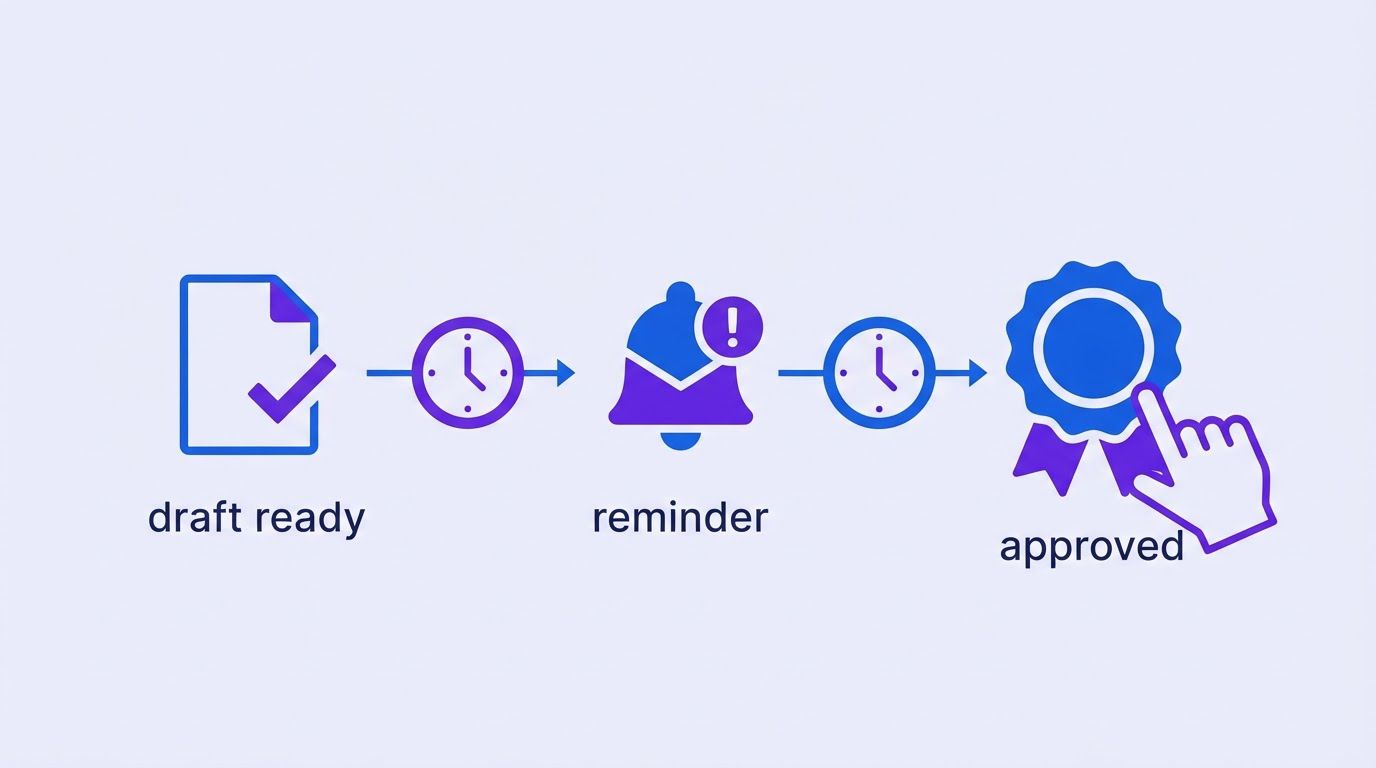
Everything above works with a spreadsheet and some discipline. Automation helps with the part that discipline loses first: remembering to follow up. The principle is the same as in any reminder system. Automate the nudges, not the decisions.
What to automate
| Step | Automate it? | Why |
|---|---|---|
| Log a new round when a deliverable is sent | Yes | The tracker stays current without anyone typing. |
| Send the framing note with the due date | Yes, from a template | Same structure every time, with the dates filled in. |
| Send the first reminder (day 2) and the final notice (day 4) | Yes | The follow-up nobody wants to remember. |
| Update the status when the approver replies through the form | Yes | One status per deliverable, always visible. |
| Weekly list of items waiting on the client | Yes | Replaces the Monday scan of the inbox. |
| Sort comments into the five types | Draft only | A model can propose a type, but the approver’s decision stays human. |
| Treat silence as approval | No | A person confirms before the project moves on. |
| Decide anything on the approver’s behalf | No | The whole point of Rule 3. |
A workflow in plain words
Here is the flow in terms any automation tool can follow. We describe it for n8n (may be an affiliate link) with Google Sheets (may be an affiliate link) and Gmail (may be an affiliate link), but the logic is the same in other tools.
- Trigger: a new row appears in the tracker when you send a deliverable (or you submit a short form that adds it).
- Set the dates: the workflow computes the review due date by skipping weekends.
- Send the framing note to the approver, with the link and the date.
- Wait until the first reminder day. If the status is still Awaiting, send the reminder.
- Wait until the final notice day. If the status is still Awaiting, send the notice and flag the row for a human.
- On reply: the approver’s form response updates the status and the response date, and the row shows the next action.
- Weekly: a digest of all rows with Awaiting status goes to the account manager.
The escalation logic (a first reminder, a firmer second one and a human once the deadline passes) is the same one used for overdue invoices. We published a free escalating overdue invoice reminders workflow that follows it. The wording and the data differ, and the structure of wait, check and escalate carries over.
The logic behind the next action
The tracker in the kit computes a next action for each deliverable from four facts: the status, the round number, the business days waiting and your settings. The rule is small enough to quote in full. Here it is as a function, which a workflow tool can run in a code step.
function businessDaysWaiting(start, end) {
  // same as NETWORKDAYS(start, end) - 1: weekends skipped, holidays not
  const s = new Date(start + "T00:00:00Z"), e = new Date(end + "T00:00:00Z");
  let n = 0;
  for (let d = new Date(s); d <= e; d.setUTCDate(d.getUTCDate() + 1)) {
    const wd = d.getUTCDay();
    if (wd !== 0 && wd !== 6) n++;
  }
  return n - 1;
}

function nextAction(item, s) {
  if (item.status === "Approved") return "Done";
  if (item.status === "Changes requested")
    return item.round >= s.roundsIncluded
      ? "Round limit reached: quote an extra round"
      : "Send next round";
  if (item.daysWaiting >= s.finalNotice) return "Send final notice";
  if (item.daysWaiting >= s.reminder1) return "Send reminder";
  return "Wait";
}
We checked this against the spreadsheet on the six invented rows in the kit, using an as-of date of November 19, 2026, with two included rounds, a first reminder at two business days and a final notice at four. The function and the spreadsheet formulas returned the same action and the same waiting days in all six cases: a deliverable approved (“Done”), one awaiting for four days (“Send final notice”), one awaiting for two (“Send reminder”), one awaiting for one (“Wait”), one with changes requested on round one (“Send next round”) and one with changes requested on round three (“Round limit reached: quote an extra round”). Six cases is a small test of the logic, not proof that it fits your holidays or time zones: weekends are skipped and public holidays are not.
Where an AI model can help, and where it should not
A language model can read a client’s email and propose which of the five types each sentence is, draft the round summary or turn a rambling voice note into a numbered list. Those are drafting tasks, and a person should read the result before it goes out. A model should not decide what counts as a must fix against the brief, choose between conflicting requests or send a client a message unreviewed. If you let it classify, ask it to quote the exact words it classified, so that a wrong label is easy to spot.
One more caution on privacy. Client files, unreleased campaigns and the comments about them are confidential by default. Before connecting any outside service to a feedback process, check what it receives, where it stores it and what your client contracts allow.
The LeenLabs Marketplace is the home of paid n8n workflows for agencies and larger organizations, built around standardizing processes and automating work across teams and clients. Each workflow is tested on an n8n instance before it is listed. Leave your email on the category page to be notified when new workflows are listed.
See Agencies and Larger Organizations workflowsBrowse the whole marketplace
Tell us where your deliverables are sent from, where feedback arrives and which tools hold your project status. We review the request, send a quote, and you decide whether to go ahead. You pay 40% to start and 60% on delivery.
A three-week adoption plan
Adopt the process in small pieces. Changing everything at once, on every project, is how good processes get abandoned. This plan fits around normal work.
| Week | Task | Time |
|---|---|---|
| 1 | Copy the kit. Set your included rounds, review window and reminder days in Settings. | 20 min |
| 1 | Write the one-sentence definition of a round and the approver question into your proposal template. | 30 min |
| 1 | Add the approver question to your kickoff or onboarding checklist. | 10 min |
| 1 | Adapt the framing note and the round summary to your voice. | 40 min |
| 2 | Use the framing note on every new deliverable, starting with one live project. | 10 min each |
| 2 | Log each deliverable in the tracker, with its round number and due date. | 5 min a day |
| 2 | Reply to the next “looks good” with the three-status script. | 5 min |
| 3 | Send the first reminder and the first final notice from the templates. | 10 min each |
| 3 | Read the summary rows: average days to respond, average round number, extra rounds to quote. | 20 min |
| 3 | Adjust your included rounds and windows to what the tracker shows. Ask a lawyer to check the clauses before the next contract. | 30 min |
Introducing it to a client who is already mid-project
Do not rewrite an existing contract in the middle of a project. Introduce the structure at the next deliverable, in friendly terms:
"To keep your project on schedule, we are using a short note with every deliverable: it says
what we would like you to judge, where to send your comments and when the round closes. Could
you confirm who gives the final yes on creative work? That way we can send everything to one
person and keep the dates."
It sounds like service, because it is. The client receives clearer questions and a date, and you receive a single owner for decisions. If the project is already late, introduce the round count first and the clauses later, with the next proposal.
Do two things this week. Write down the name of the person who gives the final yes on your three most active projects, and send your next deliverable with a date on which the round closes. Everything else can wait. Those two moves remove most of the ambiguity on their own.
When it is time to hand it over
You can run this process with a spreadsheet, a template and a calendar, and for the first few projects you should, because you will learn what your agency actually needs. What breaks over time is the habit: the reminder that never went out, the round that was never counted, the status nobody updated.
At LeenLabs we build n8n workflows for tasks like this. The process is plain. You describe the task once on a single form, with your tools, your round policy and the steps you want automated. We review it and send a quote. You pay 40% to start and the remaining 60% when we deliver the workflow. You deal with the people who build it, with no bidding round and no profiles to compare. We do not promise that a workflow will cut your rounds by any number, because that depends on your clients and your discipline.
Tell us how your agency sends work for review today and what you want to stop doing by hand. You get a quote, and you decide whether to go ahead.
To see how these workflows are put together first, browse the free workflows, which come with JSON you can import. To understand who builds them, read more about us.
Frequently asked questions
What is a creative approval workflow?
It is the sequence of steps a deliverable follows from the moment it is sent to the moment it is approved: who reviews it, how comments are collected, who decides, how many rounds are included and what happens when someone is late. This guide treats it as a process first and a tool second.
How many revision rounds should a creative project include?
There is no reliable industry benchmark that we could find. Two included rounds per deliverable is a common starting point, with fewer for small items and more for complex ones such as brand identity. What matters more than the number is that a round is defined, counted and written in the quote. Adjust the number after a few months of tracker data.
What counts as a round of revisions?
One consolidated set of feedback on one version of a deliverable. Several emails sent before the round closes are one round. Corrections of your own errors do not use a round, and a change of brief is new scope, not a round.
What if the client refuses to name a single approver?
Offer a smaller commitment: one approver per deliverable, or one person who consolidates feedback for each round even if others decide. If the client still wants a committee, say that a committee needs more time, and add the extra review days to the calendar and the quote. Write the arrangement down, because an unwritten committee is where limbo starts.
Do I need approval workflow software?
Not to start. A spreadsheet, a shared document and a template for the framing note cover the process. Dedicated proofing tools, which attach comments to a spot on a file, may help with visual work, and we did not compare them for this guide. Whatever you use, keep comments in a single place.
Is a deemed approval clause enforceable?
It depends on where you and your client are and on how the clause is written. A UK law firm’s article, cited above, describes the points that make such a clause more or less reasonable under UK law. We found no comparable source for other countries. Ask a lawyer in your jurisdiction, and use the clause only to let the project continue, not as the final acceptance for payment.
Does this work for content, marketing and campaign approvals?
The structure is the same for a content approval workflow, a marketing approval workflow or a campaign approval workflow: one question per round, comments in one place, one named approver and a closing date. Campaigns often involve more reviewers, such as legal, brand and product. List them as contributors with their own deadline, and keep one approver for the decision.
What do I do when “looks good” is followed by more comments?
Treat the first message as a first impression, not an approval, and ask the client to choose one of the three statuses. If comments follow, they belong to the same round, so you collect them until the date the round closes.
Can AI help with approvals?
It can draft the framing note, propose a type for each comment and prepare the round summary. It should not decide between conflicting requests or treat silence as consent, and a person should read what it drafts before the client sees it.
Sources
- IPA, Global study highlights issues obstructing the development of creative ideas (4 March 2025, updated 6 March 2025); read November 19, 2026. The BetterIdeas Project, conducted by BetterBriefs and Flood + Partners with the IPA and the WFA: 1,034 agency, marketer and in-house respondents in 54 countries. Only 30% of agencies and around half (52%) of marketers agree that clients or they provide clear and constructive feedback. A perception survey about creative work in marketing in general, not about design review specifically.
- Digiday, Layers on Layers: A Creative Collaboration Report, PDF hosted by Hightail, copyright 2019; read November 19, 2026. 84% of respondents agreed there are too many rounds of creative review, and 79% cited too many people in review as a reason for missed deadlines. Sample size not stated; 78% of respondents were brand-side marketers and 13% agencies. Hightail is a software vendor that promotes its product in the report.
- Atlassian, DACI Decision-Making Framework, Team Playbook; read November 19, 2026. Defines the approver as one person who makes the decision and contributors as people who recommend without a vote. No publication date on the page (copyright 2025). Atlassian is a software vendor.
- Sprintlaw, What Is A Deemed Acceptance Clause? (23 October 2026); read November 19, 2026. A law firm’s blog about UK law: describes deemed acceptance, suggests review periods of roughly 5 to 20 business days and mentions the Unfair Contract Terms Act 1977 and the Consumer Rights Act 2015. Not applicable outside the UK.
- NN/g, UX Design Critiques: 3 Tips for Effective Feedback (Megan Brown, 11 March 2024); read November 19, 2026. The page summarizes three tips: remember that your insights are valuable, structure your feedback and provide balanced feedback. We read the summary, not the video.
- AIGA, Standard Form of Agreement for Design Services; read November 19, 2026. A modular set of terms, updated in 2020 according to the page. The page says nothing about revisions or approvals, and we did not read the agreement itself.
- Calculated by us: the cost of extra rounds in the made-up agency (30 x 1.5 x 6 = 270 hours; 270 x 75 = 20,250), the timeline of the made-up project (20 days of work plus 10 days of review = 30; 40 if reviews take twice as long) and the next-action function (checked by recalculating the spreadsheet in LibreOffice and by running the function in Node on the six invented rows, with identical results).
- Created by us, not tested on real client projects: the definition of a round, the three rules as a system, the five stages, the framing note, the five comment types, the round summary, the seven clause drafts, the scripts, the calendar habits and the adoption plan. Every client, name, comment, hour and price in the examples is invented. The clauses are drafting starting points, not legal advice.
- Not found and therefore not quoted: a trustworthy benchmark of the average number of creative review rounds per project at agencies, data on hours lost to approvals per project, an analysis of user reviews of proofing tools (for example on Capterra), the full text of the AIGA agreement, a deemed approval source covering countries other than the UK, and any study on how comments split across types such as must fix and preference.
- About Us: who we are and how we work
- Free Workflows: n8n workflows with JSON you can import
- Request a Custom Workflow: describe a task and get a quote
- Terms of Service
- Privacy Policy
This article is general information and not legal, tax or financial advice. Laws and rules differ by country and state and change over time. Check with a qualified professional about your own situation.