
Client Onboarding for Agencies: A 14-Day System That Prevents the Most Common Problems
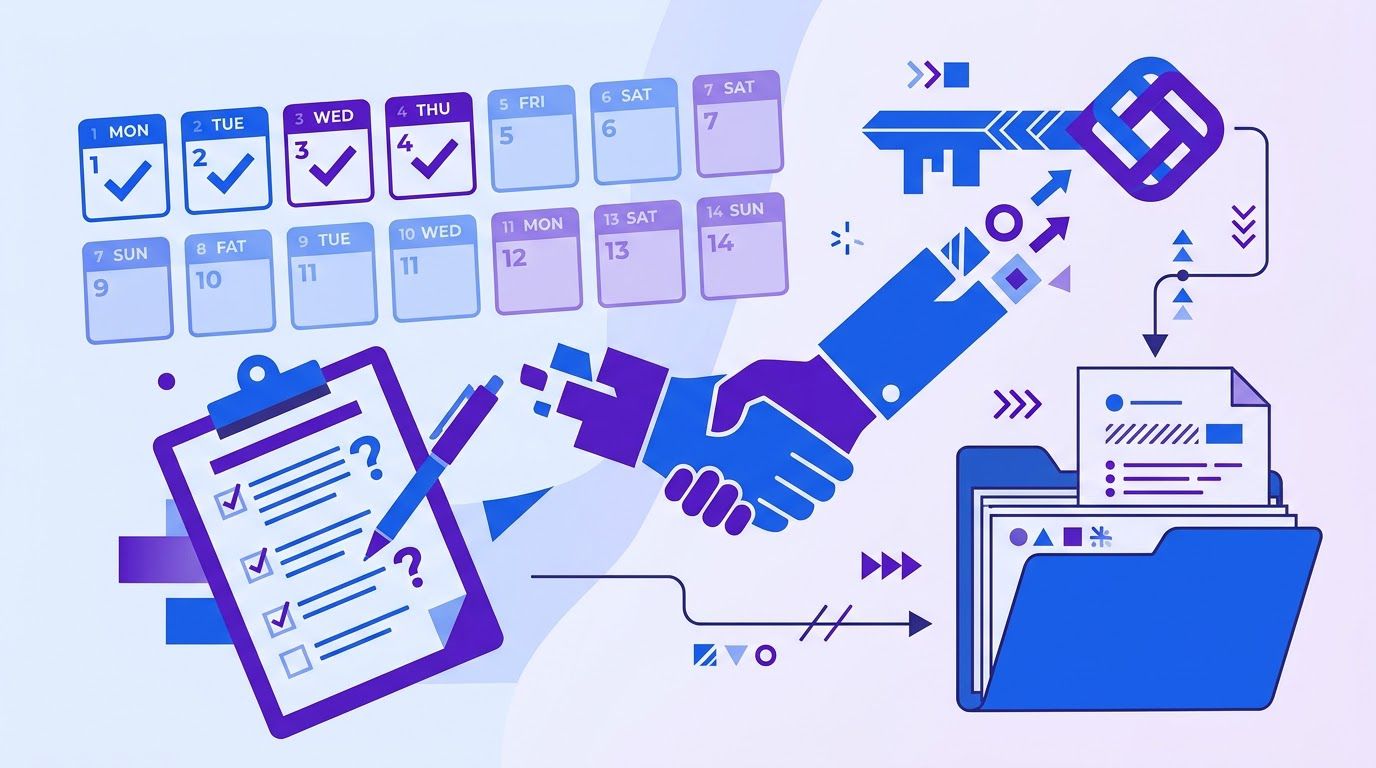
An agency signs a new client on a Monday. The contract is in, the first invoice is out and everyone is happy. By week three, the picture has changed. The client’s old agency still owns the ad account and nobody noticed. The person who approves designs turns out to be the owner’s spouse, who was never on a call. The client believes the monthly fee includes a newsletter, and the agency believes it does not. The first report is late because the analytics login is a shared password that stopped working. None of this is anyone’s fault. It is what was not said on day one. (An invented scene, and a common one.)
Most agencies treat onboarding as paperwork: a contract, an invoice, a welcome email. The operational side, getting the answers, the access and the agreement before the work starts, is left to improvisation. This guide gives you a system for it: a 25-question questionnaire, a way to collect access without sharing passwords, a 60-minute alignment meeting, a one-page scope document with explicit exclusions and a day-by-day plan for the first 14 days. The templates are in one spreadsheet you can copy.
A note on what this is. We built the questionnaire, the checklist and the scope template ourselves, from the structure of the problem and from public sources we list at the end. They have not been tested on real client projects, and we do not claim they prevent any particular share of problems. We also found no trustworthy benchmark for how onboarding quality affects client churn, so we quote none. Treat everything here as a well-reasoned starting point to adapt and test.
- Most drift is unsaid things. Ask the same 25 questions of every client before work starts.
- Never take passwords by email or chat. Ask for role-based access, partner links or a shared vault, and keep a register with end dates.
- Hold one alignment meeting with a fixed agenda of eight topics, with the real decision-makers in the room.
- Write the scope on one or two pages, including what is not included, and get it signed before the first deliverable.
- Use a 14-day plan so that nothing depends on memory, and ask the client at day 14 what worked.
- Automate the chasing, not the thinking. Reminders and registers are good candidates. The meeting and the scope are not.
- Why agency projects drift
- The 25-question onboarding questionnaire
- Collecting access without sharing passwords
- The alignment meeting: eight topics to lock down
- The scope document: included and not included
- The 14 days, day by day
- Automating the repeatable parts
- Measuring whether onboarding works
- Adopting it with your next client
- When it is time to hand it to someone
- Frequently asked questions
- Sources
Why agency projects drift
Project drift has many causes. One of the best documented is scope creep: uncontrolled changes to what a project includes. PMI’s Pulse of the Profession for 2018, as reported in its PM Network magazine, found that 52% of projects completed in the previous 12 months had experienced scope creep, up from 43% five years earlier. The page does not give the sample size, the data is from 2018 and the surveyed projects are mostly not agency retainers, so use it as evidence that the problem is common in project work, not as a measure of your own agency.
Scope creep rarely starts as a big request. It starts as a gap. Something the client assumed and the agency did not, or the other way round, and neither side said it out loud. The first 14 days are the cheapest time to say it.
What usually goes unsaid on day one
| Unsaid on day one | What happens in week three |
|---|---|
| What success means in numbers | Both sides judge the work by different yardsticks |
| Who really approves | A late objector reopens a finished design |
| How many rounds of changes are included | Revisions continue until someone gets tired |
| Who owns the accounts | The agency cannot access, or cannot hand back, a critical asset |
| What is not included | The client asks for it as if it were, and the agency has to say no |
| How and when the client will respond | The timeline slips because inputs arrive late |
| Who receives invoices and what they need | Payment waits on a purchase order nobody mentioned |
| What the client is afraid of | The fear shows up as micromanagement |
An agency quotes $3,000 a month. In week three the client asks for a monthly newsletter, which the agency never meant to include and which would take about 6 hours. At an internal cost of $50 an hour, that is $300 a month, or 10% of the fee, not recovered. The agency either absorbs it, which teaches the client that scope is elastic, or has an awkward conversation. All numbers are invented. A single line in the scope document, “Newsletters are not included,” would have turned the awkward conversation into a quote.
A pattern for every client
The system in this guide follows four steps, in this order. The order matters, because each step makes the next one cheaper.
| Step | What it produces | When |
|---|---|---|
| 1. Ask | A filled-in questionnaire | Days 0 to 1 |
| 2. Access | Role-based access and an access register | Days 1 to 3 |
| 3. Align | One meeting, eight topics, decisions written down | Day 4 |
| 4. Scope | A signed one- or two-page scope with exclusions | Days 5 to 8 |
The proposal that won the work is the raw material for the scope. If you build proposals from CRM data, as in our guide to sales proposals from CRM data, the problem, solution and scope blocks you already wrote become the draft of the scope document, and the qualification notes from our lead qualification framework for solo sellers become answers to the first questionnaire questions you no longer need to ask twice.
The 25-question onboarding questionnaire

A questionnaire does two jobs. It collects facts you need, and it shows the client that you take the work seriously. It also moves the awkward questions, such as who really decides and what would make them leave, out of a live conversation, where people tend to give polite answers, and into writing, where they tend to give real ones.
The 25 questions
| # | Group | Question |
|---|---|---|
| 1 | Goals | What result would make you say, 90 days from now, that this project worked? |
| 2 | Goals | Which number do you watch today to judge this, and what is it now? |
| 3 | Goals | What have you already tried, and what happened? |
| 4 | Goals | What would make you want to stop working with us? |
| 5 | Goals | What is explicitly not a goal of this project? |
| 6 | People | Who is our day-to-day contact? |
| 7 | People | Who approves deliverables, and can that person say yes alone? |
| 8 | People | Who else must be consulted or could veto? |
| 9 | People | How many rounds of changes do you expect per deliverable? |
| 10 | People | How quickly can you usually answer a request from us? |
| 11 | Brand and content | Do brand guidelines, logos and fonts exist, and where are they? |
| 12 | Brand and content | Are there words, claims or topics to avoid, or legal review rules? |
| 13 | Brand and content | Who approves copy and visuals, and how long does that take? |
| 14 | Brand and content | Which competitors or examples do you like or dislike, and why? |
| 15 | Access and tools | Which platforms and accounts will we need access to? |
| 16 | Access and tools | Who owns each account: you, a former agency or a freelancer? |
| 17 | Access and tools | Is anything locked behind another vendor or agency? |
| 18 | Access and tools | Who is your access owner, and who is the backup? |
| 19 | Access and tools | Are there security rules: two-factor, VPN, NDA, data-handling limits? |
| 20 | Logistics and money | Are there fixed dates: launches, events, seasonal peaks? |
| 21 | Logistics and money | Are there costs outside our fee, such as tools or ad spend, and who pays? |
| 22 | Logistics and money | Who receives invoices, and is a purchase order or vendor form needed? |
| 23 | Logistics and money | Which channel and meeting rhythm do you prefer? |
| 24 | Logistics and money | What reporting do you want, how often and for whom? |
| 25 | Logistics and money | What worries you most about working with an agency? |
Why these questions
- Questions 1 to 5 fix success in the client’s words and start your list of exclusions.
- Questions 6 to 10 find the real decision-maker and the real turnaround time, which are the two biggest sources of delay.
- Questions 11 to 14 avoid rework on brand and compliance.
- Questions 15 to 19 start the access register and surface ownership problems while they are cheap to fix.
- Questions 20 to 25 set the calendar, the costs and the invoice path. Question 25 is often the most useful, because a client’s worry tells you where to over-communicate.
How to send it
- Send it with the welcome message on day 0, not at the kickoff. Clients who answer in writing arrive at the meeting having thought about it.
- Use a form or a shared document, not a PDF to print. You want answers you can copy into the scope.
- Ask for a deadline of one working day, and send one friendly reminder if it passes.
- Do not accept “we will discuss it on the call.” If a question is hard, that is exactly why it belongs in writing first.
- Read the contradictions. If question 2 says the goal is leads and question 5 rules out the channel that produces them, the meeting agenda writes itself.
A spreadsheet with the 25 questions, a Day 0 to 14 checklist with dates and progress, an access register that flags expired access and a scope template. Copy it to your own Google Drive or Excel for each new client.
- Sending it after the first call, when assumptions have already formed.
- Sending 60 questions. People stop at 15. These 25 were chosen because each one changes what you do.
- Filing the answers. An unread questionnaire is worse than none, because the client thinks you know.
- Not telling the client why you ask. One sentence per group is enough.
Collecting access without sharing passwords
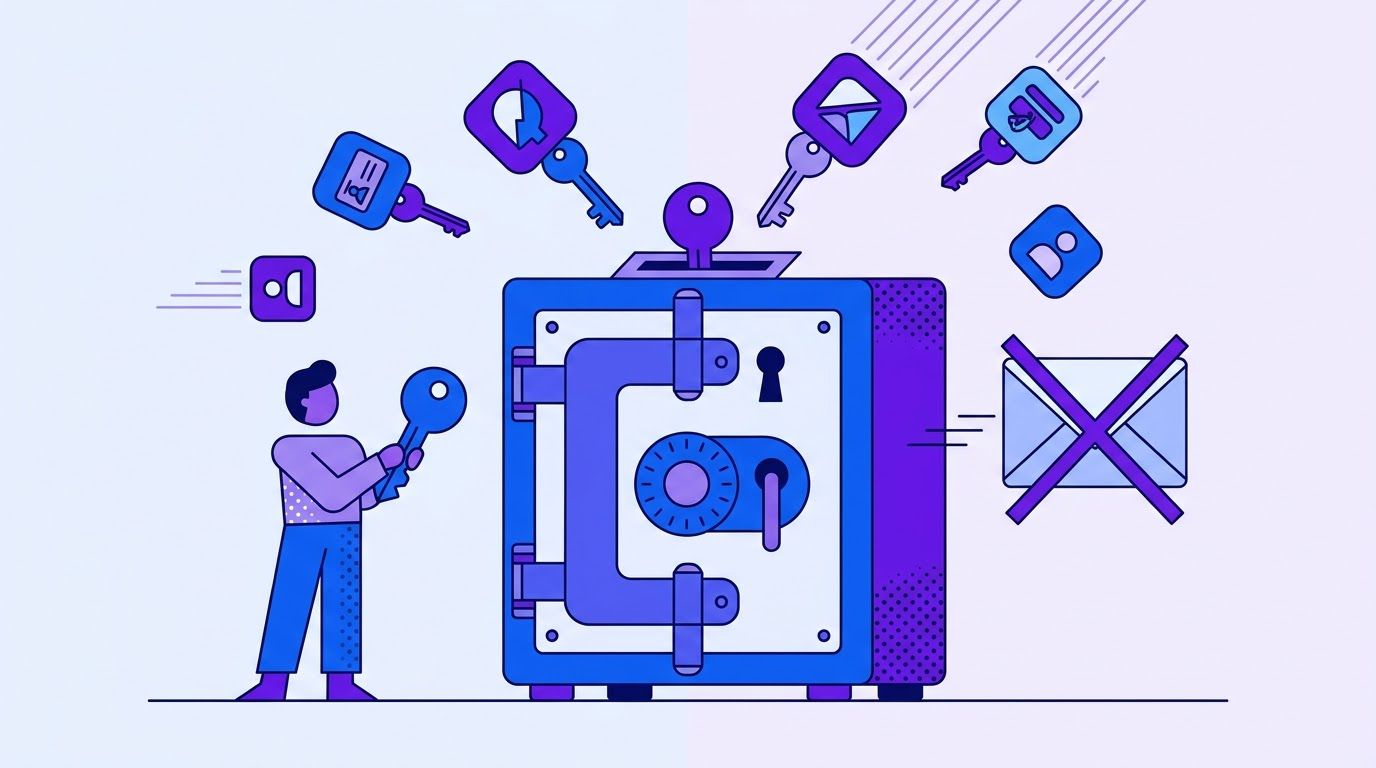
The access request is where most onboardings quietly go wrong. Clients paste a password into an email because they want to be helpful, and the agency accepts because it wants to start. Two things follow: the password lives in two inboxes forever, and nobody can later say who did what in the account.
Why not email a password
LastPass, a password manager vendor, explains the risk in plain terms on its blog (October 24, 2025): a password sent by email stays in the sent folder and the recipient’s inbox, anyone who gains access to either account can read it, and you cannot take it back or see whether it was forwarded. LastPass sells the alternative it recommends, a password manager with built-in sharing, so read the argument for the risk, which is generic, and not the product ranking, which is its own. Two agencies, Digital Applied (published September 23, 2026) and Web Tonic (published August 21, 2026, updated October 9, 2026), make the same point from the agency side: shared logins break the audit trail and make offboarding unreliable. Both are agencies with their own commercial interest, and we read their platform-specific details as practitioner advice, not as documentation. Check each platform’s own help pages before you give instructions to a client, because roles and menus change.
The order of preference
| Method | How it works | When to use it |
|---|---|---|
| 1. Partner or manager link | The client shares assets with your agency’s account. They can revoke it from their side. | Ad platforms and any tool that offers it |
| 2. Named user with a limited role | You create or accept an invitation under your own email, with the least role that does the job. | Analytics, CMS, tag managers, search tools |
| 3. Shared vault item | A password manager shares one item with an expiry, and keeps a record of who opened it. | Tools with no roles, such as an old registrar or hosting login |
| 4. Never: password by email or chat | Stays in two inboxes, cannot be retracted | Do not accept it, even when the client insists |
Least privilege, in practice
- Ask for the role the job needs, not the role that is easiest to grant. Digital Applied lists examples such as Viewer on analytics for SEO and content, and Editor at property level for developers, and says owner and admin rights stay with the client. Treat the exact names as a guide, since each platform differs.
- The client keeps ownership of ad accounts, pixels, analytics properties, domains and the CMS. If the agency owns an asset, the client’s data and history leave with the agency.
- Billing and user management stay with the client unless there is a written reason.
- Set an end date on every grant. Where the platform supports expiry, use it. Elsewhere, set a calendar reminder.
- Name an access owner and a backup at the client, because the person who can grant roles is often away.
The access register
Keep one list of every access you were given, with the role, who granted it, the date and an end date. It does three jobs: it shows what is still missing in week one, it proves what you were and were not allowed to touch, and it makes offboarding a checklist. The onboarding kit has a register tab with an alert column.
| Column | What to record |
|---|---|
| Platform | Where the access is |
| Role requested | The least privilege role you asked for |
| Access owner | The person at the client who granted it |
| Granted on | The date |
| Access ends on | A date, even if it later moves |
| Removed at the end | Yes or No, filled at offboarding |
| Alert | Formula: REMOVE NOW if the end date passed and it is not removed; SET AN END DATE if there is none |
The alert logic is small enough to reproduce as a function. We checked it with node on six invented rows, including an expired but not removed grant, an expired and removed grant, a grant with no end date and an empty row, and it returned REMOVE NOW, ok, ok, ok, SET AN END DATE and a blank, as intended.
function accessAlerts(rows, today) {
  return rows.map((r) => {
    if (!r.platform) return "";
    if (!r.endsOn) return "SET AN END DATE";
    if (new Date(r.endsOn) < today && r.removed !== "Yes") return "REMOVE NOW";
    return "ok";
  });
}
Access on day 2: a script for the message
Hi {{contact}},

To start, we need access to the tools below. Please do not send us passwords.
Instead, please invite us (or link our account) with the role shown. If a tool does
not offer roles, we will set up a shared vault item with you on a short call.

{{platform_1}}: {{role_1}}
{{platform_2}}: {{role_2}}
{{platform_3}}: {{role_3}}

We will note each access, the role and an end date in a shared register so you can see
what we hold. Who is your access owner, and who is the backup?

Thank you,
{{your_name}}
- Accepting the password to save a day. It costs more later, and a shared login breaks two-factor authentication.
- Asking for owner or admin rights by default. It is easier for you, and riskier for the client.
- Letting your agency own the client’s assets. Tell them the rule at the start, so it never feels personal.
- Forgetting the end. Access nobody removes becomes a liability for both sides.
- Assuming the role works. Test every login or invitation on day 2 and write down what failed.
Tell us which tools you use and how you track access today. We review the request, send a quote, and you decide whether to go ahead.
A spreadsheet that ranks your repetitive tasks by what is worth automating first. List the task, rate how often it happens, how long it takes, how error-prone it is and how many tools it touches, and the sheet orders your list. Enter your email below and we will send the download link.
The alignment meeting: eight topics to lock down

The alignment meeting is not a kickoff party. It is a working session of 60 minutes, held on day 4 after you have read the questionnaire, to settle what the questionnaire could not. Invite the decision-maker and the day-to-day contact, not only whoever answers email. If the person who approves designs is not on the call, you will meet them later at a bad moment.
| # | Topic | The question you are really answering | Minutes |
|---|---|---|---|
| 1 | Goals and success | In what number or outcome will we both agree the work succeeded? | 10 |
| 2 | Decision-makers | Who approves, who must be consulted, and who can veto? | 8 |
| 3 | Scope | What is included, and what is not? | 10 |
| 4 | Timeline and dependencies | What do you owe us, and by when, for the dates to hold? | 8 |
| 5 | Communication | Which channel, how often, and who answers within what time? | 5 |
| 6 | Reporting | What do you want to see, how often, and in what format? | 5 |
| 7 | Changes | How do we handle a request outside the scope: a quote before the work? | 7 |
| 8 | Risks and assumptions | What could stop this working, and what are we assuming? | 7 |
How to run it
- Send the agenda 24 hours ahead with the contradictions you found in the questionnaire, phrased as questions.
- Write decisions on screen as you go. Anything not written is not decided.
- Say the exclusions out loud. “We are not including newsletters. Is that what you expected?” is a friendly sentence that saves an argument.
- Name the owner and date of every action, including the client’s.
- Send a summary within two hours, and ask the client to reply if anything is wrong. That reply is your first written agreement.
Topic 7 deserves extra care
Most agencies lose money on small changes, not large ones. The rule is simple to state: anything outside the scope list is quoted before work starts, even if the quote is a single line and the answer is yes. The client then learns that requests have a price and a schedule without anyone being told off. Write the rule into the scope document (Section 5) and repeat it in the meeting. A fuller system, with a five-field form, a pricing grid and scripts, is in our guide to scope creep defense and change requests.
Questions that open up a stuck meeting
| If you hear | Ask |
|---|---|
| “We will know it when we see it.” | What is one example from another company that you would call a success? |
| “Everyone will want to see it.” | Who has the final word if two of them disagree? |
| “It depends.” | On what? Let us write the two things it depends on. |
| “We are flexible on timing.” | Is there any date after which the work loses its value? |
| “Just do what you think is best.” | What is one thing you would be unhappy to find we did? |
The scope document: included and not included
The scope document turns the meeting into an agreement. It is not a contract, though it can sit inside one. Its job is to be short enough that both sides read it, and specific enough that either side can point at a line and say “that is in” or “that is out.” Aim for one or two pages.
SCOPE DOCUMENT: {{project_name}}
Between {{agency}} and {{client}}. Version {{version}}, {{date}}.

1. OBJECTIVE
In the client's words: "{{objective_quote}}".
2. SUCCESS MEASURES
{{metric}}: now {{baseline}}. Target for review at {{review_date}}: {{target}}.
(Targets are goals for review, not promises of results.)
3. INCLUDED
- {{deliverable_1}}
- {{deliverable_2}}
- {{deliverable_3}}
4. NOT INCLUDED
- {{exclusion_1}}
- {{exclusion_2}}
- Anything not listed under Included.
5. CLIENT RESPONSIBILITIES
- {{input_1}} by {{date_1}}
- {{input_2}} by {{date_2}}
If an input is late, the dates below move by the same number of days.
6. ASSUMPTIONS
- {{assumption_1}}
7. TIMELINE
{{milestone_1}}: {{date}}   {{milestone_2}}: {{date}}
8. APPROVALS
{{approver}} approves within {{n}} working days. {{rounds}} rounds of changes are included.
Silence after {{n}} days counts as approval of that stage.
9. CHANGES
A request outside section 3 is quoted before work starts. Work begins after written yes.
10. FEES AND PAYMENT
{{fee_table}}. Payment: {{payment_terms}}.
11. ACCESS AND OWNERSHIP
Access by role, no shared passwords, with end dates in a shared register.
The client owns its accounts, data and tracking assets.
12. ENDING
{{notice}} days' notice. We remove access and hand over within {{n}} working days.

Signed: {{client_name}}  {{date}}      {{agency_name}}  {{date}}
This template is not legal advice. Wording about approvals, ownership and ending the agreement can have legal effects that differ by place, so have a lawyer review the text you will actually use.
What makes exclusions work
- Write them as plain nouns: newsletters, extra languages, photography, ad spend, phone support. Vague exclusions such as “other services” do not protect anyone.
- Include a catch-all line: “Anything not listed under Included.” It is the most useful line in the document.
- Say it in the meeting first. The document should record what was said, not surprise.
- Tie the timeline to the client’s inputs. If dates do not move when inputs are late, the agency absorbs the delay.
- Keep a version number. When scope changes, issue version 2 and date it.
- Copying a long legal template. Nobody reads it, and nobody can say what is in or out.
- Listing deliverables without exclusions. The gaps are where the arguments live.
- Promising results. A scope document describes work and goals, not outcomes you do not control.
- Leaving approval timing open. A deliverable can wait for weeks if nobody has to answer.
- Starting work before it is signed. After day 8 the first deliverable is a negotiating position.
The 14 days, day by day
| Day | Task | Owner |
|---|---|---|
| 0 | Contract signed. Send the welcome message with the questionnaire and the access request. | Agency |
| 1 | Questionnaire returned. One friendly reminder if not. | Client |
| 2 | Access granted by role, recorded in the register. Test every login or invitation. | Client, then agency |
| 3 | Read all answers. List gaps and contradictions as questions for the meeting. | Agency |
| 4 | Alignment meeting, 60 minutes, eight topics. Send the summary within two hours. | Both |
| 5 | Send the draft scope document. | Agency |
| 7 | Client comments on the draft. | Client |
| 8 | Scope document signed, with exclusions. | Both |
| 9 | Capture baseline numbers and screenshots before changing anything. | Agency |
| 10 | Send the plan: first deliverable, dates, review rounds. | Agency |
| 11 | Set up the reporting skeleton and the first report date. | Agency |
| 12 | Put invoice dates and reminders on the calendar. | Agency |
| 13 | Internal review: anything still open from the questionnaire? | Agency |
| 14 | First progress check. Ask the client what worked and what did not in onboarding. | Both |
The kit’s Day 0 to 14 tab puts a date next to each row from the signing date and counts what is overdue. Weekends and holidays are not skipped, so shift the start if day 4 would land on one.
Two links to the rest of the engagement
- Reporting (day 11). Decide on day 11 what the first report will contain and when it goes out. Our guide to automated client reporting for agencies covers a one-page template and a build that keeps a person’s review in the loop.
- Payment (day 12). Decide how late invoices will be handled before the first one is late. Our guide to chasing unpaid invoices without damaging the relationship has the scripts, and the questionnaire’s question 22 tells you who to send them to.
Describe your tools and the steps you want tracked. We review the request, send a quote, and you decide whether to go ahead. You pay 40% to start and 60% on delivery.
Automating the repeatable parts
Some of onboarding is judgment, and some is chasing. Automate the second and protect the first. The meeting and the scope document are conversations. The reminders, the register and the status tracking are clerical.
| Step | Automate? | How |
|---|---|---|
| Send the welcome message, questionnaire and access request on signing | Yes | Trigger when a deal is marked won or a contract is signed |
| Remind the client about the questionnaire | Yes, one reminder | A message one working day later if the form is empty |
| Create the Day 0 to 14 tasks with dates | Yes | A task template filled from the signing date |
| Check the access register | Yes | A weekly list of items that are expired, have no end date or are missing |
| Read the questionnaire for contradictions | A draft only | A model can list candidate contradictions, and a person decides |
| Run the alignment meeting | No | It needs a person |
| Write the scope document | No | A person writes it. A template can fill in names and dates. |
| Invoice reminders | Yes, carefully | See the workflows below |
Several workflows already on this site cover the invoicing end of the engagement, and their descriptions come from their own entries. None of them runs onboarding. They show patterns you can reuse.
- The escalating overdue invoice reminders workflow reads an invoice tracker in Google Sheets every morning at 9:00, picks one of three reminder levels by how overdue an invoice is, sends it through Gmail and records the date and count, with a cap of one reminder per invoice every 7 days. It is a good pattern for the one-reminder-then-stop rule on a questionnaire.
- The weekly overdue invoice reminders workflow sends one reminder per unpaid invoice on Monday mornings and marks the row as chased.
- The weekly accounts receivable aging report workflow builds a one-page PDF every Monday from Invoice Ninja. The same shape works for a weekly onboarding status page across all clients in their first 14 days.
A design for an onboarding tracker
- Trigger: a deal moves to won, or a contract is signed.
- Create: a client row with the signing date and 15 tasks with due dates.
- Send: the welcome message with the questionnaire link and the access request.
- Check daily: whether the questionnaire was returned and whether any task is overdue.
- Alert the agency owner, not the client, when something is late. The agency decides whether to chase.
- Log: each client’s onboarding dates, so you can measure Section 8.
- The workflow chases, a person decides. It never changes scope, access or a price.
- One reminder to the client, then a human. Repeated automatic reminders feel like nagging in the first week of a relationship.
- Never store passwords. The register holds roles and dates, not credentials.
- Limit what leaves your systems. Review what any outside service receives and keeps before sending it client details.
- Make failures visible. A task that could not be created should appear in a list, not vanish.
Measuring whether onboarding works
You will not know whether this system helps unless you measure something. We found no trustworthy benchmark for how onboarding quality affects client retention, and the vendor claims we saw were unsourced, so do not compare yourself with anyone else. Compare yourself with last quarter.
| Measure | How to compute it | What it tells you |
|---|---|---|
| Days to a signed scope | Date signed minus contract date | How quickly you align |
| Questionnaire turnaround | Days from sending to return | Client engagement, and where to chase |
| Days to full access | Date the last needed access works minus contract date | Whether access is your bottleneck |
| Out-of-scope requests in the first 30 days | Count of requests that were not in section 3 | Whether the scope was clear |
| Late first deliverable | Yes or No, and by how many days | Whether the setup worked |
| Client’s day-14 answer | One question: what would you change about the start? | The most honest feedback you will get |
Client A: scope signed on day 8, last access working on day 3, two out-of-scope requests in 30 days, first deliverable on time. Client B: scope signed on day 19, last access working on day 12, seven out-of-scope requests, first deliverable 9 days late. All numbers are invented. The point is the pattern: Client B’s slow access and slow scope came first, and the requests and the delay followed. The measures tell you which step to fix, and with a handful of clients they will not prove a cause.
Run it on your next five clients, write the numbers in one sheet and look at the pattern. A month of data from a handful of clients is noisy, and it is still better than a feeling.
Adopting it with your next client
| When | Task | Time |
|---|---|---|
| Before the next signing | Copy the kit. Change the questionnaire wording to your voice. Cut or add up to five questions. | 60 min |
| Before the next signing | Write your standard exclusions list: the five things clients most often assume are included. | 45 min |
| Before the next signing | Write your access request message for the five platforms you use most. | 30 min |
| Day 0 | Send the welcome message, questionnaire and access request. | 20 min |
| Days 1 to 3 | Chase gently, test access, read answers. | 60 min total |
| Day 4 | Run the alignment meeting. | 60 min |
| Days 5 to 8 | Draft, send and sign the scope document. | 90 min total |
| Day 14 | Ask the client what worked. Update the kit. | 30 min |
If it feels like too much, do two things on your next client: ask question 7 (who approves, and can that person say yes alone?) and write one line under Not included. They are the cheapest of the eight steps.
When it is time to hand it to someone
You can run this system with a spreadsheet and a calendar, and for your first few clients you should. What tends to break is consistency: the questionnaire nobody sent, the access nobody removed, the reminder that went out twice.
At LeenLabs we build n8n workflows for tasks like this. The process is plain. You describe the task once on a single form, with your tools, your steps and the rules you want applied. We review it and send a quote. You pay 40% to start and the remaining 60% when we deliver the workflow. There is no bidding round and no profiles to compare. We do not promise that onboarding will prevent any specific problem, because that depends on your clients and your habits. What we deliver is a workflow that does what your request describes.
Tell us how you onboard clients now, which tools you use and what you want to stop doing by hand. You get a quote, and you decide whether to go ahead.
To see how these workflows are put together first, browse the free workflows, which come with JSON you can import, or read more about us.
Frequently asked questions
What is client onboarding for an agency?
It is everything between a signed agreement and the first real deliverable: collecting answers, access and expectations, agreeing the scope and setting up how you will communicate, report and invoice. Many agencies treat it as paperwork only, and leave the operational side to improvisation.
How long should client onboarding take?
We use 14 days as a working target because it fits a questionnaire, access, one meeting and a signed scope. It is our own convention, not a researched standard. Adjust it to the size of the engagement, and measure your own days to a signed scope.
What should a client onboarding checklist include?
A questionnaire returned, access granted by role and recorded, an alignment meeting with a written summary, a signed scope with exclusions, baseline numbers captured, a plan for the first deliverable, reporting and invoice dates set and a day-14 check-in.
What questions should I ask a new client?
Ask about goals and the number that measures them, who approves and who can veto, brand and content rules, accounts and who owns them, deadlines and costs outside your fee, how they pay and what worries them about working with an agency. The 25 questions in Section 2 cover those groups.
How do I get access to a client’s accounts safely?
Ask for partner or manager links first, then named users with the least role that does the job, and a shared vault item only for tools with no roles. Do not accept passwords by email or chat, record every access with an end date and test each one on day 2. Check each platform’s own help pages for the exact steps.
Is a client onboarding questionnaire worth the effort?
We think so, but we have not tested it on real projects and found no study that measures its effect. It costs one form and an hour of reading. The test is whether it changes your meeting agenda. If it does not, shorten it.
What is a scope document, and how is it different from a contract?
A scope document is a short, specific description of what is included, what is not, who must provide what and by when. A contract sets legal terms. The scope can sit inside a contract as a schedule. Have a lawyer review the wording you will actually use.
How do I stop scope creep?
You cannot stop requests, but you can make each one a quote. List what is included and what is not, put a catch-all exclusion in the document, state the number of review rounds and quote anything outside the list before work starts. Our guide to scope creep defense has the form, the pricing grid and the scripts. PMI’s 2018 data suggest scope creep is common, though not specific to agencies.
Can I automate client onboarding?
Parts of it. Sending the welcome pack, creating dated tasks, one reminder for the questionnaire and a weekly access check are good candidates. The alignment meeting and the scope document need a person.
What should I do when a client will not fill in the questionnaire?
Send one friendly reminder, then offer to go through the questions on a short call and write the answers yourself. If the client will not engage at all in the first week, treat that as information about the engagement and raise it before the work starts.
Sources
- PMI, Scope Patrol (PM Network, July 1, 2018, by Catherine Elton); read November 16, 2026. States that 52% of projects completed in the previous 12 months experienced scope creep, up from 43% five years earlier, citing PMI’s Pulse of the Profession. Sample size not stated on the page. Old, and about project work in general, not agencies specifically.
- Digital Applied, Client Access Checklist: The Right Role on 20 Platforms. Published September 23, 2026, modified September 25, 2026; read November 16, 2026. Least-privilege access by role, client keeps ownership, end dates, offboarding. Written by an agency that sells these services. Most of its numeric limits have no inline source and we do not quote them.
- Web Tonic (Cedric Pharand), How to Give an Agency Access to Meta, Google Ads, GA4 and GBP. Published August 21, 2026, updated October 9, 2026; read November 16, 2026. Partner access over personal logins, least privilege, never share logins. Written by a marketing agency.
- LastPass, Best alternatives to sharing passwords through email. Published October 24, 2025; read November 16, 2026. Why a password in email persists in two inboxes and cannot be retracted. LastPass sells a password manager and ranks itself first, so we use only the generic risk argument.
- Calculated by us: the newsletter example (6 hours times $50 is $300, which is 10% of $3,000), the access alert function (checked in Node on six invented rows) and the spreadsheet formulas (recalculated in LibreOffice).
- Created by us, not tested on real client projects: the questionnaire, the 14-day plan, the alignment agenda, the scope template, the access register and all measures. Every client, fee and date in the examples is invented.
- Not found and therefore not quoted: a trustworthy benchmark of onboarding quality against client churn, documented agency pain statistics from BigIdeasDB (not verified), the brief’s “80% of friction” claim for the 25 questions, and any evidence that the questionnaire reduces scope creep.
- About Us: who we are and how we work
- Free Workflows: n8n workflows with JSON you can import
- Request a Custom Workflow: describe a task and get a quote
- Terms of Service
- Privacy Policy
This article is general information and not legal, tax or financial advice. Laws and rules differ by country and state and change over time. Check with a qualified professional about your own situation.