
Scope Creep Defense: A Change Request System for Small Agencies

On Tuesday the client asks if you could “just swap the photo on the homepage.” You do it in ten minutes. On Thursday it is a different headline, which takes twenty. The following week the client mentions that a colleague would like a second language version of the pricing page, and you hear yourself say “sure, I will look at it.” Nothing in this story is dramatic. Nobody was rude. At the end of the month you have worked 12 hours that nobody paid for, and you cannot name the moment you agreed to them. (An invented scene, and a common one.)
Scope creep is the growth of a project’s requirements beyond what was agreed, without a matching change to time or money. This guide takes a position: it is not mainly a communication problem. It is a system problem. If the only way to handle a request is an awkward conversation, you will lose that conversation half the time. If every request follows the same short path (written down, estimated, priced, approved), the awkward part disappears, because nobody is being told no. They are being given a price and a date.
The guide covers the whole path: how to see creep coming, a five-field change request form, a way to price changes quickly, scripts for saying yes with a price and the link back to the scope document. The forms, the pricing grid and a change log with totals are in one spreadsheet you can copy.
A note on evidence. The one study we quote on how common scope creep is comes from PMI, dates from 2018 and covers projects in general. We found no trustworthy data on how many hours agencies and freelancers lose to it. Several blog posts quote figures such as percentages of freelancers losing a set amount per month, and none that we saw explains how the figure was measured, so we do not repeat them. Every example here is invented, and the form, grid and scripts are our own design, not tested on real client work.
- Make every out-of-scope request follow one path: written, estimated, priced, approved, then done.
- Spot the six early signals, especially hours burning faster than milestones.
- Use five fields on the form: what, which scope line, effort and price, schedule effect, approver.
- Price by type: Small (absorb up to a monthly goodwill allowance), Standard (hours times rate plus coordination) and Major (add contingency and treat as a re-scope).
- Say yes and give a price. The script is the same for every request.
- Track absorbed hours in money, so you can see what goodwill costs.
- Start from a clear scope document, or the form has nothing to point at.
- The real cost of scope creep
- Six early signals that scope is drifting
- The change request form: five fields
- Pricing changes quickly
- Scripts: yes, and here is the price
- The scope document and the consumption report
- Automating the change log
- A four-week adoption plan
- When it is time to hand it to someone
- Frequently asked questions
- Sources
The real cost of scope creep
How common is it
PMI’s 2018 Pulse of the Profession found that 52% of projects completed in the previous 12 months had experienced scope creep, up from 43% five years earlier. As reported in PM Network, the page gives no sample size, the data is eight years old and the projects are mostly not agency retainers. Use it as evidence that the problem is common in project work, not as a measure of your own agency.
The cost you can calculate yourself
Industry-wide figures are less useful than your own arithmetic. The number to compute is your effective hourly rate: what you earned divided by all the hours you worked, including the ones nobody paid for.
Fee: $3,000. Planned work: 40 hours, which is $75 an hour. Over the month, the client sends a series of small requests that add up to 12 hours. Effective rate: 3,000 / 52 = $57.69 an hour, 23% lower than planned, with no change to the fee. Now repeat that on five clients. All numbers are invented. The pattern is what matters: each request was small, and the damage came from adding them up.
effective_rate = fee / (planned_hours + unplanned_hours)

Example (invented): 3000 / (40 + 12) = 57.69
Three costs beyond the hours
| Cost | What it looks like |
|---|---|
| Displaced work | The 12 unpaid hours came out of time for paying work, or out of your evening |
| Precedent | Each small yes teaches the client that scope is elastic, so the next ask is bigger |
| Resentment | You start to dread the client’s emails. The relationship suffers before the budget does |
The second cost is the dangerous one. A client who has never been told that a request has a price will not understand why the sixth request does.
Why the usual advice fails
- “Communicate better.” Both sides communicate fine. The gap is that nothing connects a request to a price.
- “Say no more often.” Saying no to a client you want to keep is a poor default.
- “Have a better contract.” A contract helps, but few people read it mid-project. The form is the contract in action.
- “Charge more.” A higher fee does not fix the leak. It only makes it more expensive.
Six early signals that scope is drifting

Scope creep rarely arrives as a big request. It arrives as a pattern. Six signals tell you early, and none of them requires a hard conversation to notice.
| # | Signal | What to do when you see it |
|---|---|---|
| 1 | “Just a quick…” requests, three or more in a month | Log each one in the change log, even if you absorb it |
| 2 | “While you are at it…” | Note the original task and write the new one as a separate line |
| 3 | Revisions beyond the number of included rounds | Say so, kindly, and offer another round as a Small or Standard change |
| 4 | A new person appears with opinions | Ask who has the final word and send the summary to both |
| 5 | Requests for things that are not on the Included list | Open a change request the same day |
| 6 | Hours used run ahead of milestones completed | Check the burn rate below and talk before it becomes a bill |
Signal 6 as arithmetic
The most reliable signal is also the most boring: compare the share of your hour budget you have used with the share of the work you have finished. If the first is well ahead of the second, either the estimate was wrong or the scope is growing. You do not need to know which to start the conversation.
function burnAlert(hoursUsed, hoursBudget, shareDone, margin = 0.15) {
  const burn = hoursUsed / hoursBudget;
  return {
    burn: Math.round(burn * 100) / 100,
    gap: Math.round((burn - shareDone) * 100) / 100,
    alert: Math.round((burn - shareDone) * 100) / 100 > margin,
  };
}
We checked it on three invented cases. With 30 of 40 hours used and half the milestones done, the burn is 0.75, the gap is 0.25 and the alert is on. With 20 of 40 hours used and half done, the gap is zero and there is no alert. With 26 of 40 hours used and half done, the gap is exactly the 0.15 margin and the alert stays off, because the rule is strictly greater than the margin. The 15-point margin is our own placeholder. Set yours from a few past projects.
- Tracking nothing. If you do not log small requests, the pattern is invisible.
- Only counting big asks. The damage comes from the small ones.
- Waiting for the invoice. The conversation is easier at 60% of budget than at 110%.
- Treating each signal as a fight. A signal is a reason to open the form, not to argue.
The change request form: five fields
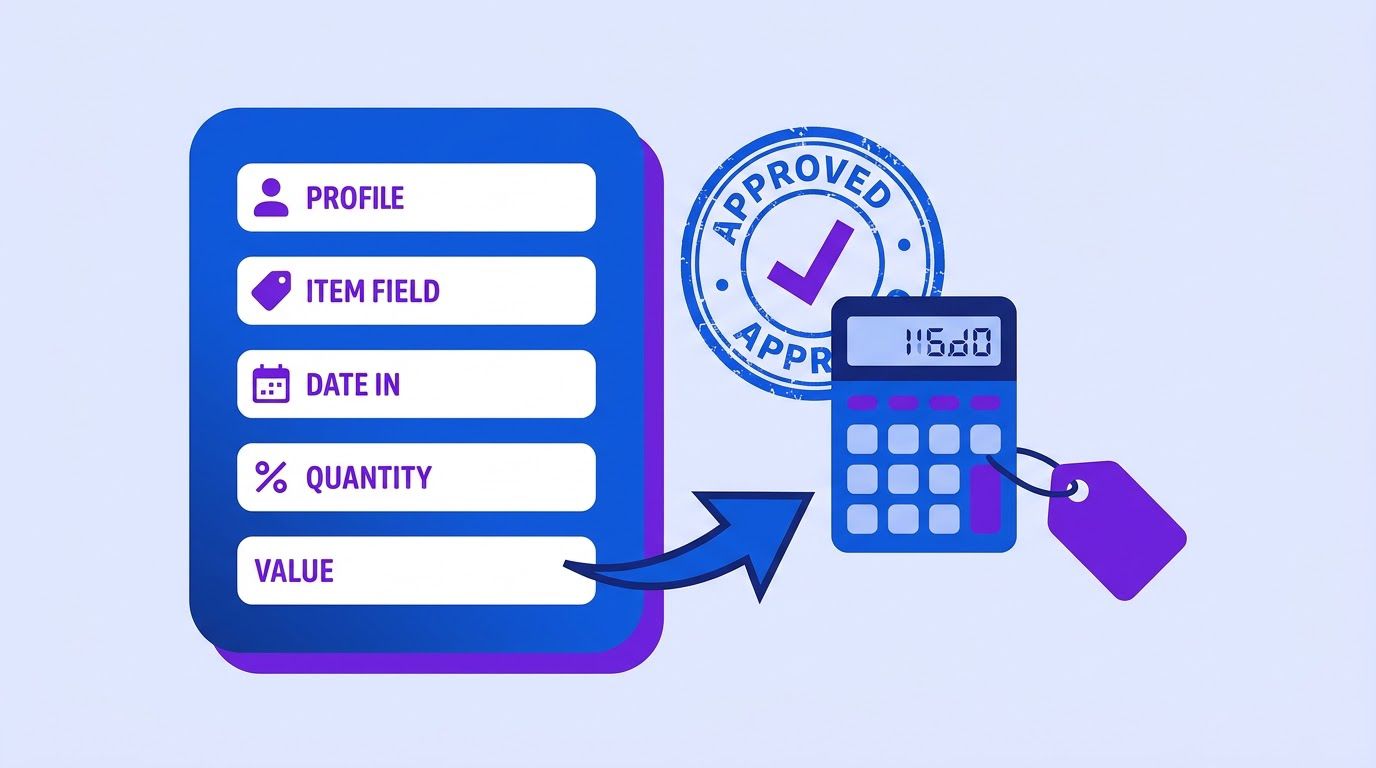
A change request is a short written note that turns a casual ask into a decision. Two sources we read describe the same idea. Ten Six, a project management consultancy, describes a change control process (December 18, 2020) in six steps: someone proposes a change, the manager receives a request, the team reviews it, analyses its effect, recommends to the sponsor and the sponsor accepts or rejects it, with every decision recorded. 9am, a vendor of freelancer tools, lists seven fields (August 28, 2026) and says work starts only after approval. Both are written for others’ contexts and sell related services, so treat them as practitioner views.
For a small agency, a full change-control board is overkill. Five fields are enough.
| # | Field | What to write | Why it matters |
|---|---|---|---|
| 1 | What is requested | The ask, in the client’s own words, with who asked and when | Proves you listened and fixes what was asked |
| 2 | Which scope line it falls outside | The line in the scope document, or “not in the Included list” | Ties the change to the agreement, not to your opinion |
| 3 | Effort and price | Type (Small, Standard, Major), estimated hours, the price | Turns the ask into a purchase decision |
| 4 | Effect on the schedule | A new date, or “none” | Shows that nothing is free, even when the price is zero |
| 5 | Approval | Who approves, and by when | Work starts only on a written yes |
A form you can send today
CHANGE REQUEST {{number}}   Project: {{project}}   Date: {{date}}

1. REQUESTED (client's words)
"{{quote}}"  Asked by {{name}} on {{date_asked}}.

2. OUTSIDE SCOPE LINE
{{scope_line}}  (or: not in the Included list)

3. EFFORT AND PRICE
Type: {{type}}   Estimated hours: {{hours}}   Price: {{price}}
Displaces scheduled work: {{yes_no}}

4. EFFECT ON SCHEDULE
{{schedule_effect}}

5. APPROVAL
Approver: {{approver}}   Please reply "approved" by {{deadline}}.

Work starts after your written approval. If you decide not to proceed, this goes on the
Phase 2 list.
Rules for using the form
- Send it the same day, while the request is fresh and the client has not yet assumed a yes.
- One request per form. Bundles hide the price of each item and get approved or rejected as a lump.
- Use the client’s words in field 1, not yours. It stops later arguments about what was asked.
- Always fill field 4, even with “none.” It trains both sides to think about time, not only money.
- Give a deadline for approval. A request with no end sits for weeks.
- Keep a Phase 2 list. A declined or deferred request is not lost. It is a future quote.
A spreadsheet with your settings, the change request form with a computed price, a change log with status and totals, and a scripts tab. The first log rows are invented examples. Copy it to your own Google Drive or Excel before you use it.
- Making it heavy. If the form takes 20 minutes, you will skip it for the next small ask.
- Sending it after the work. Then it is an invoice, not a decision.
- Applying it only to big asks. The small ones are where the hours go.
- Sending it to the wrong person. If the person you work with cannot approve, the form stalls. Put the approver’s name on it.
Pricing changes quickly
The reason agencies avoid pricing small changes is that it feels slow. It does not have to be. A simple grid gives you a number in under a minute, and the grid also decides which requests to absorb.
Three types
| Type | Typical size | How to price | Handling |
|---|---|---|---|
| Small | Up to about an hour, no knock-on effects | Hours times your rate. Absorb it if it fits the monthly goodwill allowance, and log it anyway. | Say yes, note it on the log |
| Standard | More than an hour, contained in one area | Hours times rate, plus a coordination overhead for project management and review | Send the form, wait for approval |
| Major | Touches several parts, or changes the plan | As Standard, plus contingency, and treat it as a re-scope with a new timeline | Meeting first, then the form |
The formula
price = hours x rate
        x (1 + overhead%)       # Standard and Major only
        x (1 + contingency%)    # Major only
        x rush_multiplier       # only if the change displaces scheduled work
The defaults in the kit are a 15% overhead, a 20% contingency and a 1.5 rush multiplier at a $75 hourly rate. They are placeholders, not recommendations: set them from your own margins and your own experience of how long changes really take.
function changePrice(type, hours, rate, s, rush) {
  const overhead = type === "Small" ? 1 : 1 + s.overheadPct / 100;
  const contingency = type === "Major" ? 1 + s.contingencyPct / 100 : 1;
  const rushMult = rush ? s.rushMultiplier : 1;
  return Math.round(hours * rate * overhead * contingency * rushMult);
}
We checked this function against the spreadsheet on the five invented examples in the kit, and both give the same prices.
| Invented example | Type | Hours | Displaces work? | Price at $75/h |
|---|---|---|---|---|
| Add a monthly newsletter | Standard | 6 | No | $518 |
| Swap the hero photo | Small | 0.5 | No | $38 (absorbed) |
| Rebuild the pricing page in two languages | Major | 14 | Yes | $2,174 |
| Add an event landing page | Standard | 4 | No | $345 |
| Fix a footer typo | Small | 0.25 | No | $19 (absorbed) |
The goodwill allowance
Absorbing small changes is a decision, so make it on purpose. Set a goodwill allowance per project and month, say two hours, and spend it deliberately. When it is gone, the next small request becomes a Standard one. Log everything you absorb, with its value at your rate: the kit’s summary shows absorbed hours, absorbed value and what share of the base fee that value is.
In the invented log, two small items were absorbed for a total of 0.75 hours, worth $57 at $75 an hour, which is about 1.9% of a $3,000 base fee. That is fine, and visible. If the same column showed 15% a month, you would not need a lecture on scope creep to know what to do.
Other ways to package changes
- A block of change hours. 9am suggests agreeing a block of extra hours on top of the fixed price, drawing from it on request and reporting monthly. 9am is a vendor of freelancer tools and the idea is unsourced, but it is a tidy way to turn many small negotiations into small withdrawals. Agree the block in the scope document, and say what happens when it runs out.
- Fixed price for planned work, hourly for unplanned work. Write the default into the scope document so no request needs a fresh debate.
- A priority fee for rush work, because a rush change displaces scheduled work for another client.
- A change window. Batch non-urgent small changes once a week, which cuts the cost of switching.
- Quoting live on a call. Say you will send the price this afternoon, then do the arithmetic.
- Pricing the typing and not the testing. A one-line edit still needs review.
- Using a different rate for friends. Special rates become the precedent.
- Discounting without a reason. If you discount, write why, so the discount is a gift and not a new price.
- Pretending it is free. Even a Small change costs time, and the log should show it.
Tell us how requests reach you today (email, chat, a form) and how you price them. We review the request, send a quote, and you decide whether to go ahead.
A spreadsheet that ranks your repetitive tasks by what is worth automating first. List the task, rate how often it happens, how long it takes, how error-prone it is and how many tools it touches, and the sheet orders your list. Enter your email below and we will send the download link.
Scripts: yes, and here is the price

The hardest part of managing scope is not the form or the grid. It is the sentence you say when the request arrives. The principle that makes the sentence easy is simple: agree to the request in principle, and separate the price from the moment of asking. You are not refusing anything. You are saying you will send what it costs and what it moves.
"I can do that. I will send you what it costs and what it moves by this afternoon."
That sentence is close to the one 9am suggests, and it works because it contains no resistance. The client hears yes. The price arrives in writing, with a date, a few hours later, when nobody has to look anyone in the eye.
Eight situations
| Situation | Say |
|---|---|
| A small, quick ask | “Happy to. I will treat this one as a goodwill item. We have two a month, and this is one.” |
| An ask outside the list | “Good idea. It sits outside what we agreed (newsletters, section 3). I will send a one-page request with the price and the date.” |
| “It is tiny.” | “It may be small for you. Counting testing and review it takes me about X hours. If it fits our goodwill budget I will do it. Otherwise here is the price.” |
| “It should have been included.” | “Let me check the scope document with you. If the line is unclear, that is on me and I will cover it once and fix the wording. If it is under Not included, here is the quote.” |
| A tight deadline | “I can have it by Friday if we move X to next week, or by next Wednesday with nothing moved. Which do you prefer?” |
| A new person with opinions | “Welcome. To avoid mixed instructions, who gives the final approval? I will send the summary to both of you.” |
| A fourth round of changes | “We have used the three rounds in the plan. I am glad to do another. Here is the price for a further round.” |
| No, without burning the relationship | “I cannot take this within the current plan. I can put it on the Phase 2 list or quote it as a separate piece.” |
The written follow-up
Hi {{name}},

Thanks for the idea on {{topic}}. As promised, here is what it would take.

Request: "{{quote}}"
It falls outside: {{scope_line}}
Estimate: {{hours}} hours, price {{price}}. Effect on the schedule: {{schedule_effect}}.

If you would like to go ahead, reply "approved" by {{deadline}} and we start. If the
timing is not right, I will keep it on the Phase 2 list.

{{your_name}}
A made-up conversation
All names and numbers are invented.
Client (call): Could we also add a version of the pricing page in Spanish?
You: Good idea. I can do that. I will send you what it costs and what it moves by this
     afternoon.
Client: Is it a big deal? It is just the same text.
You: It is more than the text: layout, testing, and keeping both in sync. I will put it
     in the request so you can see it.

(Email, 2 hours later) Change request CR-014: Spanish pricing page. Outside scope:
extra languages not included. Standard, 5 hours, $431. Schedule: none. Please reply
"approved" by Friday.

Client (next day): Approved. Can we do the About page too?
You: Yes. I will send a second request this afternoon.
Notice what did not happen. Nobody said no, nobody argued about the contract and the client got a decision to make. The second request, a day later, follows the same path with no extra effort, and that is the real benefit of the system: it makes the second and the tenth request as easy as the first.
What not to say
- “Sure, no problem” with no price attached. It sets the precedent you are trying to avoid.
- “That is not in the contract.” Accurate and cold. Use the scope line and the form instead.
- “Just this once.” It invites the next time. Use the goodwill allowance: it makes the gift explicit.
- An apology. You are not sorry that work has a price.
- A long explanation of your costs. A short, specific number does more than a justification.
- Using the script on the phone and skipping the written form. The form is where the agreement lives.
- Saying it in an irritated tone. The words are friendly, and so should the delivery be.
- Using the same script for a real mistake of yours. If the scope was unclear, own it once and fix the document.
- Never offering the alternative. The Phase 2 list and a smaller version keep the relationship warm.
The scope document and the consumption report
The change request form needs something to point at. Field 2, which scope line the request falls outside, only works if there is a scope document with a clear Included list and a clear Not included list. If yours is vague, the form turns into an argument about interpretation. Our guide to client onboarding for agencies covers a one-page scope template, a catch-all exclusion line and the first 14 days that produce it. If the proposal that won the work was built from structured notes, as in our guide to sales proposals from CRM data, the same blocks give you the first draft of both lists.
A monthly consumption line
The second half of the system is visibility. Once a month, tell the client where the hours and the changes stand. It takes five minutes and makes the form feel routine instead of defensive.
November summary for {{client}}:
Planned work: {{used}} of {{budget}} hours used, {{pct_done}}% of milestones complete.
Change requests: {{n_approved}} approved ({{approved_value}}), {{n_pending}} pending,
{{n_declined}} on the Phase 2 list.
Goodwill items this month: {{n_absorbed}} ({{absorbed_hours}} hours).
Next month: {{next_milestone}}.
If you already send clients a monthly report, add this block to it. Our guide to automated client reporting for agencies covers the one-page structure and a build that keeps a person’s review in the loop. The consumption line fits at the bottom of that page.
What the line does for the relationship
- It shows what you gave away, which is the part a client cannot see.
- It shows pending items, so approvals do not pile up silently.
- It shows the Phase 2 list, which makes a no sound like a plan.
- It makes your invoices easier to defend. Our guide to chasing unpaid invoices without damaging the client relationship covers what to do when payment slips, and a clean record of approved changes removes one common reason for disputes.
Retainers, projects and solo freelancers
| Situation | How the system adapts |
|---|---|
| Fixed-price project | The scope document is the baseline. Every out-of-scope request goes through the form, and the Phase 2 list becomes the next proposal. |
| Monthly retainer | Define what the retainer covers in hours or deliverables. Requests beyond that use the form. Report consumption monthly. |
| Hourly work | Scope creep is less costly, but scope drift still affects deadlines. Use the form for changes to the plan, not for hours. |
| Solo freelancer | Keep the form to five lines in an email. The log can be a single sheet. The scripts matter most, because there is no manager to blame. |
| Small agency with several people | Name one person who receives requests and updates the log, so changes do not live in individual inboxes. |
In a team, the log is also a training tool. A new project manager who reads three months of change requests learns more about how your clients behave, and how you price them, than from any handbook.
A monthly review of your own log
Once a month, read the log as a whole, not row by row. Five questions are enough to turn it into decisions.
| Question | What a bad answer tells you |
|---|---|
| Which client sent the most requests? | Their scope was unclear, or they are testing the boundary. Revisit the scope document with them. |
| Which type dominates: Small, Standard or Major? | Many Smalls means your allowance is the real price. Many Majors means the original scope missed something big. |
| How long did approvals take? | Slow answers mean the form goes to the wrong person, or the price is a surprise. |
| How many requests were declined or deferred? | A high number may mean your prices are out of line, or that clients ask for things they do not need. |
| What share of the base fee is absorbed value? | If it keeps growing, change the allowance or the fee at the next renewal. |
Our suggestion, not a measured rule: if absorbed value exceeds roughly a tenth of the base fee for two months in a row on the same client, raise it with them using the monthly consumption line as the starting point. Pick your own threshold, because it depends on your margins.
Automating the change log
The system is simple enough to run by hand. What breaks is consistency: the request that arrived by chat and never reached the log, the pending form nobody chased, the burn rate nobody computed. These are the clerical parts, and they are worth automating.
| Step | Automate? | How |
|---|---|---|
| Capture a request into the log | Yes | A form or a shared inbox feeds a row with the client’s words and the date |
| Fill the price from the grid | Yes | A formula or code step using your settings |
| Send the form to the approver | Yes, with a person’s review first | A draft is created, and you approve it before it goes |
| Remind about a pending approval | Yes, once or twice | A reminder at day 3 and day 7, then a human |
| Compute the burn alert | Yes | A weekly check of hours used against milestones |
| Decide whether to absorb | No | That is your decision |
| Choose the words of a refusal | No | Use your scripts and review the message |
For the reminder pattern, two workflows already on this site are good models. The weekly overdue invoice reminders workflow reads a Google Sheet every Monday and sends one polite reminder per item, then marks the row as chased so it does not repeat. The escalating overdue invoice reminders workflow picks one of three levels by how overdue an item is, with a cap of one reminder per item every 7 days. Both are written for invoices, not change requests, and both are starting points, but the shape is the same: read a sheet, pick the rows that need a nudge, send, record.
A design
- Trigger: a new row in the change log, or a form submission.
- Compute: the price from the grid and the days since the request.
- Draft: the change request form from the row, saved as pending for your review.
- Remind: at day 3 and day 7 if the status is still Pending, with a stop after that.
- Weekly: compute the burn alert for each project and send you the list.
- Monthly: build the consumption line for each client and save it as a draft.
- The workflow drafts, a person sends. A price in a client’s inbox is a commitment.
- Never let a model set a price or decide scope. Those come from your grid and your judgment.
- Log every absorbed request, even the ones that were handled in chat.
- Two reminders, then a human. Automatic nagging in the middle of a project hurts the relationship.
- Keep client details in systems you control. Review what any outside service receives and keeps.
Describe how requests reach you, how you price them and which tools you use. We review the request, send a quote, and you decide whether to go ahead. You pay 40% to start and 60% on delivery.
A four-week adoption plan
| Week | Task | Time |
|---|---|---|
| 1 | Copy the kit. Set your rate, overhead, contingency, rush multiplier and goodwill allowance. | 30 min |
| 1 | Log the last month of requests you can remember, even roughly, to see your own pattern. | 45 min |
| 1 | Compute your effective hourly rate on your three biggest projects. | 30 min |
| 2 | Start the log. Every request, even if you absorb it, gets a row. | 5 min a day |
| 2 | Send your first change request on a real Standard ask. | 15 min |
| 3 | Write your own versions of the eight scripts in your voice. | 45 min |
| 3 | Compute the burn alert for each active project. | 20 min |
| 4 | Send the first monthly consumption line to one client. | 20 min |
| 4 | Review: how many hours absorbed, how many requests priced, what did the client say? | 30 min |
If it feels like too much, do two things this week: open the log and write the next request down, and say the core script aloud once so it feels natural. The first change request you send is the hard one.
When it is time to hand it to someone
You can run this system with a spreadsheet and a calendar, and for the first few clients you should. What tends to break is the habit: the request that stayed in a chat, the reminder that never went out, the burn rate nobody checked.
At LeenLabs we build n8n workflows for tasks like this. The process is plain. You describe the task once on a single form, with your tools, your pricing rules and the steps you want automated. We review it and send a quote. You pay 40% to start and the remaining 60% when we deliver the workflow. There is no bidding round and no profiles to compare. We do not promise that you will recover any number of hours, because that depends on your clients and your habits. What we deliver is a workflow that does what your request describes.
Tell us how change requests reach you today and what you want to stop doing by hand. You get a quote, and you decide whether to go ahead.
To see how these workflows are put together first, browse the free workflows, which come with JSON you can import, or read more about us.
Frequently asked questions
What is scope creep?
Scope creep is the growth of a project’s requirements beyond what was agreed, without a matching change to time or money. In agency work it usually comes as many small requests, not one big one.
What are examples of scope creep?
A client asks for a different headline, then a second language, then an extra landing page, none of which were in the agreement. Another example is a fourth round of changes when three were included, or a new stakeholder adding requirements halfway through.
How do I avoid scope creep?
Write a scope document with Included and Not included lists, state the number of review rounds and route every out-of-scope request through a short written change request with a price and an approver. Our onboarding guide covers the scope document.
How do I handle scope creep with a client I want to keep?
Say yes and send a price, not a refusal. The script “I can do that. I will send you what it costs and what it moves by this afternoon” agrees in principle and puts the price in writing later.
What should a change request form include?
Five fields are enough: what was requested in the client’s words, which scope line it falls outside, the effort and price, the effect on the schedule and who approves by when.
How do I price a change request?
Estimate the hours, multiply by your rate, add a coordination overhead for Standard and Major changes, add contingency for Major ones and add a rush multiplier if the change displaces scheduled work. The kit has the formula, with placeholder percentages you should replace.
Should I ever absorb small changes?
Sometimes, on purpose. Set a goodwill allowance per project and month, spend it deliberately and log everything absorbed with its value at your rate, so the cost is visible. When the allowance is gone, the next small request becomes a priced one.
What is a change order, and is it the same as a change request?
The terms overlap. In some industries, such as construction, a change order is the formal, signed document that follows an approved change. In agency work, the change request is usually the proposal and the written approval is the order. Use whichever term your clients expect.
How can I tell that scope is drifting before it becomes a problem?
Watch for six signals: three or more quick requests in a month, while-you-are-at-it asks, revisions beyond the included rounds, new people with opinions, requests for things not on the Included list and hours used running ahead of milestones completed.
Can AI help with change requests?
It can draft the form from a client’s message, fill the price from your grid and remind you about pending approvals. It should not set prices, decide scope or send a message to the client without your review.
Sources
- PMI, Scope Patrol (PM Network, July 1, 2018, by Catherine Elton); read November 16, 2026. States that 52% of projects completed in the previous 12 months experienced scope creep, up from 43% five years earlier, citing PMI’s Pulse of the Profession. Sample size not stated on the page. Old, and about project work in general, not agencies specifically.
- Ten Six, The Change Control Process is Your Secret Weapon to Scope Management. Dated December 18, 2020; read November 17, 2026. Six-step change control process, what a change request contains, sponsor approval, Phase 2 list. Ten Six is a consultancy that sells project management training and services. No sourced statistics.
- 9am (Blago Yanakiev), Scope Creep Is a Missing Clause, Not an Accident. Published August 28, 2026; read November 17, 2026. Seven fields on a change request, fixed price for planned and hourly for unplanned work, a block of change hours, a sample reply. 9am sells freelancer tools and a course, and several of its claims are unsourced. We used it for ideas, not for facts.
- Calculated by us: the effective hourly rate ($3,000 divided by 52 hours is $57.69, which is 23% below $75), the change prices (checked by recalculating the spreadsheet in LibreOffice and by running the price function in Node on the five invented examples) and the burn alert (checked in Node on three invented cases).
- Created by us, not tested on real client projects: the five-field form, the pricing grid and its placeholder percentages, the goodwill allowance, the six signals, the scripts, the consumption line and the adoption plan. Every client, hour and price in the examples is invented.
- Not found and therefore not quoted: trustworthy data on how many hours agencies or freelancers lose to scope creep, the figures on freelancers’ monthly losses quoted in several blog posts without a method, Reddit or freelancer-forum verbatim (not collected), and any evidence that a change request form reduces scope creep.
- About Us: who we are and how we work
- Free Workflows: n8n workflows with JSON you can import
- Request a Custom Workflow: describe a task and get a quote
- Terms of Service
- Privacy Policy
This article is general information and not legal, tax or financial advice. Laws and rules differ by country and state and change over time. Check with a qualified professional about your own situation.