
Sales Proposals From CRM Data: A Modular Template and the 15-Minute Proposal Workflow
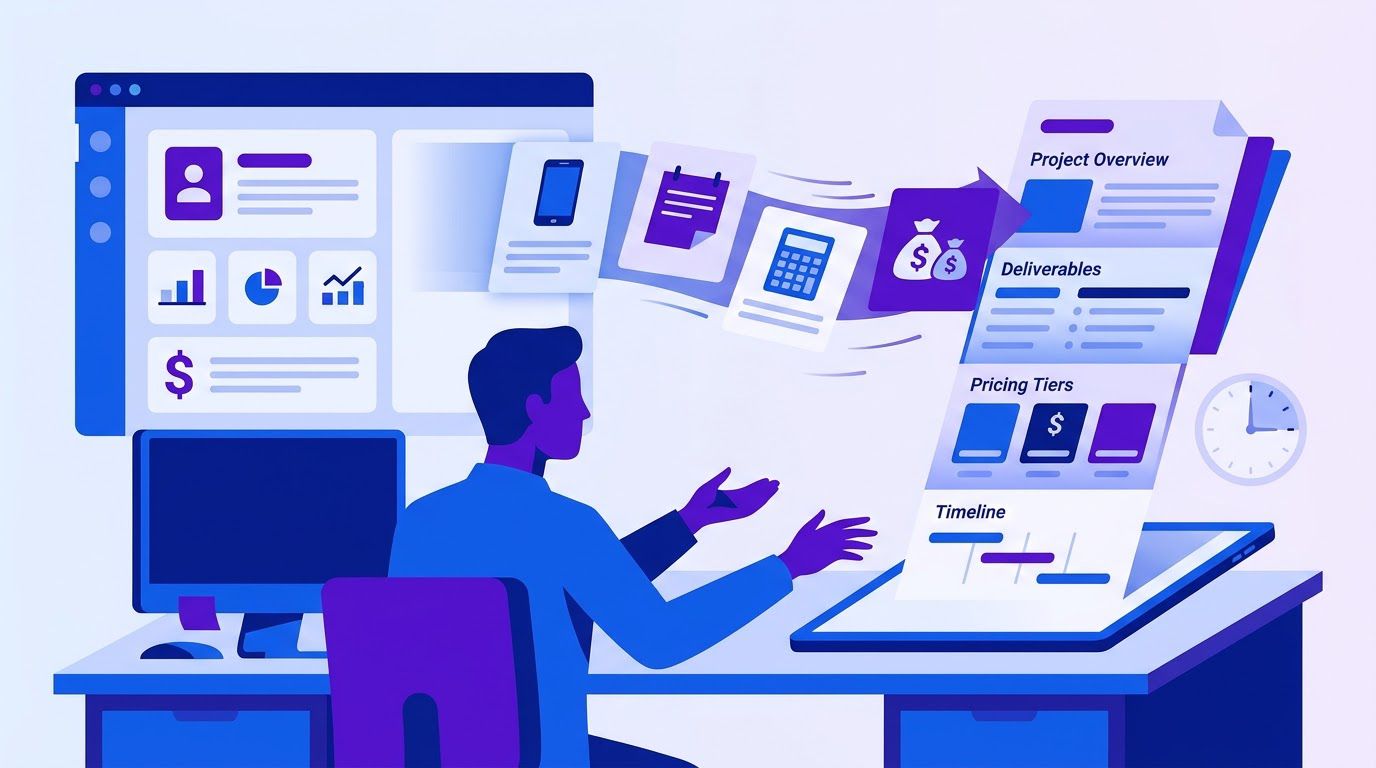
A prospect finishes a good call on Tuesday and says, "Send me a proposal." The seller has the whole conversation in notes: the problem, the number the buyer mentioned, the colleague who approves, the date that matters. Then comes the part that takes the evening. Open an old proposal, copy it, delete the previous client’s details, rewrite the problem section, rebuild the price table, hunt for a case study, fix the formatting, read it twice for leftover names. The proposal goes out on Thursday. By then the prospect’s enthusiasm has cooled, and the document is a lightly edited copy of the last one. (An invented scene, and a very common one.)
A sales proposal is the document that turns a conversation into a decision: it restates the buyer’s problem, proposes a solution, sets the scope, price and timeline and gives a reason to believe you can deliver. The best ones are specific to the buyer, which is why they take hours. This guide shows how to make them take about 15 minutes without making them generic: a modular template, a map from CRM fields to document blocks, a limited role for AI, a library of proof points and a follow-up that does not harass. The template itself is in Section 2.
A note on what this is. The 15-minute figure is a time budget we propose, not a result we measured. We did not time real sellers and we publish no before-and-after numbers. The template and the example are our own construction, and every example client, price and note is invented and labeled. The one study often cited on response speed concerns first contact with inbound leads, not proposal turnaround, and Section 1 explains why we do not use it to claim that faster proposals win more deals.
- Proposals take hours because the data is in one place and the document is in another. Connect them.
- Build the proposal from six blocks: problem, solution, scope, pricing, timeline and proof, plus a short cover and a next step.
- Fill the blocks from CRM fields and mark anything missing, so gaps are visible before the buyer sees them.
- Use AI to rephrase your call notes in the buyer’s words, not to invent value, results or testimonials.
- Keep a proof library of real, permitted evidence, each with a source and a date.
- Send proposals only to leads that deserve one, and follow up on a schedule that you can stop with one click.
- The real cost of a proposal
- A modular sales proposal template
- Connecting the CRM to the document
- The role of AI: the buyer’s words, not empty text
- A proof library you can reuse
- Sending and signing
- After sending: a follow-up that does not harass
- Automating the workflow with n8n
- A two-week rollout
- When it is time to hand it to someone
- Frequently asked questions
- Sources
The real cost of a proposal
The hours
Most of the time in a proposal is not thinking. It is finding, copying, rewording and formatting. Here is a plausible breakdown of where an evening goes, with invented numbers for you to replace.
| Task | Minutes (invented) | Can it be assembled from CRM data? |
|---|---|---|
| Find the call notes and the client details | 15 | Yes: the fields already exist |
| Copy an old proposal and remove the old client’s details | 20 | Yes: a template replaces it |
| Rewrite the problem section in the buyer’s words | 30 | Partly: AI rephrases, you check |
| Rebuild the scope and price table | 40 | Partly: blocks and a price list help |
| Find a relevant case study or proof | 25 | Yes: a library replaces the hunt |
| Format, proofread and export | 30 | Yes: a template does the layout |
| Set up signing and send | 10 | Yes: a standard step |
| Total | 170 minutes (2 hours 50 minutes) |
The numbers are invented. A seller sends 6 proposals a month at 170 minutes each: 6 × 170 = 1,020 minutes, or 17 hours. At a 15-minute target, the same 6 proposals take 6 × 15 = 90 minutes, or 1.5 hours. The difference in this invented case is 15.5 hours a month. The 15-minute target is a design goal, and the first month will be slower because you have to build the template, the field map and the proof library. Those one-time costs are real.
A careful reader would add that time saved is only useful if it goes to something that earns money, such as more first calls, better follow-up or better-qualified leads.
The delay, and what the research does and does not say
It is tempting to say that a slow proposal kills a deal and to back it with a famous statistic. We want to be careful here. The 2011 Harvard Business Review article "The Short Life of Online Sales Leads," by James Oldroyd, Kristina McElheran and David Elkington, has an abstract that states, in its own words, that most companies are not responding nearly fast enough to online queries from potential customers (read on a BYU archive page on November 14, 2026). We could not read the full article, and the page did not say how response time affects the chance of qualifying a lead.
A secondary summary written by an AI voice-agent vendor (read November 14, 2026) reports specifics: a 2011 audit of 2,241 US companies, a 42-hour average response among firms that replied within 30 days and 23% that never responded, and that firms contacting a lead within an hour were nearly 7 times as likely to qualify it as firms that waited an hour longer. It also says the widely repeated "5 minutes" claims come from a separate 2007 InsideSales.com study with an MIT researcher, that the HBR article does not mention a 5-minute window, and that two of the three HBR authors were linked to that vendor. We could not check those figures against the original, and the page sells products that depend on speed, so treat them as a vendor’s account.
The important point for this guide: those studies concern the first response to an inbound web lead, not the time it takes to send a proposal after a call. We found no evidence that a proposal sent in 15 minutes closes more often than one sent in two days, and we do not claim it. What we can say is practical: a proposal that goes out while the conversation is fresh, to a buyer who asked for it, is rarely harmed by speed, and a slow one risks the buyer’s attention drifting. If you want to read about the first contact, our guide to the missed lead follow-up system covers it.
Do not send a proposal to every lead
The cheapest proposal is the one you do not write. A proposal is the most expensive document a seller produces, so it should go only to leads with a real problem, a measured impact and a path to a decision. Our five-question lead qualification framework gives a GO, NURTURE or DISQUALIFY result for that decision, and the notes from taking call notes into a CRM are the raw material for everything below.
A modular sales proposal template
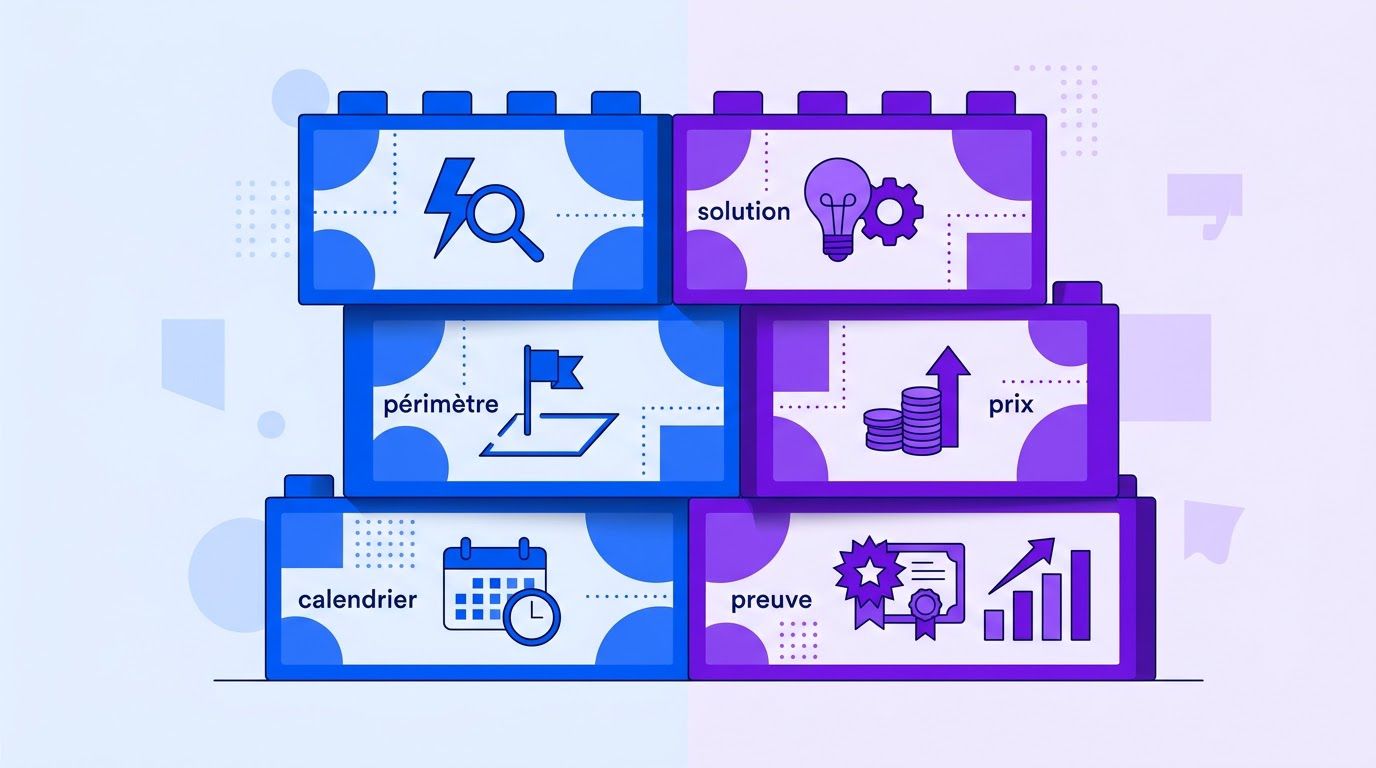
A sales proposal template should not be a document you copy and edit. It should be a set of blocks you assemble, each with a job, a source and a rule about who writes it. The buyer sees a document written for them. You see six small tasks instead of one large one.
The six blocks, plus a cover and a next step
| Block | Job | Where the content comes from | Length |
|---|---|---|---|
| Cover | Name the buyer, the date and the one-sentence promise | CRM: company, contact, date | 3 lines |
| 1. Problem | Prove you listened: the buyer’s problem in their words, with their number | Call notes (the Need and Impact fields) | 80 to 150 words |
| 2. Solution | What you will do about it, in plain language | Your service description, tailored by the Need | 100 to 200 words |
| 3. Scope | What is included, what is not, what you need from the buyer | A scope library, chosen by the service | A short list each |
| 4. Pricing | What it costs, what is optional, how and when it is paid | A price list and the deal amount | A small table |
| 5. Timeline | Key dates from start to delivery | Start date, trigger date from the notes | 4 to 6 lines |
| 6. Proof | A reason to believe you can deliver | The proof library (Section 5) | 2 to 3 items |
| Next step | One clear action and how to accept | A standard block | 3 lines |
The template
Copy this into a document tool. Text in double curly braces is a field to fill from the CRM. Text between [[IF field]] and [[/IF]] is a conditional block that appears only when the field has a value. Section 3 shows how a few lines of code can fill it automatically and warn you about gaps.
PROPOSAL FOR {{company}}
Prepared for {{contact}}, {{contact_role}}   |   {{date}}   |   Valid until {{valid_until}}
In one sentence: {{promise}}

1. WHERE YOU ARE TODAY
{{contact}}, when we spoke on {{call_date}} you told us:
"{{problem_quote}}"
[[IF impact]]You estimated the cost at {{impact}}.[[/IF]]
[[IF deadline]]You need this working by {{deadline}}, because {{deadline_reason}}.[[/IF]]

2. WHAT WE PROPOSE
{{solution_summary}}
[[IF option_b]]Option B, for a larger step: {{option_b}}.[[/IF]]

3. WHAT IS INCLUDED
{{scope_included}}
NOT INCLUDED: {{scope_excluded}}
WHAT WE NEED FROM YOU: {{client_inputs}}

4. INVESTMENT
{{price_table}}
Payment: {{payment_terms}}
[[IF optional_items]]Optional: {{optional_items}}[[/IF]]

5. TIMELINE
{{timeline}}

6. WHY US
{{proof_1}}
[[IF proof_2]]{{proof_2}}[[/IF]]

NEXT STEP
To go ahead, {{acceptance_instruction}} by {{valid_until}}.
Questions before then: {{your_name}}, {{your_contact}}.
[[IF decision_maker]]Happy to walk {{decision_maker}} through this on a short call.[[/IF]]
A filled-in example
The company, the people, the figures and the dates are all invented. The example shows tone, length and how the buyer’s own words anchor the document.
PROPOSAL FOR Brightline Supply
Prepared for Dana R., Operations Lead   |   Nov 10   |   Valid until Nov 24
In one sentence: Orders that arrive by email will land in your system without anyone retyping them.

1. WHERE YOU ARE TODAY
Dana, when we spoke on Nov 9 you told us:
"Orders come in by email and we retype them into the system."
You estimated the cost at about 6 hours a week and about two corrections a week.
You need this working by Dec 14, because a new hire starts that day.

2. WHAT WE PROPOSE
A workflow that reads incoming order emails, extracts the lines, checks them against
your item list and writes a draft order for a person to approve.

3. WHAT IS INCLUDED
Email reading, extraction, a check against your item list, a review queue, and one
round of changes after two weeks of use.
NOT INCLUDED: changes to your order system itself; handwritten or phone orders.
WHAT WE NEED FROM YOU: access to the orders mailbox; your current item list; 30 minutes
to review the first ten drafts together.

4. INVESTMENT
Fixed price: $4,200. Optional: second mailbox, $600.
Payment: 40% to start, 60% on delivery.

5. TIMELINE
Kick-off Nov 26. First drafts Dec 3. Handover Dec 10, four days before your start date.

6. WHY US
[Real, permitted proof goes here. See the proof library for how to record it.]

NEXT STEP
To go ahead, reply "approved" to this message by Nov 24.
Notice the proof block: it is deliberately a placeholder. We will not invent a case study in an example, and neither should you in a proposal. Section 5 shows how to build a library of real ones.
Rules that make a modular proposal credible
- Start with the buyer’s words, not yours. A quote from the call in the first block is the strongest proof that you listened.
- State what is not included. Scope disputes start in what the proposal left unsaid.
- Show the price once, clearly, with the payment terms. Do not hide it, and do not make the buyer add it up.
- Offer a larger and a smaller step when it makes sense, so the decision is between options, not between yes and no.
- Set an expiry date. A proposal with no end invites no urgency, and your prices may change.
- Keep it short. If the buyer cannot read it in five minutes, the document is for you, not for them.
- Leaving the last client’s name in. Search for it before you send. Section 3 shows an automatic check for blanks, and a text search for your last three client names is a cheap second check.
- Opening with your company’s history. The buyer cares about their problem first.
- Vague scope. "Marketing support" invites arguments. List the deliverables.
- Invented proof. Fake testimonials and made-up numbers are a legal and reputational risk, and buyers can usually tell.
- No next step. Say exactly how to accept.
Connecting the CRM to the document
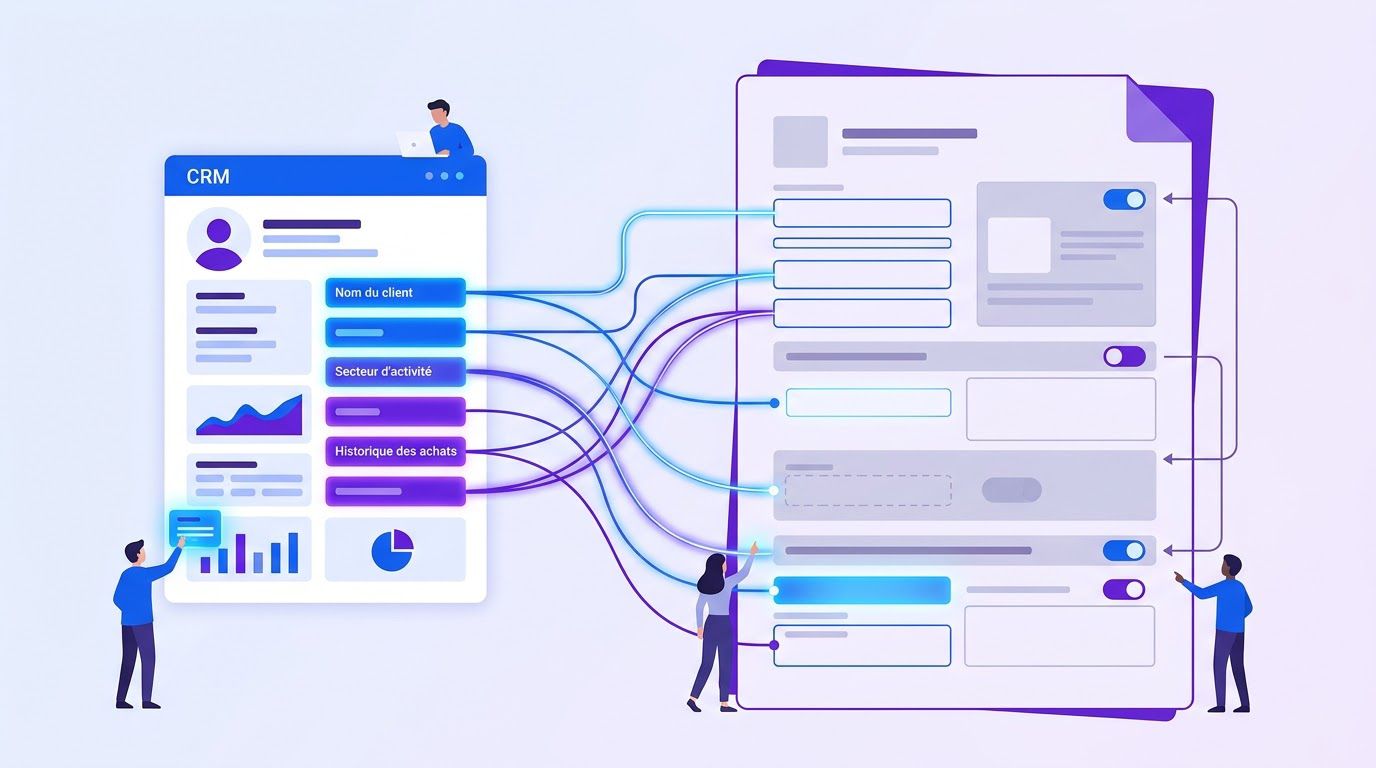
The reason a proposal takes hours is that the information is in the CRM and the document is somewhere else. A CRM proposal template closes the gap with a simple idea: every placeholder in the template has a named source in the CRM, and a missing source is flagged rather than left blank.
The field map
| Placeholder | CRM source | If it is missing |
|---|---|---|
| {{company}}, {{contact}}, {{contact_role}} | Account and contact records | Stop. Fix the record first. |
| {{call_date}} | Last call activity | Use the date of the notes. |
| {{problem_quote}} | Need field in your call notes (first answer of the qualification questions) | Stop. A proposal without the buyer’s problem is generic. |
| {{impact}} | Impact field, as the buyer said it | Hide the line. Do not guess a number. |
| {{deadline}}, {{deadline_reason}} | Timing field | Hide the line. |
| {{decision_maker}} | Authority field | Hide the line, and ask on the next call. |
| {{price_table}}, {{payment_terms}} | Deal amount and your price list | Stop. A person sets the price. |
| {{scope_included}}, {{scope_excluded}} | Scope library, chosen by the service | Stop. |
| {{proof_1}}, {{proof_2}} | Proof library, chosen by industry or problem | Use the placeholder and tell the seller. |
If you keep call notes with the five fields from our lead qualification framework (problem, impact, authority and process, timing, alternative), most of this table fills itself. That is the point of building notes and proposals from the same structure. Our guide to call notes in your CRM covers a five-minute routine for keeping them current.
Conditional blocks
- Impact present: show the cost line. Absent: hide it. Never write a number the buyer did not say.
- Deadline present: show it with its reason, and design the timeline backwards from it.
- Deal above your threshold: include a longer scope and an acceptance step that involves the decision-maker.
- Industry match: pick the proof item from the same industry when the library has one.
- Optional items: show them only when the seller has chosen to offer them.
A few lines of code that fill the template and flag the gaps
Here is the logic as a function you could use in a code step in n8n or adapt to any language. It removes conditional blocks whose field is empty, fills the placeholders and returns the list of fields that were needed but missing. A document with any missing field is not sent until a person fixes it. Checked on two invented records, it filled the first completely, and for the second, which had an empty problem field, it inserted a visible marker and reported the missing field.
function render(tpl, data) {
  const missing = new Set();
  let out = tpl.replace(/\[\[IF (\w+)\]\]([\s\S]*?)\[\[\/IF\]\]/g,
    (m, k, body) => (data[k] ? body : ""));
  out = out.replace(/\{\{(\w+)\}\}/g, (m, k) => {
    if (data[k] == null || data[k] === "") {
      missing.add(k);
      return "[MISSING:" + k + "]";
    }
    return String(data[k]);
  });
  return { text: out, missing: [...missing] };
}
The function does one thing: it makes gaps loud. It does not decide what to say, it does not check that a price is right and it cannot tell whether a quote from the call is accurate. Those remain a person’s job.
Where proposal software fits
Dedicated proposal software does a version of this: templates, content libraries, tracking and e-signature in one place. Searches for it are numerous, and the products vary widely in price and in how well they connect to a given CRM. We have not tested any, and we quote no prices or rankings. The architecture above is the same whether you build it from a document tool, a sheet and a workflow or buy a product. Use the two-week plan in Section 9 to find out what you actually need before you pay for software.
A spreadsheet that ranks your repetitive tasks by what is worth automating first. List the task, rate how often it happens, how long it takes, how error-prone it is and how many tools it touches, and the sheet orders your list. Enter your email below and we will send the download link.
The role of AI: the buyer’s words, not empty text
The best use of a language model in a proposal is narrow: rephrase what the buyer said into clear, client-facing language. The worst use is asking it to "write a proposal," which produces fluent, generic text that sounds like every other proposal. Buyers have read that proposal many times.
What AI should and should not do
| Good use | Poor use |
|---|---|
| Turn rough call notes into a clean "where you are today" paragraph that keeps the buyer’s quote | Write the whole proposal from a one-line prompt |
| Tailor the solution summary to the stated problem, from your own service description | Describe benefits and results that you have not promised or proven |
| Check the draft for leftover names, missing fields and inconsistent dates | Invent testimonials, case studies or statistics |
| Suggest a shorter version of a long block | Set the price |
| Draft the cover email | Decide what is in or out of scope |
A prompt that limits invention
You are helping a seller write two blocks of a sales proposal.

Use ONLY the call notes below. Rules:
- Keep the buyer's own words in quotation marks where they exist.
- Do not add benefits, results, numbers or timeframes that are not in the notes.
- If something the block needs is missing from the notes, write: UNKNOWN. Do not guess.
- Plain, direct sentences. No hype, no jargon, no buzzwords.
- Block 1 (Where you are today): 80 to 150 words, second person ("you told us").
- Block 2 (What we propose): 100 to 200 words, based on the SERVICE DESCRIPTION only.

SERVICE DESCRIPTION: [paste your standard description]
CALL NOTES: [paste the five fields: problem, impact, authority, timing, alternative]
The 15-minute budget
As with our other time budgets, this one is a proposal, not a measurement. Time yourself on your first five proposals and adjust.
| Minutes | Task | Done by |
|---|---|---|
| 2 | Check the CRM record for the fields in Section 3. Fix gaps or stop. | Person |
| 0 | Fill the template and run the missing-field check | System |
| 3 | Read the AI-drafted problem and solution blocks. Compare every quote and number with the notes. | Person |
| 3 | Choose scope items and set the price | Person |
| 2 | Choose proof items from the library | Person |
| 3 | Review with the checklist below | Person |
| 2 | Send for signature and log it | Person or system |
| 15 | Total |
The review checklist
| # | Check |
|---|---|
| 1 | Is the buyer’s problem in the buyer’s words, and does the quote match the notes? |
| 2 | Is every number in the document one the buyer said or one you set deliberately? |
| 3 | Are there any leftover names, dates or details from another client? |
| 4 | Does the scope say what is not included? |
| 5 | Does the price add up, and are payment terms stated? |
| 6 | Does the timeline respect the buyer’s deadline, or say plainly that it cannot? |
| 7 | Is every proof item real, current and permitted? |
| 8 | Is there one clear next step and an expiry date? |
- Sending the draft as written. The document goes out under your name.
- Pasting client details into a tool you have not checked. Review where the data goes and how it is stored before you send client notes to any model, and check any confidentiality agreement with the client.
- Letting the model add benefits. Every benefit in a proposal is a promise, and you will be held to it.
- Using the same polished voice for everyone. Keep your own plain style.
The proof library: real evidence, recorded once
The sixth block of the template, proof, is where most proposals get weak. Sellers either leave it generic ("we are passionate about quality") or stretch the truth. Both cost you. The fix is a small library of true statements, each recorded with where it came from and whether you may use it.
A proof record
| Field | What to write | Why |
|---|---|---|
| Claim | One factual sentence, as it will appear | Forces precision |
| Type | Delivered project, measured result, client quote, credential, process or process commitment | Lets you pick by need |
| Evidence | The document, message or file that supports it | You can show it if asked |
| Permission | Who agreed, how, when, and what you may name | Names and logos need consent |
| Industry and problem | Tags to match against the buyer’s record | Drives the choice in the template |
| Date and expiry | When it happened and when to re-check it | Old claims become false |
- Delivered project: "In March we built an order-intake workflow for a wholesale distributor." Evidence: the signed statement of work. Permission: client agreed to be described without a name. Expiry: March next year.
- Client quote: "The review queue means I only look at the odd ones." Evidence: the email it came from. Permission: the sender agreed by email to the quote and the job title, not the company. Expiry: two years.
- Process commitment: "You approve every draft before it is used, and we log every change." Evidence: the process document. No expiry, but re-read it each quarter.
All three records are invented to show the format. The point is that each claim has a document behind it and a recorded permission.
If you have no case studies yet
- Use a process, not a result. Describe exactly how you work, what the buyer sees at each step and what you will not do. This is true from day one.
- Offer a small paid first step. A fixed-price audit or pilot gives both sides evidence and gives you your first real record.
- Show a work sample you made on your own time, clearly labelled as such, rather than implying it was for a client.
- Cite credentials only if you hold them, and with the issuer’s name.
- Say plainly that you are new, if that is the case, and make the terms easy to accept: a small scope, a clear exit.
- Never invent a testimonial, a logo or a number. Fake endorsements can create legal exposure and destroy trust the first time someone checks.
- Do not generalise one result. "Saved one client six hours a week" is not "saves six hours a week."
- Get permission in writing, even if only an email reply, and record it.
- Let the library expire items. Re-check each record every year or when the facts change.
- Keep claims you cannot back up out of the AI prompt. The model must only use records from the library.
Tell us which CRM you use, how you write proposals today and where the time goes. We review the request, send a quote, and you decide whether to go ahead.
Sending and signing
A proposal that is hard to accept is a proposal that waits. Make acceptance one action: a reply that says "approved," a click on a signature link or a signed PDF. The simplest option that fits the size of the deal is the right one.
| Deal type | Acceptance method | Why |
|---|---|---|
| Small, repeat or existing client | Reply "approved" by email, with the proposal attached | Fast, leaves a written record |
| Medium | E-signature on the proposal or a short agreement | Clear terms signed by a named person |
| Large, or new client | Signed agreement, reviewed by a lawyer you trust, with the proposal as a schedule | More money at risk, more to specify |
What the law says about electronic signatures, briefly
In the United States, a 2000 federal law, the ESIGN Act, and the state-level Uniform Electronic Transactions Act (UETA) generally give electronic signatures and records the same legal standing as paper ones, with exceptions for certain document types and extra rules when consumers are involved. We rely on a summary from FindLaw, a legal publisher, dated January 5, 2017, and we have not read the statutes in full. Rules differ by country and by state, and they change. This is not legal advice. For a contract of any size, ask a lawyer in your jurisdiction what your agreement should say.
A cover email
Subject: Your proposal, {{company}}

Hi {{contact}},

Thanks for the call on {{call_date}}. As promised, the proposal is attached.

In short: {{promise}}

To go ahead, {{acceptance_instruction}} by {{valid_until}}. If you would like me to walk
{{decision_maker_or_team}} through it, I can do a 15-minute call this week.

{{your_name}}
- Sending a document with no expiry or next step. Nothing prompts a decision.
- Attaching an editable file. Send a PDF, so the terms cannot change by accident.
- Sending before the checklist. The 3 minutes of review are the cheapest part of the process.
- Not logging it. If the CRM does not know a proposal went out, no follow-up will happen.
Follow-up after the proposal
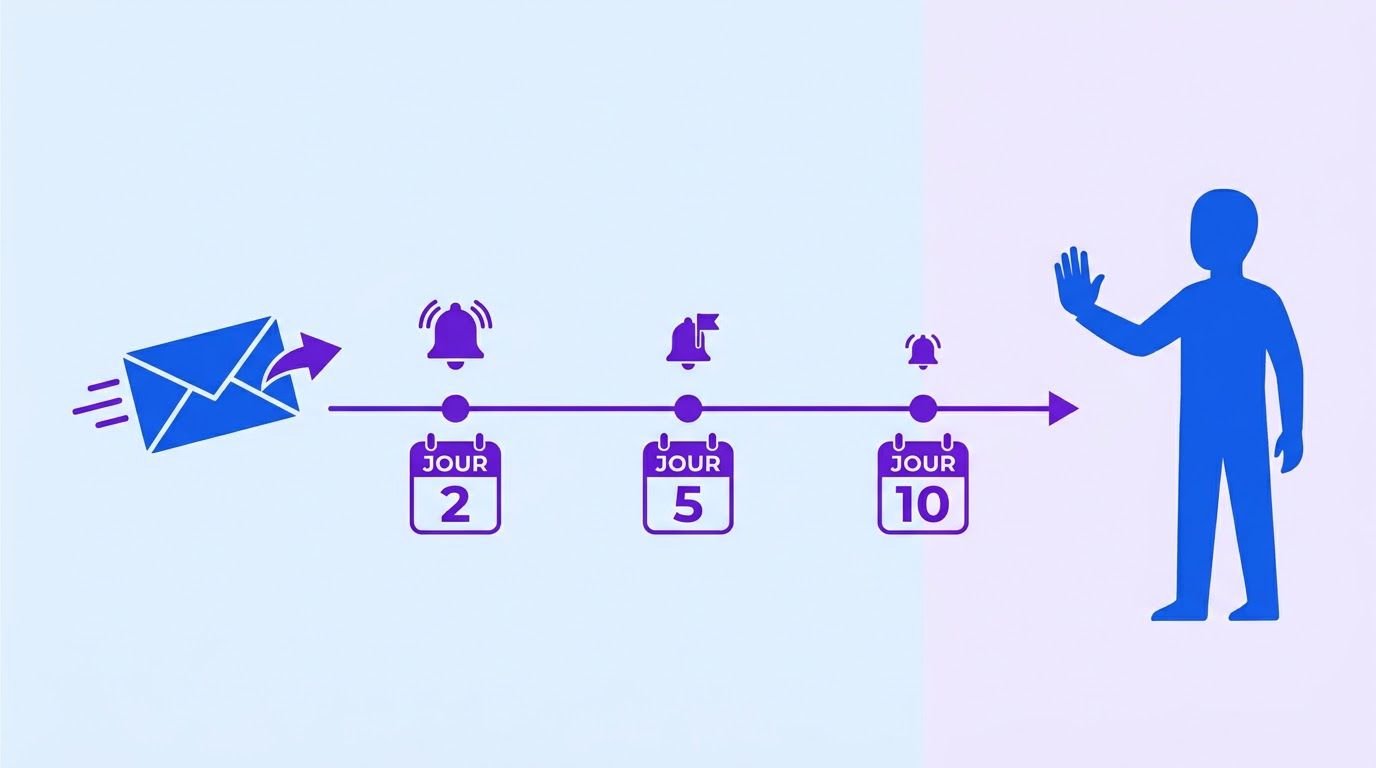
Most of the work in a proposal process after sending is waiting, and waiting without a plan means the deal drifts. Decide the follow-up schedule before you send. Our guide on recovering revenue from your pipeline covers the broader system. For proposals, a short cadence is enough.
| When | What | Purpose |
|---|---|---|
| Same day | Send with the cover email. Log the send date and expiry in the CRM. | Start the clock |
| Day 2 | Short note: "Did it arrive? Any questions I can answer?" | Catch delivery and quick questions |
| Day 5 | Offer a 15-minute call to walk through it, or answer in writing | Surface objections early |
| Day 10 | A last note before the proposal expires, and a plain way to say no | Close the loop either way |
| After expiry | Mark as lost with a reason. If the buyer asked to wait, set a dated reminder. | Keep the CRM honest |
Templates
DAY 2
Hi {{contact}}, checking the proposal reached you. If anything is unclear, ask me here
and I will answer today.

DAY 5
Hi {{contact}}, would a 15-minute call help? I can walk through the scope and price and
we can adjust anything that does not fit.

DAY 10
Hi {{contact}}, the proposal expires on {{valid_until}}. If the timing is wrong, tell me
and I will note a date to come back. If it is not a fit, a one-line reply is enough and
I will close it on my side.
A stop rule
Three notes, then stop. A buyer who has not answered three clear, polite messages has answered. Mark the deal lost with the reason "no response" and move on. Cold outreach rules are a separate topic, and our guide to writing outreach that does not read like automation covers tone, though these follow-ups go to someone who has asked for your proposal.
When a buyer says no, record why. After ten lost proposals, the reasons will tell you more about your pricing and scope than any template can. Keep the records clean with the habits in our CRM cleanup protocol, because a proposal pulled from stale data goes out stale.
Automating the workflow
We have not found a published LeenLabs workflow that generates sales proposals. The ones below solve neighbouring problems, and each shows a pattern you can reuse. Their descriptions come from their own pages, and each is a starting point, not a proposal engine.
| Published workflow | What it does | Pattern to reuse |
|---|---|---|
| Create invoice PDFs from Stripe payments | Listens for successful Stripe payments, builds invoice data, makes a PDF, saves it, emails it and logs a ledger line | Data in, a formatted PDF out, stored and logged |
| Extract invoice data from PDFs with Claude | Returns structured fields and writes "unknown" instead of guessing, then sends doubtful ones to a review tab | The UNKNOWN and review-queue pattern for the AI step |
| Log invoice line items and verify totals | Saves header and lines, sums the lines against the total and emails a verified or mismatch report | A price check before anything is sent |
| Weekly accounts receivable aging report | Builds a grouped one-page PDF each Monday and emails it | A short, well-formatted summary document |
| AI email reply with Airtable and Gmail | Drafts replies with a model, using a record store | Save the draft first, send only after approval |
A design that keeps a person in charge
- Trigger: the deal moves to a "Proposal needed" stage in the CRM.
- Completeness check: the function from Section 3 lists missing fields. If any is missing, a task goes to the seller and the process stops.
- Draft: the model rewrites the problem and solution blocks from the notes using the Section 4 prompt.
- Assemble: the blocks, the scope items, the proof items and the cover are filled into the template.
- Price check: compare the price with the price list. If it is off the list, flag it. A person always sets the price.
- Stage: the document is saved as a pending draft, and the seller gets a link with the checklist.
- Approve: a person reviews and approves. Nothing is sent before that.
- Send and sign: the approved PDF goes out by email or an e-signature tool.
- Log and schedule: the send date, expiry and follow-ups are written to the CRM.
- The workflow drafts, a person sends. Never connect the draft to the send step.
- Never let the model set a price, a scope or a date. Those come from your lists and your decision.
- Flag gaps instead of filling them. A visible marker is better than a plausible guess.
- Keep the notes and the draft together. If a buyer disputes a line, you can show where it came from.
- Limit what leaves your systems. Check what any model provider receives and keeps before you send real client notes.
- Log every send. A proposal that exists only in an inbox cannot be followed up.
Describe your CRM, your template and where proposals slow down. We review it, send a quote and you decide whether to go ahead. You pay 40% to start and 60% on delivery.
A two-week rollout
| Day | Task | Time |
|---|---|---|
| 1 | Pull your last three proposals. Mark which parts changed between them and which did not. | 45 min |
| 2 | Write the six blocks from the Section 2 template, using your own words and services. | 60 min |
| 3 | Write a scope library: included and excluded text for each service you sell. | 45 min |
| 4 | Record three to five real proof items with their evidence and permission. | 45 min |
| 5 | Add the call-note fields to the CRM if they are missing (Section 3). | 30 min |
| 6-8 | Write the next three proposals by hand from the template. Time each one. | As needed |
| 9 | Add the field map. Mark which fields were missing in those three. | 30 min |
| 10 | Try the AI prompt on one old set of notes. Compare the output with what you really wrote. | 30 min |
| 11 | Set the follow-up schedule and write the three notes. | 30 min |
| 12 | Decide the acceptance method for each deal size (Section 6). | 20 min |
| 13 | Measure: minutes per proposal, fields missing, proposals sent, answers received. | 30 min |
| 14 | Decide what to automate first. Usually it is filling the template and flagging gaps. | 30 min |
If it feels like too much, do Day 2 alone. A written template with six blocks is already most of the benefit.
When it is time to hand it to someone
You can run this system with a document, a sheet and the habits above, and for the first month you should. What tends to break is the discipline: the call notes that were never filled in, the proof item that expired, the follow-up nobody sent.
At LeenLabs we build n8n workflows for tasks like this. The process is plain. You describe the task once on a single form, with your CRM, your template and the rules you want applied. We review it and send a quote. You pay 40% to start and the remaining 60% when we deliver the workflow. There is no bidding round and no profiles to compare. We do not promise that proposals will close faster or more often, because that depends on your offer and your buyers. What we deliver is a workflow that does what your request describes.
Tell us how you write proposals now, which CRM holds the data and who approves. You get a quote, and you decide whether to go ahead.
To see how these workflows are put together first, browse the free workflows, which come with JSON you can import, or read more about us.
Frequently asked questions
What is a sales proposal?
A sales proposal is a document sent to a specific buyer after a conversation. It states their problem, what you will do about it, what is included, the price, the timeline and how to accept. It differs from a quote, which is mostly a price, and from a contract, which is the binding agreement.
What is a sales proposal template?
It is a fixed structure with named slots that you fill for each buyer. A good one separates the parts that never change from the parts that come from the buyer. Section 2 gives a full one you can copy.
How do I write a sales proposal?
Start with the buyer’s problem in their words, then the solution, the scope with exclusions, the price with payment terms, the timeline, proof and one next step. Keep it short enough to read in five minutes.
How long should a proposal be?
As short as it can be while covering the six blocks. We do not quote an ideal page count, because we found no trustworthy evidence for one. Many small-business proposals fit on two to four pages, which is our own rule of thumb, not a measured figure.
What should a one-page business proposal contain?
The same six blocks, compressed: a two-line problem, a three-line solution, a short scope list, a price line, three dates and one proof item, plus the next step. Use it for small, simple deals.
Can I build a CRM proposal template without proposal software?
Yes. A document template, a sheet or CRM record that holds the fields and a small script or workflow to fill the slots is enough to start. Software adds tracking and signatures, and you can add it later if you find you need them.
Can AI write my proposals?
It can rephrase your call notes into clear text and check for gaps. It should not set the price, the scope or the timeline, and it must not invent proof. A person reviews every proposal before it is sent.
Will a faster proposal win more deals?
We found no trustworthy evidence either way for proposals. The studies on fast response concern inbound leads, not proposals, and we do not use them as proof here. Time yourself and track your own results.
Is an e-signature legally valid?
In the United States, federal and state laws generally give electronic signatures the same standing as paper ones, with exceptions and extra rules in some cases. Rules vary by place and document. This is not legal advice, so ask a lawyer about your own contracts.
How many times should I follow up?
Our suggestion is a note on day 2, an offer of a call on day 5 and a last note on day 10, then stop. That schedule is our own proposal, not a measured optimum.
Sources
- Harvard Business Review abstract on lead response time (2011), via the BYU ScholarsArchive record. Read November 14, 2026. We read only the abstract and use it solely to note that the research concerns responses to inbound web leads.
- AInora, Lead response time statistics: every study. Read November 14, 2026. A vendor’s secondary summary, used only to see how the response-speed studies are described. We do not quote its figures.
- FindLaw, Electronic signature legislation. Dated January 5, 2017; read November 14, 2026. A legal publisher’s summary of the ESIGN Act and UETA. Not the statutes, not current legal advice.
- Calculated by us: the hours in the Section 1 arithmetic (6 proposals times 170 minutes, and times 15 minutes).
- Created by us, not tested on real proposals: the template, the field map, the fill function (checked against two invented records), the prompt, the review checklist, the 15-minute budget, the proof record, the follow-up cadence and the rollout. Every company, person and number in the examples is invented.
- Not found and therefore not quoted: evidence that faster or shorter proposals win more deals, a trustworthy average proposal win rate for small businesses, and the brief’s response-time figure as evidence for proposals.
- About Us: who we are and how we work
- Free Workflows: n8n workflows with JSON you can import
- Request a Custom Workflow: describe a task and get a quote
- Terms of Service
- Privacy Policy
This article is general information and not legal, tax or financial advice. Laws and rules differ by country and state and change over time. Check with a qualified professional about your own situation.