
Three-Way Match Without a PO: How Small Businesses Handle Invoices When Suppliers Skip the Purchase Order
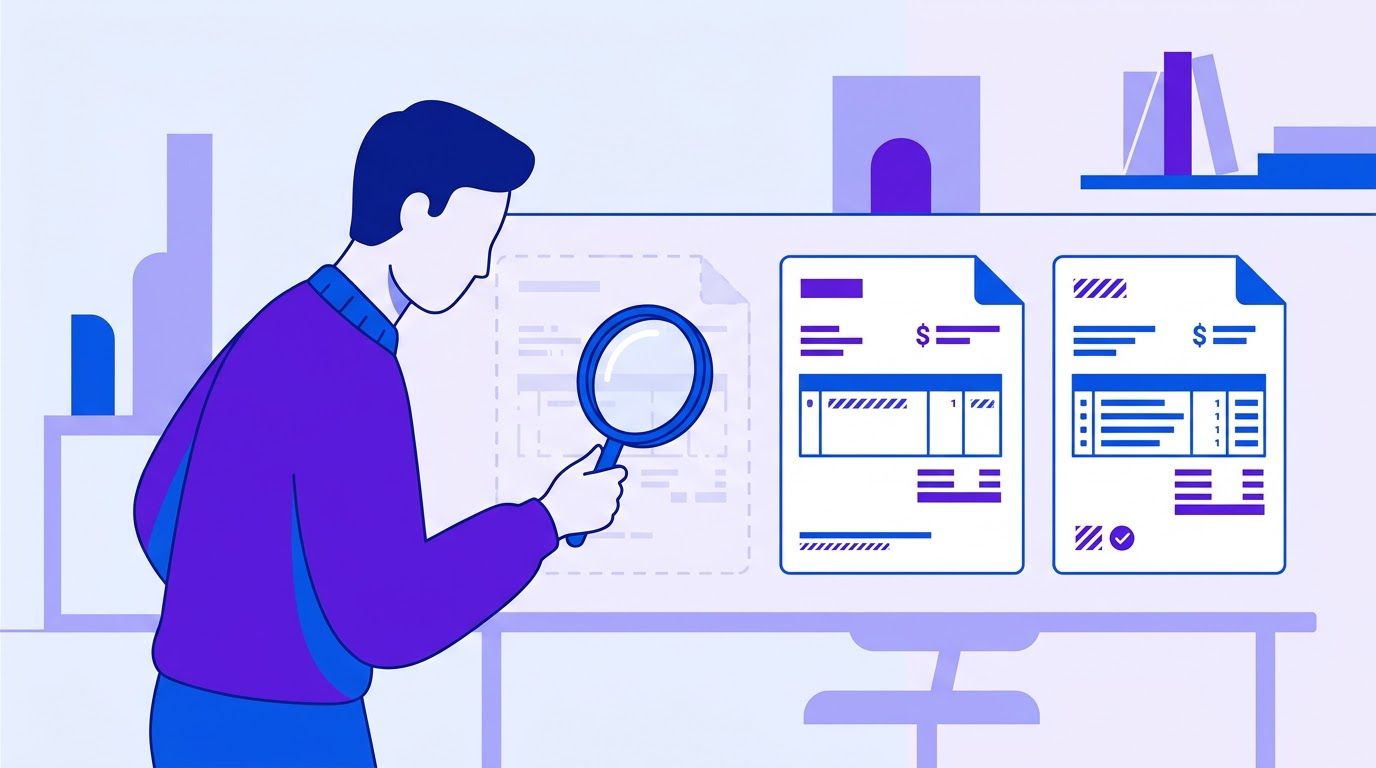
A bookkeeper receives an invoice for $1,840 from a building-supplies vendor. There is no purchase order. The owner called the supplier on Tuesday, a driver dropped a pallet on Thursday and nobody wrote anything down. Is the invoice right? Was the full order delivered? Was the price the one the owner was quoted? The bookkeeper can approve it and hope, or interrupt the owner to ask. Neither scales past a few invoices a week. (An invented scene, and a typical one.)
A textbook three-way match answers those questions by comparing the invoice with a purchase order and a goods receipt. It works well in organizations where every purchase starts with a PO. Most small businesses are not like that: many suppliers send invoices from a phone call, a quote or an email, and some spend, such as services and subscriptions, will never have a PO. This guide shows how to get most of the protection of a three-way match without a PO by using what you do have: the supplier’s own email, a quick receipt at the door and rules about where each level of control is worth it.
A note on what this is. We did not implement this on a month of real invoices, and we publish no real auto-match rate. Instead, Section 5 shows how to measure your own rate and how to read it, with invented numbers. The term "2.5-way match" used below is our own label for a lighter control, not an industry standard. Definitions and tolerance figures come from vendor and professional articles cited with the date we read them, and most of those sources sell AP software. Every example is invented and labeled.
- A three-way match compares three things: what was ordered, what arrived and what was billed. Without a PO, you still can capture all three.
- Receipt first: the person at the door records what arrived. That record starts the match.
- The supplier’s email is an implicit PO: capture the promised lines and prices from the order confirmation or quote.
- Match lightly: an invoice that agrees with the expected lines, the receipt and the tolerance is approved. Anything else is held with a reason.
- Not every invoice needs a match. Services and subscriptions need approval and history checks. Tail spend needs sampling.
- Measure your auto-match rate and your errors, not just the rate.
- Why a three-way match fails in small businesses
- The receipt-first workflow
- Using the supplier’s email as an implicit PO
- Thresholds: where to require a PO and where to sample
- Measuring your auto-match rate honestly
- Tools on a small budget
- A decision table: which control for which spend
- A two-week rollout
- When it is time to hand it to someone
- Frequently asked questions
- Sources
Why a three-way match fails in small businesses
What a three-way match is
According to a Corpay guide (updated May 21, 2026, read November 14, 2026), three-way matching is an accounts payable control that checks a vendor invoice against the purchase order and the goods receipt note before payment. The idea, in its words, is to pay only for goods or services the company actually ordered, received and agreed to pay for. The purchase order sets what was bought, in what quantity and at what price. The goods receipt note is recorded by the receiving team and confirms quantity and condition on arrival. The invoice is the supplier’s request for payment. When the three agree within a tolerance, the invoice is approved. When they do not, it is flagged as an exception.
A two-way match compares only the invoice and the PO. Corpay says it makes sense when the goods receipt is not a meaningful control point, and suggests it for service spend and low-risk recurring vendors. A Procurify guide (last updated May 30, 2026, read November 14, 2026) agrees, treating two-way as suited to low-value, low-risk purchases and services with no physical delivery, and three-way as the standard for most goods purchases. It adds a four-way match, which includes an inspection report, for high-value or regulated purchases.
What a tolerance is
Exact matches are rare, so organizations accept a small variance. Procurify gives a typical range of 1% to 5% depending on the transaction and the supplier, with ±2% as its example, and notes that tolerances can be set by amount, percentage or line. Corpay suggests 2% to 5% or $50, whichever is greater, and does not source the figure. We treat both as vendor opinions: set yours from your own policy and from what your accountant or auditor expects.
Why small businesses cannot just copy it
| The textbook assumes | A typical small business has | What goes wrong |
|---|---|---|
| Every purchase starts with a PO | A phone call, a text, a quote, a repeat order | There is no document to match against. |
| A receiving team confirms delivery | A driver, a pallet, whoever is there | Nobody records what arrived, or the record is in someone’s head. |
| A procurement team issues POs | The owner buys, and the bookkeeper pays | One or two people do everything, so segregation is thin. |
| Most spend is goods | Much spend is services, subscriptions and utilities | A receipt is meaningless for a monthly software bill. |
| Suppliers quote the PO number on invoices | Suppliers invoice from their own system | The invoice references nothing you hold. |
A Stampli article on non-PO invoices (last modified August 11, 2026, read November 14, 2026) makes the same point from the other side. It lists subscriptions, utilities, rent and professional services as spend that will never have a PO, and says that for services firms the majority of non-PO spend can be legitimate. It also declines to give a benchmark share of PO versus non-PO invoices, saying it varies too much by business model. We could not find a trustworthy figure for PO compliance among small businesses either, so we quote none, and we suggest you measure your own share in Section 5.
What you do have: three substitute documents
| Textbook document | Substitute you probably have | What to capture |
|---|---|---|
| Purchase order (expected) | The supplier’s order confirmation, quote or estimate email; a text message; a note of a phone order | Supplier, date, items, quantities, unit prices, delivery date, validity |
| Goods receipt note (received) | A photo of the delivery slip, a reply to a message, a line in a shared sheet | Date, who received, items, quantities, condition |
| Invoice (billed) | The supplier’s PDF or email | Number, date, lines, quantities, prices, total |
That table is the core of this guide. A match without a PO is a match against substitutes, and the work is making the substitutes easy to capture and compare.
A word on who does what
The point of a match is partly to stop one person from controlling an entire process. A Withum article on segregation of duties (published September 23, 2024, read November 14, 2026) says the person who initiates a purchase order should not be the one who approves it, and that the person who initiates payment should not have custody of the checks. It acknowledges that separating duties can cause bottlenecks and inefficiency but calls it a best practice. In a business of three people you cannot fully separate those roles. What you can do is make sure no single person orders, confirms receipt and releases payment on the same invoice, or have the owner review the payment run. That is our suggestion, not a rule from the article, and it is worth discussing with your accountant.
The receipt-first workflow
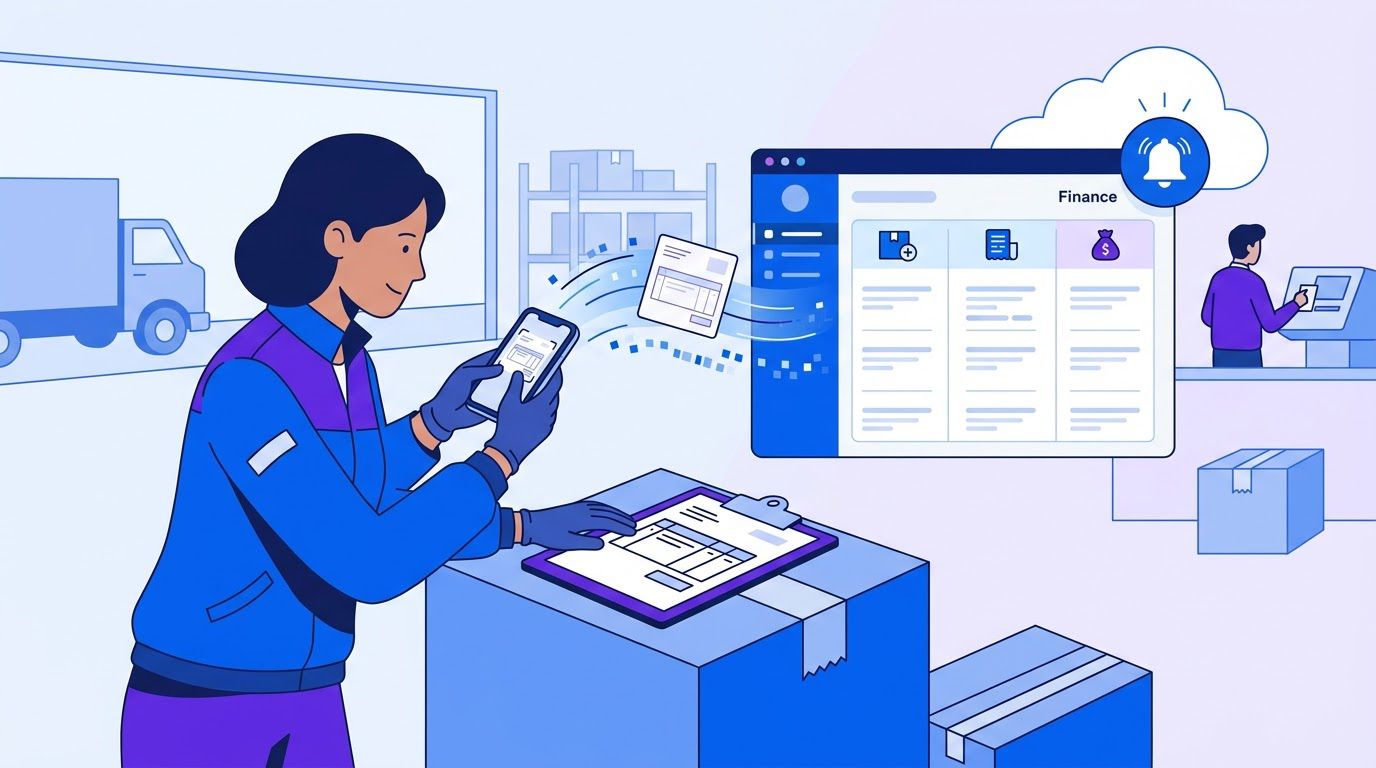
In a classic process, the PO comes first and everything is compared with it. In a small business the one moment you reliably have a witness is when the goods arrive. So we make the receipt the trigger. Whoever receives a delivery spends a minute recording it, and every later step works from that record.
The 60-second receipt
- Take a photo of the delivery slip (or the goods, if there is no slip) with a phone.
- Send it to one place: a shared inbox address, a chat channel or a shared folder that is watched.
- Add three details in a sentence: the supplier, what arrived and anything wrong. "Northwind, 20 reams paper and 1 toner of 2 ordered, box damaged."
- A person or a workflow turns it into a row in a receipts sheet: date, supplier, items, quantities, receiver, a link to the photo.
RECEIVED DATE | SUPPLIER | ITEM | QTY RECEIVED | CONDITION | RECEIVED BY | PHOTO LINK | STATUS (open/matched)
Why receipt first works
- It happens once and at the right time. Nobody remembers a delivery two weeks later when the invoice arrives.
- It does not need a PO. The photo is evidence, and the sentence is the record.
- It separates duties at no extra cost. The person who received is usually not the person who pays.
- It catches short deliveries early. A missing toner is reported while the supplier can still fix it, not after you paid.
Then the invoice arrives
| Step | What happens |
|---|---|
| 1 | The invoice is captured (see our guide to invoice and receipt capture from email). |
| 2 | The system or the bookkeeper looks for an open receipt from the same supplier in a window you choose, for example the last 45 days. |
| 3 | If there is one, lines are compared with the receipt and the expected order (Section 3). |
| 4 | If everything agrees within tolerance, the invoice is approved for payment and the receipt is marked matched. |
| 5 | If anything differs, the invoice is held with the reason and routed to the right person. |
| 6 | If there is no receipt at all, the invoice goes to whoever bought the goods with one question: did this arrive? |
What to do with services and things that do not arrive
A receipt does not exist for consulting, software or rent. For services, the equivalent of the receipt is a confirmation from the person who requested the work: a one-line reply, "Yes, delivered and acceptable." That is still a three-document trail (request, confirmation, invoice), and it is the version of the control Stampli’s article describes as a confirming approval from the budget owner.
- Making the receipt a form with ten fields. If it takes more than a minute, people skip it.
- Keeping the photos on personal phones. Send them to a shared place the same day.
- Never closing receipts. Open receipts older than your window should be reviewed monthly, because they are unbilled deliveries or lost invoices.
- Letting the receiver also approve payment. Keep at least a second pair of eyes on the pay run.
Using the supplier’s email as an implicit PO

When a supplier confirms an order by email, they have written the purchase order for you. The email lists what they will deliver and, often, at what price. The problem is that it sits in an inbox, so nobody compares it with the invoice weeks later. The fix is to turn the confirmation into a row in an expected-orders sheet the moment it arrives.
What to capture from a confirmation or quote
| Field | Why |
|---|---|
| Supplier | To find the right expected order when the invoice arrives |
| Date of the confirmation | To set the window for a match |
| Items and quantities | To compare with the receipt and the invoice |
| Unit prices | To catch price drift |
| Delivery date | To flag late or missing deliveries |
| Validity of the quote | A price may expire before the order is placed |
| Who placed the order | To route questions |
| Link to the original email | The evidence |
If you place orders by phone, send a one-line confirmation yourself afterwards: "Confirming 20 reams A4 at $4.50 and 2 toner T-12 at $60, delivery Thursday." The reply, or just your own sent email, becomes the implicit PO. It takes thirty seconds and gives you a document nobody can dispute later.
Two ways to capture the expected lines
- By hand: the buyer pastes the lines into the sheet. It is slow, and it works for a few orders a week.
- With extraction: a workflow reads confirmation emails and writes the lines. This is the same kind of step as invoice extraction, and it carries the same risk: a fluent, wrong value. Validate the output and keep a person on exceptions.
The 2.5-way match
We call the resulting control a 2.5-way match: an invoice is compared with the expected lines (the implicit PO) and with a lightweight receipt, with a looser tolerance than a full three-way match. It is not a standard. It is a label for a control that is lighter than the textbook version but much better than approving on trust.
| Classic three-way match | 2.5-way match (ours) | |
|---|---|---|
| Expected | Purchase order issued before ordering | Supplier confirmation or your own confirming email, captured as a row |
| Received | Goods receipt note from a receiving team | A photo and one sentence from whoever received |
| Billed | Invoice | Invoice |
| Tolerance | Set by policy, often by percentage or amount | Same idea, with a floor in dollars so cents do not trigger holds |
| Effort | Needs a PO process | Needs two habits: confirm orders, photograph deliveries |
The matching rules
- Same supplier as the expected order and the receipt, after normalizing names.
- Each invoice line finds an expected line with the same item (after removing punctuation and case).
- Quantity on the invoice does not exceed the quantity received. More billed than received is held.
- Price is within the tolerance of the expected unit price.
- Everything agrees: auto-match. Anything else is held with a named reason.
Here is that logic as a function you could use in a code step in n8n or adapt to a sheet script. It returns one of five statuses: AUTO_MATCH, HOLD_PRICE, HOLD_QTY, NO_RECEIPT or NO_EXPECTED, for the invoice and for each line. Checked against three invented invoices, it returned HOLD_QTY where an invoice billed 2 toner when 1 had arrived, AUTO_MATCH when everything agreed, and NO_EXPECTED on an invoice with a line that had no order behind it, with the price held on the first line.
function matchInvoice(inv, expected, received, opts = {}) {
  const pct = opts.pct ?? 0.02, abs = opts.abs ?? 0.25;
  const norm = s => String(s).toLowerCase().replace(/[^a-z0-9]/g, "");
  const order = ["AUTO_MATCH", "HOLD_PRICE", "HOLD_QTY", "NO_RECEIPT", "NO_EXPECTED"];
  const worse = (a, b) => order.indexOf(b) > order.indexOf(a) ? b : a;
  const lines = [];
  let status = "AUTO_MATCH";
  for (const l of inv.lines) {
    const k = norm(l.item);
    const e = expected.find(x => norm(x.item) === k);
    const r = received.filter(x => norm(x.item) === k).reduce((a, x) => a + x.qty, 0);
    let s = "AUTO_MATCH";
    if (!e) s = "NO_EXPECTED";
    else if (r === 0) s = "NO_RECEIPT";
    else if (l.qty > r) s = "HOLD_QTY";
    else if (Math.abs(l.price - e.price) > Math.max(e.price * pct, abs)) s = "HOLD_PRICE";
    lines.push({ item: l.item, status: s });
    status = worse(status, s);
  }
  return { status, lines };
}
The 2% tolerance and the 25-cent floor are starting points that we chose, not standards. The floor stops a one-cent rounding difference on a $4.50 item from creating work. The function matches on item names after cleaning them, so it will miss a supplier that calls the same product by two different names. That is a reason to keep a short supplier item alias list, and to expect NO_EXPECTED holds in the first weeks.
- Treating a quote as an order. A quote is not an order until someone accepts it. Record the order, not the offer.
- Ignoring quote validity. An expired quote can be repriced, and the invoice may carry the new price legitimately.
- Trusting extracted prices without a check. If a workflow reads the confirmation, validate the numbers with the same arithmetic you use on invoices.
- Matching on invoice total only. Two offsetting errors can cancel out. Compare lines when the invoice has them.
A spreadsheet that ranks your repetitive tasks by what is worth automating first. List the task, rate how often it happens, how long it takes, how error-prone it is and how many tools it touches, and the sheet orders your list. Enter your email below and we will send the download link.
Thresholds: where to require a PO and where to sample
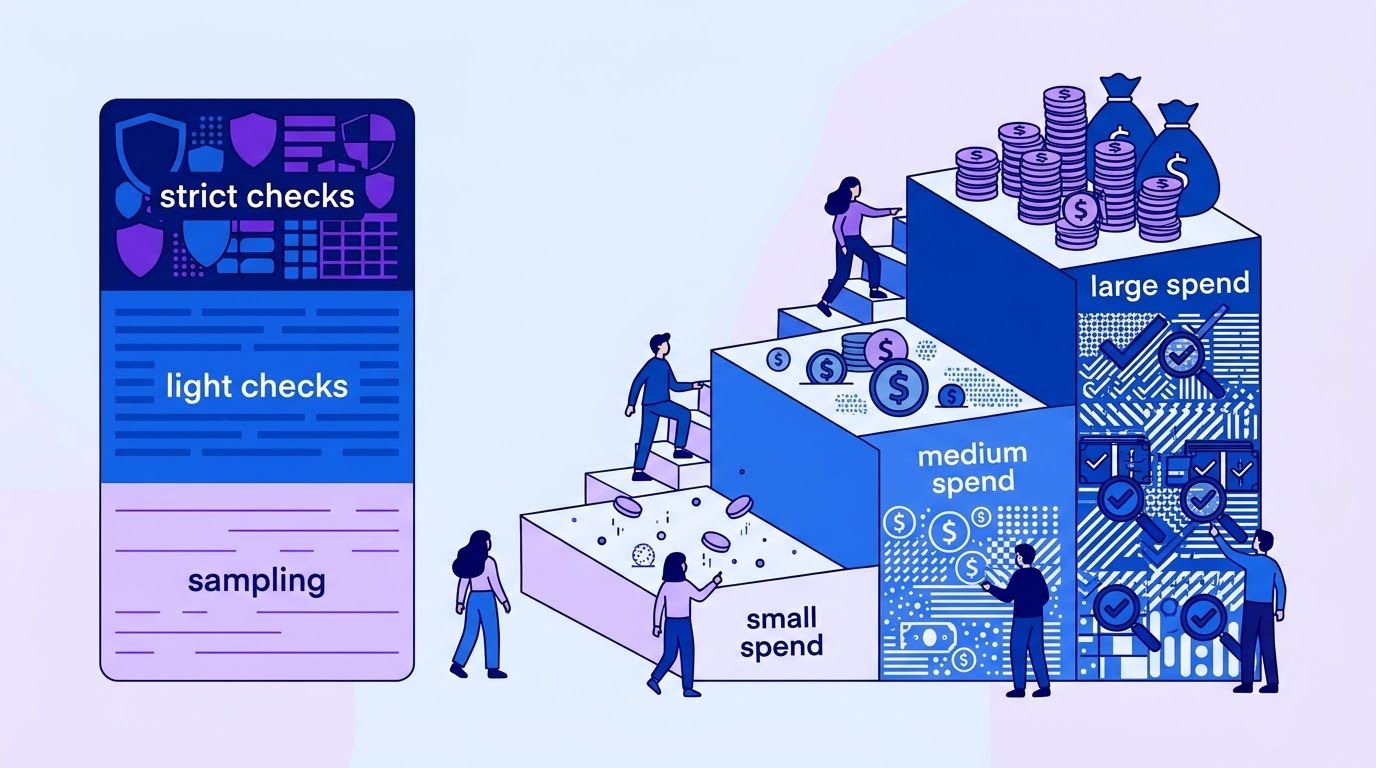
A control that costs more than the risk it covers is a bad control. A $12 invoice for office supplies does not justify the same checking as a $9,000 equipment order. The answer is not to control everything, and not to control nothing, but to match the level of control to the spend.
Four levels of control
| Level | What it means | Suits |
|---|---|---|
| A. Written order required (PO-lite) | A written order or confirming email must exist before the invoice is accepted. Full 2.5-way match. | Large one-off purchases, goods from new suppliers |
| B. Receipt-first match | A receipt record is required and the invoice is matched against it and the expected lines. | Recurring physical goods |
| C. Approval and history check | The budget owner confirms the work or the service, and the amount is compared with the supplier’s history. | Services, subscriptions, utilities, rent |
| D. Sampling | Invoices below a threshold are approved with light checks, and a random sample is reviewed after the fact. | Small tail spend |
Choosing the thresholds
There is no standard dollar amount for where to draw the lines, and we do not offer one. Start from a simple exercise: sort last year’s invoices by amount and look at where most of the money sits, not where most of the invoices sit. In many small businesses a handful of large invoices account for most of the spend. Put level A and B controls there and use level D for the long tail. Revisit the lines after a quarter.
Sampling the small stuff, with a number you can defend
For invoices you approve without a match, a random sample after the fact tells you whether the small spend is clean. There is a simple rule from statistics: if you check n randomly chosen items and find no errors, you can say, with about 95% confidence, that the true error rate is no more than roughly 3 divided by n. This is sometimes called the rule of three. Our calculation:
| Invoices sampled with zero errors | Error rate is probably no higher than |
|---|---|
| 30 | 10% |
| 60 | 5% |
| 100 | 3% |
Read that carefully. Sampling 60 small invoices and finding no problems does not prove the spend is clean. It says that an error rate above about 5% is unlikely. It also assumes the sample was random and that you would recognize an error if you saw one. If you find errors, the rule no longer applies, so look at the pattern before you extend the sample.
- Pick 30 to 60 invoices a quarter from the tail, using a random method (a random number for each row, then sort).
- Check each against its evidence: was the item bought, did it arrive, is the price right?
- Record one row per invoice with the result and the cause of any error.
- If errors appear, tighten the threshold or move that supplier to level B.
A self-check: how much control do you need?
Answer yes or no. Count the yeses.
| # | Question | Yes means |
|---|---|---|
| 1 | Do you pay more than a handful of invoices a week? | Manual trust gets harder |
| 2 | Does any single invoice routinely exceed a month of a typical employee’s pay? | Level A or B for large invoices |
| 3 | Does one person both order and release payment? | Add a second review of the pay run |
| 4 | Have you paid an invoice and later wondered whether the goods arrived? | Start receipt-first |
| 5 | Have you ever paid the same invoice twice? | Add a duplicate check (see our guide to duplicate invoice detection) |
| 6 | Do many invoices arrive with no reference to an order? | Capture confirmation emails as implicit POs |
Zero or one yes: sampling and approval are probably enough for now. Two to three: add receipt-first for goods. Four or more: use the full set, with level A for your largest invoices. This is a guide to your own thinking, not a validated scoring tool.
Measuring your auto-match rate honestly
The auto-match rate is the share of invoices that pass the match without a person touching them. It is the headline figure vendors and consultants like to quote, and it is easy to inflate. A loose tolerance raises it, and so does matching on total only. What matters is the auto-match rate together with the error rate among auto-matched invoices.
What to record each month
| Measure | How to calculate | What it tells you |
|---|---|---|
| Invoices received | Count | The base |
| Auto-matched | Count with status AUTO_MATCH | Work the system absorbed |
| Auto-match rate | Auto-matched ÷ received | Automation coverage, not quality |
| Held, by reason | Count per status (price, quantity, no receipt, no expected) | Where the process leaks |
| Errors in a sample of auto-matched invoices | Count wrong in a checked sample | Whether auto-match can be trusted |
| Time to clear a hold | Median days from hold to resolution | The cost of exceptions |
All numbers are invented and are not benchmarks. A business receives 200 invoices in a month. 128 are auto-matched (a rate of 64%). The 72 holds break down as 31 NO_EXPECTED, 18 NO_RECEIPT, 14 HOLD_PRICE and 9 HOLD_QTY. The bookkeeper checks a random sample of 40 auto-matched invoices against the paperwork and finds 1 error: a price that was within tolerance but above a verbal quote.
Reading it: a 64% auto-match rate is a starting point. The biggest hole is NO_EXPECTED (31 of 72 holds), which says orders are not being confirmed in writing, so the fix is a habit, not a tool. The sample found 1 error in 40, which is 2.5%, but that is one error, and 40 invoices is small. A careful reader would not conclude the true rate is 2.5%: the plausible range is wide, and the sample covers only matched invoices, so it says nothing about invoices that were never captured. If the rate matters to you, sample more and look at the cause of each error.
Compare the first month with the third. The auto-match rate should rise as habits settle and as you add supplier aliases. If it rises while the sample error rate also rises, you have loosened something too far.
Tools on a small budget
You can run this entire system with a shared inbox, a phone and three Google Sheets tabs: expected orders, receipts and invoices. That is the recommended start, because it costs nothing and shows you where your own process leaks before you buy anything. When the volume grows, a workflow in n8n (may be an affiliate link) can take over the copying and the comparing.
The three-tab sheet
| Tab | Rows come from | Key columns |
|---|---|---|
| Expected | Supplier confirmations and your own confirming emails | Supplier, date, item, qty, unit price, delivery date, link to email |
| Receipts | Delivery photos and one-line messages | Received date, supplier, item, qty received, condition, receiver, photo link, status |
| Invoices | Captured invoices | Supplier, number, date, item, qty, price, total, match status, hold reason, decision |
What is already on this site
Several published workflows cover pieces of this system. Their descriptions come from their own entries, and each is a starting point for a customization, not a finished solution for a business with no POs.
- The vendor invoice three-way match workflow blocks duplicate vendor invoices, matches each invoice to a purchase order and a goods receipt in Google Sheets and emails Finance. It is built around a PO, so for a business without one, the Expected tab above takes the PO’s place and the matching logic needs to be adapted.
- The supplier invoice auto-capture workflow watches a Gmail label, reads each PDF with OpenAI, checks the totals and logs clean invoices to Google Sheets, which feeds the Invoices tab.
- The invoice data extraction workflow with n8n and Claude covers pulling the fields out of a PDF, and the same approach can read a supplier confirmation email.
- The invoice line item logging workflow logs each line and checks totals, which the line-level match in Section 3 needs.
- Our guides to invoice and receipt capture from email, duplicate invoice detection, accounts payable automation and AI agents in finance cover the neighbouring steps and the limits of automation.
A design that keeps a person in charge
- Confirmations: a workflow reads supplier confirmation emails and proposes rows for the Expected tab. A person approves new suppliers’ rows.
- Receipts: a photo sent to a shared address creates a pending receipt row, and the receiver confirms the quantities.
- Invoices: each captured invoice is matched with the function in Section 3. AUTO_MATCH goes to the payment list. Anything else goes to a holds list with its reason.
- Holds: a daily digest lists new holds with who should answer, according to the reason: the buyer for NO_EXPECTED, the receiver for NO_RECEIPT and HOLD_QTY, the buyer or supplier for HOLD_PRICE.
- Payment: a person releases the pay run. The workflow never pays.
- Log: keep every status and every decision, because the log is how you measure Section 5.
- The workflow flags, a person pays. Never connect a match result straight to a payment.
- Never let it change a supplier’s bank details. Those changes need their own verification, by a call to a number you already hold.
- Surface every failure. A document that could not be read creates a visible task.
- Limit what leaves your systems. Check what any third-party model receives and keeps before sending real invoices to it.
- Keep the original documents. The photo, the email and the PDF are the evidence.
- Review the tolerance after a month. A loose tolerance raises the auto-match rate and the risk together.
If you want delivery photos, supplier confirmations and invoices matched in your own Google Sheets with a holds list for your team, describe it on the request page. We review it, send a quote, and you decide whether to go ahead.
A decision table: which control for which spend
Use this table to assign a level of control to each category of spend. The right-hand columns are our suggestions. Change the amounts to fit your size, and agree the final table with your accountant.
| Category | Example | Control level | Evidence required | Reviewer |
|---|---|---|---|---|
| Large one-off goods | Equipment, a vehicle, a bulk order | A: written order | Order email or quote accepted in writing, receipt, invoice | Owner approves before ordering |
| Recurring goods | Stock, materials, supplies | B: receipt-first | Expected lines, receipt, invoice within tolerance | Bookkeeper, owner on exceptions |
| Services | Contractors, repairs, consulting | C: confirmation | Requester’s confirmation that work was done, invoice vs agreed price | Budget owner |
| Subscriptions | Software, memberships | C: history check | Amount vs last invoices, active user check | Bookkeeper |
| Utilities and rent | Electricity, lease | C: history check | Amount vs last periods, contract on file | Bookkeeper |
| Small tail | Occasional small purchases | D: sampling | Light check, quarterly random sample | Someone other than the buyer |
| New supplier, any size | First invoice from anyone | A or B | Verify the supplier exists and the bank details by a call | Owner |
Two rules sit above the table. A first invoice from a new supplier always gets extra checking, whatever the amount. And a changed bank account always gets verified by a call to a number you already hold, never to one printed on the request.
A two-week rollout
| Day | Task | Time |
|---|---|---|
| 1 | Export last year’s invoices, sort by amount and see where most of the money sits. | 45 min |
| 2 | Assign each category a level using the Section 7 table. | 30 min |
| 3 | Build the three-tab sheet. Add the columns from Section 6. | 45 min |
| 4 | Choose the shared place for delivery photos and tell everyone who receives goods. | 20 min |
| 5 | Start sending your own one-line confirming email after every phone order. | Ongoing, 30 sec each |
| 6-10 | Record every delivery and every confirmation. Do not match yet. Just collect. | 10 min a day |
| 11 | Match last week’s invoices by hand using the Section 3 rules. Note every hold. | 60 min |
| 12 | Count holds by reason. Fix the biggest cause. | 30 min |
| 13 | Draw your first random sample of small invoices and check them. | 60 min |
| 14 | Decide what to automate first. Usually it is capturing the expected lines or the receipts. | 30 min |
If it feels like too much, do Day 5 alone. Confirming every phone order in one line is the cheapest control in this guide.
When it is time to hand it to someone
You can run this system with a phone, three sheet tabs and the habits above, and for the first month you should. What tends to break is the discipline: the confirmation that nobody sent, the delivery nobody photographed, the holds list that grew for three weeks.
At LeenLabs we build n8n workflows for tasks like this. The process is plain. You describe the task once on a single form, with where your orders, deliveries and invoices live and the rules you want applied. We review it and send a quote. You pay 40% to start and the remaining 60% when we deliver the workflow. There is no bidding round and no profiles to compare. We do not promise a match rate, because it depends on your suppliers and your habits. What we deliver is a workflow that does what your request describes.
Tell us how your suppliers confirm orders, who receives deliveries and where your invoices arrive. You get a quote, and you decide whether to go ahead.
To see how these workflows are put together first, browse the free workflows, which come with JSON you can import, or read more about us.
Frequently asked questions
What is a three-way match?
A three-way match is an accounts payable control that compares a vendor invoice with the purchase order and the goods receipt note before payment. If the three agree within a tolerance, the invoice is approved. If not, it is flagged as an exception.
What is a two-way match?
A two-way match compares only the invoice and the purchase order. Vendor guides suggest it for services and low-risk recurring spend, where a goods receipt is not a meaningful control point.
Can I do a three-way match without a purchase order?
You can get most of the protection by using substitutes: the supplier’s order confirmation or your own confirming email as the expected order, a photo and one line from whoever received the goods, and the invoice. Sections 2 and 3 describe the workflow, which we call a 2.5-way match.
What is a 2.5-way match?
It is our own label, not an industry standard, for a lighter control: the invoice is compared with the expected lines captured from a supplier email and with a quick receipt record, using a looser tolerance than a full three-way match.
What tolerance should I use?
Procurify gives a typical range of 1% to 5%, with ±2% as its example, and Corpay suggests 2% to 5% or $50, whichever is greater, without a source. Both are vendors, so set yours from your own policy and your accountant’s advice, and add a small dollar floor so cents do not trigger holds.
What should I do with invoices for services and subscriptions?
A goods receipt does not apply. Use a confirmation from the person who requested the work, and compare the amount with the supplier’s history. Stampli’s article lists subscriptions, utilities, rent and professional services as spend that will never have a PO.
How do I handle invoices from suppliers who do not use POs?
Treat the supplier’s order confirmation as the expected order, record deliveries on arrival, and hold anything that does not agree. For suppliers with no written confirmation, send your own one-line confirmation after each phone order.
What is a good auto-match rate?
We do not quote one, because we found no trustworthy benchmark for small businesses and a rate is easy to inflate with loose tolerances. Track your own rate together with the error rate in a sample of auto-matched invoices. Section 5 shows how.
How many invoices should I sample to check the small spend?
If you check n randomly chosen invoices and find no errors, the rule of three says the true error rate is probably no higher than about 3 divided by n, so 60 clean invoices suggest it is probably no higher than about 5%. If you find errors, the rule no longer applies, so look at the pattern.
Who should receive goods and who should pay?
Ideally different people. A Withum article on segregation of duties says the person who initiates a purchase order should not be the one who approves it. In a very small team, at least make sure no single person orders, confirms receipt and releases payment on the same invoice, or have the owner review the payment run.
Sources
- Corpay, What Is Three-Way Matching?. Updated May 21, 2026; read November 14, 2026. Definition, the three documents, exception handling, two-way matching, the suggested 2% to 5% or $50 tolerance (not sourced). Corpay sells AP automation. We did not use its statistics, because one source link was a placeholder and one trend claim was internally inconsistent.
- Procurify, What Is Three-Way Matching?. Last updated May 30, 2026; read November 14, 2026. Two-way, three-way and four-way matching, tolerance range of 1% to 5% and the ±2% example, discrepancy handling. Procurify sells AP software.
- Stampli, Non-PO invoice processing. Last modified August 11, 2026; read November 14, 2026. Definition of a non-PO invoice, categories that never have POs, confirming approval, the refusal to give a benchmark share. Stampli sells AP automation, and some of its views are opinion.
- Withum (Samantha Schmitt, CPA), Why Segregation of Duties is Essential for Internal Control. Published September 23, 2024; read November 14, 2026. Definition of segregation of duties and the PO and payment examples. It does not address small-staff compensating controls, so our suggestions on that point are our own.
- Calculated by us: the rule-of-three figures in Section 4 (3 divided by the sample size) and all arithmetic in the examples. The matching function was checked against three invented invoices.
- Created by us, not tested on real invoices: the receipt-first workflow, the 2.5-way match, the matching rules and tolerances, the four control levels, the decision table, the self-check and the measures in Section 5. Every supplier, invoice and number in the examples is invented.
- Not found and therefore not quoted: a trustworthy share of small-business invoices that arrive without a PO, the brief’s 10% to 20% PO non-compliance range, an auto-match rate from a real month of invoices, and the cost of a disapproved invoice.
- About Us: who we are and how we work
- Free Workflows: n8n workflows with JSON you can import
- Request a Custom Workflow: describe a task and get a quote
- Terms of Service
- Privacy Policy
This article is general information and not legal, tax or financial advice. Laws and rules differ by country and state and change over time. Check with a qualified professional about your own situation.