Call Notes to CRM Without Typing: How to Test an AI Note Taker and Build the Post-Call Workflow
It is 4:50 on a Thursday. You have just finished your third call of the day, the notes are a few scribbled lines, and the CRM record still says "Intro call" from two weeks ago. You promise yourself you will fix it tomorrow. By Monday you remember the prospect’s name and that they were "interested." You do not remember the number they mentioned, the colleague who has to approve it, or the date they said they had to decide by. (This is an invented illustration.)
That gap between the call and the record is where deals get lost, and it is the problem an AI call note taker is meant to close. These tools join or listen to a call, transcribe it and produce a summary, and some of them write it into your CRM. They also make mistakes, and the mistakes are quiet: a summary can read well and still get a number wrong. This guide shows how to test a call note taker on your own calls before you pay, how to build a five-minute post-call routine around the output, which prompts produce a useful structured summary, and where recording should not happen at all.
A note on what this is, because the topic attracts rankings. We have not benchmarked Fireflies, Otter, Fathom or Granola on a set of calls, and we publish no accuracy results for any of them. What we did is read each tool’s own pricing page on November 11, 2026 and build a test protocol and scoring grid you can run yourself. The prices below are quoted from those pages with the date, and they change. Every example call, score and CRM record is invented and labeled.
- Typing notes by hand costs hours a year and still loses details. An AI note taker fixes the first problem and, unchecked, can create a worse second one.
- Test on six of your own calls. Write down the key facts yourself first, then score each tool on how many it caught, how many it got wrong and how well it fills your CRM fields.
- Weight errors above omissions. A missing detail costs you a question. A wrong number can cost you a deal.
- Use a five-minute post-call routine: read the summary, check five facts, edit, approve, push to the CRM, send the recap.
- Let AI propose, a person approve. Never let it change a deal stage or amount without a human.
- Settle consent first. Recording rules differ by place. Some calls should never be recorded.
- The real cost of manual call notes
- A test protocol: six calls, four tools, a scoring grid
- The five-minute post-call workflow
- Prompts for a structured call summary
- Edge cases: languages, accents, consent and confidential calls
- The after-every-call checklist
- Automating the sync to your CRM
- A two-week rollout
- When it is time to hand it to someone
- Frequently asked questions
- Sources
The real cost of manual call notes
CRM notes are the written record of what happened on a customer interaction: who you spoke with, what they need, what was agreed and what happens next. Their purpose is to let anyone, including you in three weeks, pick up the conversation without asking the customer to repeat themselves. A call note that is typed late, short or not at all fails at that purpose.
The time you can count
The numbers are invented. Replace them with yours. A seller has 12 calls a week and spends 8 minutes after each one writing up notes and updating the CRM. 12 × 8 = 96 minutes a week, or 1 hour 36 minutes. Over 48 working weeks that is 96 × 48 = 4,608 minutes, or 76.8 hours a year.
If a note taker brought the after-call work down to 5 minutes of review, the same seller would spend 12 × 5 × 48 = 2,880 minutes, or 48 hours. The saving, in this invented case, is 28.8 hours a year. That is useful, not dramatic. The larger gain, if there is one, is in the quality and timing of the notes, which the next section covers.
The cost you cannot count as easily
- Details fade quickly. We did not find a reliable figure for how fast, so we do not quote one. Anyone who has tried to write up Tuesday’s calls on Friday knows the effect.
- Stale records mislead everyone. A CRM record that lags the real situation produces bad forecasts and awkward follow-ups. Our guide to the Friday CRM cleanup protocol covers what that costs a small team.
- You become the only copy. If the details live in your head, nobody can cover for you, and you cannot be sure you remember them correctly.
- You listen less. Typing during a call splits your attention. Several of these tools exist so that you can stop.
What AI notes do not fix
A transcript is a record of what was said, not of what matters. A summary can bury the one sentence that decides the deal, or turn a hesitant "maybe in Q2" into a confident "decision in Q2." That is why the protocol below measures errors, not just coverage, and why the workflow after it puts a person between the summary and the CRM. If you have not yet defined what you want to learn on each call, start with the five-question lead qualification framework: its call notes template is the structure the summary should fill.
A test protocol: six calls, four tools, a scoring grid
Rankings of AI meeting note takers are everywhere, and most are written by people who ran each tool once. The only comparison that matters for you is how a tool handles your voice, your callers’ accents, your phone line and your CRM. This protocol lets you run that comparison in about a week, on calls you were going to have anyway.
The four tools in this guide, and what their own pages say
We chose four tools that appear most often in searches for this topic: Fireflies, Otter, Fathom and Granola. Below is what each vendor’s own pricing page said when we read it on November 11, 2026. Prices change, plans change and pages are sometimes ambiguous, so read the live page before deciding. Where a page was unclear, we say so.
| Tool | Plans and prices (USD, as shown) | CRM integration, as the page describes it | Notes from the page |
|---|---|---|---|
| Fireflies (may be an affiliate link) | Free $0. Pro $10 per seat per month, billed annually. Business $19, billed annually. Enterprise $39, annual only. | The comparison table lists "All" under integrations for every plan. It does not name specific CRMs. | Free plan: transcription labelled unlimited, limited AI summaries, 400 minutes of storage per team. The asterisk on "unlimited" is not explained on the page. |
| Otter (may be an affiliate link) | Basic free. Pro $16.99 monthly or $8.33 per month annually. Business $30 monthly or $19.99 annually. Enterprise custom. | Pro lists Salesforce, HubSpot and Zapier, with synced notes limited to 1 user. Business lists synced notes for 5 users. Basic lists none. | Free plan: 300 transcription minutes a month and 30 minutes per conversation. The synced-notes row had fewer values than plans, so our mapping is partly inferred. |
| Fathom (may be an affiliate link) | Free $0. Premium $20 monthly or $16 annually. Team $19 or $15. Business $34 or $25. Enterprise $35, annual only. | CRM field sync is listed under Business. Free, Premium and Team do not mention CRM features. | Free plan lists unlimited recordings and transcriptions, with some features marked "limited use" and no numbers. Bot-free capture is labelled beta for Mac. |
| Granola (may be an affiliate link) | Basic $0. Business $14. Enterprise $35. | HubSpot, Attio, Notion, Affinity and Zapier on Business and Enterprise. Salesforce is listed among the advanced integrations on Enterprise. | Describes itself as bot-free: it captures device audio and does not join the meeting. Free plan limits meeting history to 30 days. The page shows no effective date for the prices. |
Two patterns are worth noticing before any test. First, CRM sync is usually a paid-tier feature, and the tier differs by vendor, so the price you pay depends on the CRM you use. Second, the tools differ in how they capture audio: some join the call as a visible participant, others record from your device. That changes the consent conversation, which Section 5 covers.
Step 1: pick six calls and write the answer key
Choose six calls you will have in the coming week and that you are allowed to record or transcribe (see the consent notes in Section 5). Vary them: a short call, a long one, one with a poor connection, one with an accent that is not yours, one with a lot of numbers, one with several participants. Before you look at any tool’s output, write the answer key for each call: the 10 facts that matter. Names, numbers, dates, commitments, objections, next step. You are the ground truth, so write it from your own notes within an hour of the call.
Step 2: give every tool the same material
There are two ways, and each has a cost.
| Method | How | Advantage | Cost |
|---|---|---|---|
| A. Same audio file | Record each call once (with consent), then upload the audio to each tool that accepts uploads. | Perfectly fair: the same input for all. | Tests transcription and summary but not live capture or CRM push. Upload limits vary: Otter’s free plan listed 3 lifetime file imports, and we did not verify the others. |
| B. Parallel live capture | Run two tools on the same live call, and swap pairs across your six calls. | Tests the real flow, including joining the call and syncing. | More setup, more bots on the call, more consent to obtain. Never run four at once. |
For a first test, Method A on three calls plus Method B on three calls is a reasonable compromise. Whatever you choose, note it in the worksheet, because the method affects what you can conclude.
Step 3: score what matters, with errors weighted above omissions
Score each tool on each criterion from 0 to 2, multiply by the weight, and add up. The weights below are our suggestion. Change them to match your work: if you sell by phone to people who speak in numbers, raise the weight on accuracy; if you never sync a CRM, drop that row.
| Criterion | Weight | 0 | 1 | 2 |
|---|---|---|---|---|
| Facts captured correctly (from your answer key) | 3 | Fewer than 6 of 10 | 6 to 8 of 10 | 9 or 10 of 10 |
| Wrong or invented facts in the summary | 3 | 2 or more | 1 | None |
| Next steps and owners captured | 3 | Missing or wrong | Partly right | All captured, with who and when |
| CRM fields filled correctly | 3 | Wrong or none | Some fields right | All the fields you need, right |
| Names, accents and speaker labels | 2 | Many errors | A few | Clean |
| Time to review and fix (minutes) | 2 | More than 10 | 5 to 10 | Under 5 |
| Consent and privacy controls you can explain to a buyer | 2 | Unclear | Partly clear | Clear in its own documentation |
| Price per month at your volume, on the plan you need | 1 | Above your budget | At the limit | Comfortably within it |
The weights add up to 19, so the maximum is 38. Treat any total as a way to compare tools on your calls, not as a verdict on the tools. A difference of one or two points between tools is noise. Count the tool that wrongly states a number in a summary as having failed that call, whatever its total.
The worksheet
CALL: [id]   DATE: [date]   LENGTH: [min]   METHOD: A / B   CONDITIONS: [phone, video, accent, noise]

ANSWER KEY (10 facts you wrote yourself, before looking at any tool):
 1. ...   2. ...   3. ...   (... up to 10)

TOOL: [name]
 Facts caught:           __ / 10
 Facts wrong/invented:   __
 Facts missed:           __
 Next steps right:       Y / partly / N
 CRM fields right:       __ of __   (list the ones that were wrong)
 Names / speakers:       clean / a few errors / many errors
 Minutes to review+fix:  __
 Notes: ...
Reading the results
Both tools are invented (Tool A and Tool B), as are the scores. They illustrate the reading, not any real product. On one 30-minute call with 10 key facts in the answer key, Tool A caught 9 and got 0 wrong. Tool B caught 10 but stated the budget as $18,000 when the buyer said $8,000. By raw coverage Tool B wins. By the grid, both score 2 on facts caught, Tool A scores 2 on wrong facts and Tool B scores 1, so Tool B is three weighted points behind on that row. Under the rule above, a wrong number also marks the call as failed for Tool B, whatever its total. And in practice Tool B’s summary would have been read, trusted and sent.
A careful reader would add: one call proves little. The reason to use six calls in varied conditions is to see whether a tool fails in a pattern, such as on numbers, on one accent or on a poor phone line, rather than at random.
The five-minute post-call workflow
The tool produces a draft. The workflow is what turns a draft into a record you can trust. It has one principle: AI proposes, a person approves. The routine below takes about five minutes once you are used to it.
| Minute | Step | What you do |
|---|---|---|
| 0 to 1 | Open the summary | Read it once, fast, as a buyer would. Does it sound like the call you remember? |
| 1 to 3 | Check five facts | Check the number, the name, the date, the commitment and the objection against the transcript or your memory. These are the facts that are expensive to get wrong. |
| 3 to 4 | Edit and approve | Fix errors, delete anything that was said off the record, and add the one thing the tool cannot know: your read of the buyer. |
| 4 to 5 | Push and send | Move the approved fields into the CRM. Send the recap email while the call is fresh. |
Why five facts and not a full re-read
You will not re-read every transcript, and you should not have to. Errors in AI summaries tend to cluster in specific places: numbers, names, dates, who agreed to do what, and sentences with hedging words like "maybe" or "if." Those five checks cover most of the damage a wrong summary can do. If the tool gets those right on a call, the rest is rarely where the harm is. We have not measured that, so use the test protocol to see whether it holds for your calls.
What a person approves, and what the tool may fill alone
| Field type | Examples | Rule |
|---|---|---|
| Safe to fill automatically | Call date, duration, attendees, link to the recording, the draft summary | These are facts about the call, not judgments. |
| AI proposes, person approves | Next step and date, decision-maker, need in one sentence, budget as stated, objections, competitors mentioned | A wrong value here misleads whoever reads the record next. |
| Person only | Deal stage, deal amount, close date, forecast category, consent status, anything about a protected topic | These drive reports and decisions. A summary is not evidence enough. |
- Skipping the check when the summary reads well. A fluent summary is not an accurate one.
- Pushing to the CRM before approving. Once a wrong value is in the record, other people act on it.
- Letting the tool move the deal stage. Stages are your judgment, not a transcript summary.
- Sending the recap without reading it. The email goes under your name.
- Doing it tomorrow. The five minutes only work while you still remember the call.
The recap is also your cheapest qualification step: it repeats back what you heard and invites a correction. The same structure is used in the GO recap email in our lead qualification guide.
A spreadsheet that ranks your repetitive tasks by what is worth automating first. List the task, rate how often it happens, how long it takes, how error-prone it is and how many tools it touches, and the sheet orders your list. Enter your email below and we will send the download link.
Prompts for a structured call summary
Most tools give you a generic summary by default. A structured summary, with the same labeled fields every time, is easier to check, easier to paste into a CRM and easier to compare across calls. Whether you can set a custom template depends on the tool and the plan (Fathom’s page, for example, lists custom summaries under higher tiers), so check yours. If the tool will not take a template, run the transcript through a model with the prompt below.
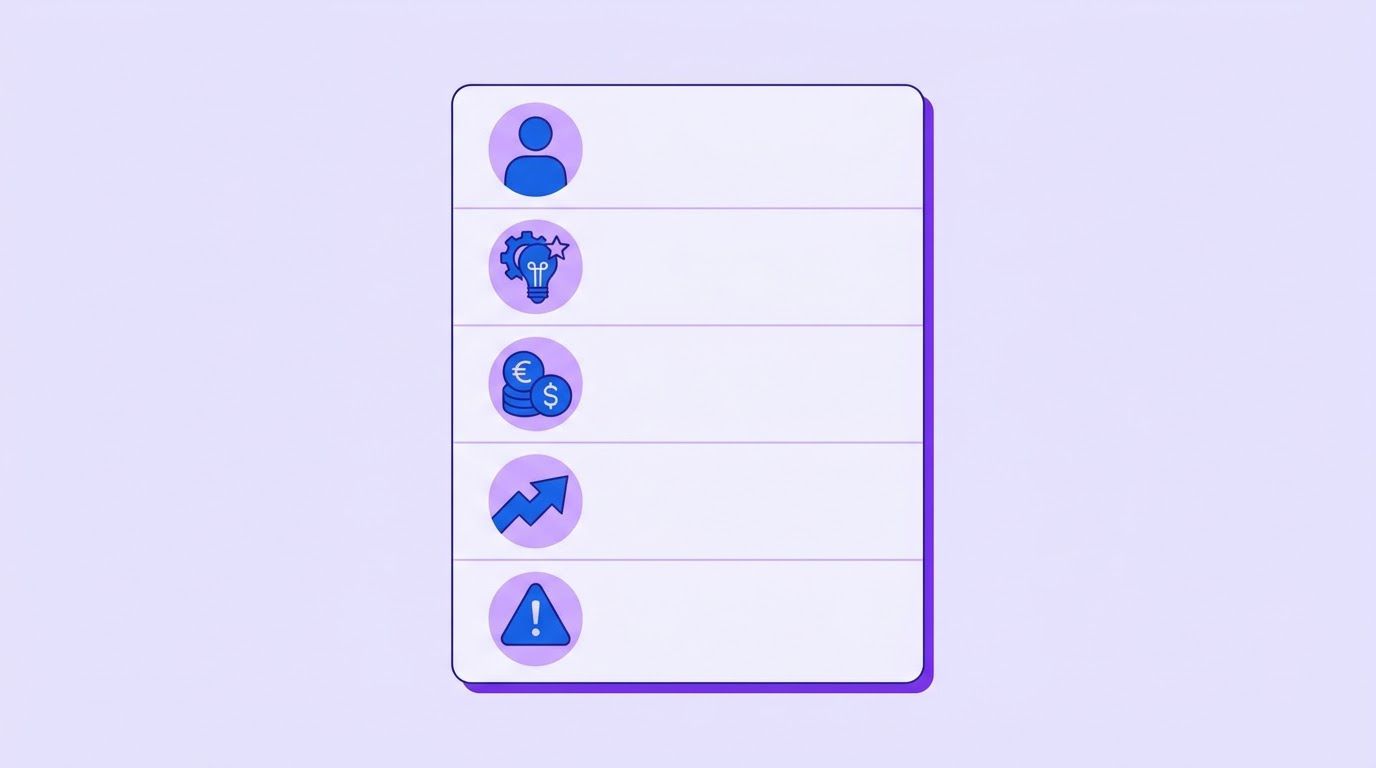
The five fields
- Need: the problem in the buyer’s words, with one example if they gave it.
- Impact and budget: any number the buyer mentioned, exactly as said, and what it refers to.
- Decision maker and process: who decides, who else is involved, how it gets approved.
- Next step: what happens next, who does it and by when.
- Risks and objections: hesitations, competitors, timing issues, anything that could stop the deal.
A prompt that limits invention
You are summarizing a sales call transcript for a CRM note.

Fill the fields below using ONLY what is stated in the transcript.
Rules:
- If a field was not discussed, write: NOT STATED. Do not guess.
- Copy numbers, names and dates exactly as spoken. Do not round or convert.
- For each field, add a short quote from the transcript as evidence.
- If speakers disagree or sound unsure ("maybe", "if", "we might"),
  keep that uncertainty in the wording. Do not turn it into a decision.
- Keep each field under 40 words.

FIELDS
1. Need (buyer's words):
2. Impact and budget (exact figures as said):
3. Decision maker and process:
4. Next step (what, who, by when):
5. Risks and objections:

TRANSCRIPT:
[paste transcript]
The "NOT STATED" rule matters most. Models fill gaps with plausible text unless you give them an acceptable way to leave a gap. The evidence quote lets you verify a field in seconds instead of searching the transcript.
A second prompt for the follow-up email
Write a short follow-up email from [my name] to [buyer name] based ONLY on
the approved summary below. Plain, direct, no hype. Under 120 words.
Include: one sentence thanking them, the need in their words, the next step
with the date, and one question that would confirm anything I am unsure of.
Do not add facts that are not in the summary.

APPROVED SUMMARY:
[paste the summary you edited]
Notice that the second prompt takes the approved summary, not the raw one. The recap should never carry an unchecked claim to the buyer.
What the CRM record should look like
The person, company and numbers are invented. It shows how short a good record can be.
CALL: Nov 9, 32 min, with Priya N. (ops manager, Harbor Freight Co-op) and Luis M. (finance)
NEED: "We copy orders from email into the system by hand." Example: 31 orders last Monday, 2 mistyped.
IMPACT / BUDGET: About 6 hours a week. Budget "under 10k, Luis signs."  (as said)
DECISION: Luis approves; Priya recommends. Both on next call.
NEXT STEP: I send scope summary by Nov 11; call with both on Nov 14.
RISKS: Also looking at hiring a second data-entry clerk. Wants it live before Dec 14.
SOURCE: AI draft, edited and approved by me. Recording link: [url]
Edge cases: languages, accents, consent and confidential calls
Languages and accents
Do not assume a tool handles your language or your callers’ accents because the page says it supports many languages. Each tool lists its own supported languages on its own pages, and we did not verify those lists. The only reliable check is the test protocol: include at least one call in each language you work in, and one call with a speaker whose accent is not yours. Score names and numbers separately, because they are where recognition fails most often. A call that mixes two languages is harder still, so test one if your market does it.
Phone calls, in-person meetings and bad lines
- Phone calls: many tools are built around video-meeting platforms. Whether a given tool captures an ordinary phone call, and how, is a question for its documentation. Test it.
- In-person meetings: a tool that records from your device can capture a room, but the quality depends on the microphone and the distance.
- Poor connections and crosstalk: expect more errors. Add one such call to your six so you know how the tool degrades.
- Several speakers: check that speaker labels are right before you trust who-said-what in the summary, especially for commitments.
Consent: settle it before the first recording
Recording rules differ by country and, in the United States, by state, and they depend on where each participant is. We are not lawyers and this is not legal advice. What we can report is what one source said. A Kilpatrick Townsend article on US wiretap laws (published July 29, 2024, read November 11, 2026) says the federal Electronic Communications Privacy Act requires one-party consent. It lists these states as all-party consent: California, Connecticut, Delaware, Florida, Illinois, Maryland, Massachusetts, Montana, Nevada, New Hampshire, Oregon, Pennsylvania and Washington. It adds that when the parties are in states with different standards, the strictest generally applies, and that consent can be given verbally, in writing or by an audible notice before recording.
That list is more than two years old, laws change, and some states’ rules are hard to read, so treat it as a reason to check, not as the answer. Outside the US, rules differ again. A practical stance that costs almost nothing is to tell everyone at the start of every call that it is being recorded and transcribed, and continue only if nobody objects. A tool that joins as a visible participant makes this easy. A tool that records quietly from your device makes it easy to forget.
Calls you should never record
- Calls where the buyer asks you not to record. Say yes. It is the right answer and costs you nothing.
- Calls that contain information you are obliged to protect, such as health, financial account or legal matters. Check the rules that apply to you before you record anything of this kind.
- Calls with a client under a confidentiality agreement that restricts recording or storing their information.
- Calls where you cannot tell who else is listening.
- Any call where you have not told the other person.
Where the data goes
Before you connect a tool to your calls, read its own privacy documentation and answer four questions in writing: where are recordings and transcripts stored, how long are they kept, can they be used to train models, and how do you delete them. We did not review any vendor’s privacy terms for this guide, so we make no claim about them. If you are not able to answer the four questions, you are not ready to record client calls with that tool.
The after-every-call checklist
Tools fail, vendors change plans and models make mistakes. Discipline is what survives. The checklist below is the same whichever tool you use, and it is short enough to run from memory after a few weeks.
| # | Before or after | Check | Done when |
|---|---|---|---|
| 1 | Before | Everyone on the call has been told it is recorded | You said it aloud at the start and nobody objected. |
| 2 | Before | The call is one you are allowed to record | It is not on your never-record list. |
| 3 | After | The summary is open within 10 minutes of the call | You are reading it while you still remember the call. |
| 4 | After | The five facts are checked: number, name, date, commitment, objection | Each one matches the transcript or your memory. |
| 5 | After | Anything off the record has been deleted | The note contains only what the buyer expects you to keep. |
| 6 | After | Next step and date are written and match what was agreed | A date is in the record, not just "follow up." |
| 7 | After | Approved fields are in the CRM; stage and amount are yours | Nothing the tool filled was left unchecked. |
| 8 | After | The recap email is sent from the approved summary | It has one question that confirms what you are unsure of. |
| 9 | Weekly | You corrected the tool’s recurring mistakes | Names, product terms or jargon are added to its dictionary, if it has one. |
| 10 | Monthly | You reviewed your worksheet scores | You know which kinds of call the tool gets wrong. |
Discipline beats the tool
A mediocre tool used within ten minutes of every call, with a five-fact check, will usually give you better records than an excellent tool whose summaries pile up unread. If you are choosing between spending another afternoon comparing tools and spending it building the habit above, build the habit. You can always swap the tool later, and the routine will carry over.
Automating the sync to your CRM
Some tools sync to a CRM themselves, and as the table in Section 2 shows, that is often a higher-priced feature. If yours does not, or you want a rule the tool does not offer, a workflow in n8n (may be an affiliate link) can sit between the summary and the CRM. To be clear about what exists on this site: we have no published workflow that takes a call transcript and writes a CRM note. Several published workflows cover neighbouring pieces, and each is a starting point for a customization, not a ready-made solution.
What is already on this site
- The AI email reply workflow with n8n, Airtable and Gmail watches an inbox, asks an AI model to write an answer, saves the email and the answer in an Airtable table and sends the reply. Per its entry it has six steps, and the guide is direct about its weak points. The pattern, which is to save the input and the AI’s output in a table before anything is sent, is the one to copy for call notes.
- The Zoho CRM data quality audit workflow reads leads on a schedule, checks emails and phone numbers, spots exact duplicates and emails one HTML report. It is the kind of audit that tells you whether synced notes are landing in clean records.
- The workflow that flags slowing Zoho deals counts recent activity on each deal and alerts a Slack channel with suggested follow-ups. Good call notes are what make that activity count meaningful.
- The LinkedIn lead scoring workflow shows scoring before a call, and our missed lead follow-up system covers the speed of the first reply.
- Our CRM data cleanup protocol is the manual routine that keeps the records tidy, and our guide to AI prospecting that does not sound like AI covers the messages that start the calls.
A design that keeps a person in charge
- Trigger: the note taker finishes processing and sends the transcript or summary to a webhook, or you paste it into a form. Which of these a given tool supports is something to check in its documentation.
- Structure: a model turns the transcript into the five fields with the prompt in Section 4, including the NOT STATED rule and the evidence quotes.
- Stage, do not write: the workflow saves the draft in a table, such as a sheet or Airtable, with a status of Pending review.
- Notify: it messages you with a link to the draft and the five facts to check.
- Approve: you edit the draft and change the status to Approved.
- Sync: only Approved rows are written to the CRM, and only to the fields you listed as safe or approved in Section 3. Stage and amount are never touched.
- Log: keep the draft, your edits and the final note. The difference between them is your measure of the tool’s accuracy.
- Stage first, write second. Nothing reaches the CRM before a person approves it.
- Never auto-send a recap. A draft email waits for a person.
- Pass as little as possible to a third-party model. Check what the model receives and whether your vendor agreement allows it before you connect it to client calls.
- Keep the transcript out of places it does not belong. A transcript in an email or chat channel is a copy you now have to protect.
- Keep the on/off switch in your hands. If a client asks not to be recorded, nothing should process their call.
If you would like a workflow that takes your tool’s summary, structures it, stages it for approval and writes only the approved fields to your CRM, describe it on the request page. We review it, send a quote, and you decide whether to go ahead.
A two-week rollout
| Day | Task | Time |
|---|---|---|
| 1 | Decide your never-record list and write your one-sentence recording notice. | 20 min |
| 2 | Pick two or three tools from Section 2. Open each one’s free plan or trial and read its privacy page. | 45 min |
| 3 | Write the answer key for your first call right after it ends. | 15 min |
| 4-8 | Run your six calls through the protocol. Fill the worksheet each time. | About 15 min per call |
| 9 | Add up the scores. Look at which kinds of calls failed, not only the totals. | 30 min |
| 10 | Choose one tool. Set up the structured summary template or the prompt from Section 4. | 30 min |
| 11-13 | Run the five-minute routine on every call. Time yourself. | 5 min per call |
| 14 | Review: did the review take five minutes? What did the tool get wrong twice? Decide whether to automate the sync. | 30 min |
If the full protocol feels like too much, do the first step alone: write the answer key for the next call you have, then compare it with one tool’s summary. That alone will show you whether summaries can be trusted.
When it is time to hand it to someone
You can run the protocol and the routine yourself, and you should for the first few weeks. What usually breaks is the plumbing: summaries that never reach the CRM, fields that are overwritten by mistake, approvals that nobody remembers to give.
At LeenLabs we build n8n workflows for tasks like this. The process is plain. You describe the task once on a single form, with the tool you use, your CRM and the fields you want filled. We review it and send a quote. You pay 40% to start and the remaining 60% when we deliver the workflow. There is no bidding round and no profiles to compare. We do not promise time saved or deals won, because that depends on your calls. What we deliver is a workflow that does what your request describes.
Tell us which note taker you use, which CRM you keep and what a good note looks like for you. You get a quote, and you decide whether to go ahead.
To see how these workflows are put together first, browse the free workflows, which come with JSON you can import, or read more about us.
Frequently asked questions
What are CRM notes?
CRM notes are the written record of an interaction with a customer or prospect: who was involved, what they need, what was agreed and what happens next. Their purpose is to let anyone pick up the conversation later without asking the customer to repeat themselves.
What should a call note include?
At minimum: the date, the people on the call, the need in the buyer’s words, any number they mentioned, who decides, the next step with a date and the risks. Section 4 shows a five-field structure and an invented example.
Can AI enter CRM notes for me?
It can draft them, and some tools can write them into the CRM. We recommend a person approves the draft first, and that deal stage and amount stay under your control. Section 3 lists which fields are safe to fill automatically.
What is an AI call note taker?
A tool that listens to or joins a call, transcribes it and produces a summary, often with action items. Some also sync to a CRM. They differ in how they capture audio, in which plans include CRM sync and in how they handle languages and accents.
Which AI call note taker is the best?
We do not rank them, because we have not benchmarked them on a set of calls. The one that is best for you is the one that scores highest on your own calls in the Section 2 protocol, at a price and with CRM support that fit. Prices on each vendor’s own pricing page were read on November 11, 2026 and change.
Is there a good free AI call note taker?
Fireflies, Otter, Fathom and Granola each list a free plan on their own pricing pages, with different limits (for example 300 monthly transcription minutes on Otter’s free plan, and 30 days of meeting history on Granola’s). CRM sync is generally on paid plans, though the details differ by vendor. Test on the free plan before paying.
Do I need to tell people I am recording?
Rules vary by country and state, and we are not lawyers. One law-firm article from July 2024 lists several US states as requiring all-party consent, and says the strictest standard generally applies when parties are in different states. Telling everyone at the start of the call, and continuing only if nobody objects, is a low-cost habit that covers most situations.
How do I check that a summary is accurate?
Write the key facts yourself before you read the summary, then count how many it caught and how many it got wrong. In daily use, check five things: the number, the name, the date, the commitment and the objection.
Which calls should never be recorded?
Calls where the other person asks you not to, calls covered by a confidentiality agreement that restricts recording, calls containing information you are obliged to protect, and any call where you have not told the other person. Review the list with a professional who knows your industry.
Can this work if I do not use a CRM yet?
Yes. A shared sheet with one row per call and the five fields is enough to start. The structure matters more than the system.
Sources
- Fireflies, pricing page (fireflies.ai/pricing). Read November 11, 2026. Plan names, prices (annual billing), free plan limits. The page showed no effective date. The meaning of the asterisk on the free plan’s unlimited transcription is not explained on the page.
- Otter, pricing page (otter.ai/pricing). Read November 11, 2026. Prices, free plan limits, CRM integrations by plan. The synced-notes row had fewer values than plans, so the plan mapping was partly inferred.
- Fathom, pricing page (fathom.ai/pricing). Read November 11, 2026. Prices, free plan description, CRM field sync under Business. The page gave no effective date, and the plan for the CRM sync user limit was not clear.
- Granola, pricing page (granola.ai/pricing). Read November 11, 2026. Prices, free plan history limit, bot-free capture, integrations by plan. The page showed no effective date for prices.
- Kilpatrick Townsend, Wiretap Laws in the United States. Published July 29, 2024; read November 11, 2026. Federal one-party rule, the list of all-party consent states, the strictest-standard point and the consent methods. A law firm’s summary, not the statutes, and more than two years old.
- Created by us, not tested on real data: the test protocol, the weights, the worksheet, the five-field summary structure and both prompts. We checked that the weights add up to 19 (maximum score 38) and the time arithmetic in Section 1. Every call, person, company, score and CRM note in the examples is invented, and Tool A and Tool B are not real products.
- Not found and therefore not quoted: accuracy figures for any of the four tools, a reliable figure for how fast call details are forgotten, a verified list of supported languages for each tool, vendor privacy terms and training policies, and a current, statute-level summary of recording laws.
- About Us: who we are and how we work
- Free Workflows: n8n workflows with JSON you can import
- Request a Custom Workflow: describe a task and get a quote
- Terms of Service
- Privacy Policy
This article is general information and not legal, tax or financial advice. Laws and rules differ by country and state and change over time. Check with a qualified professional about your own situation.