
CRM Adoption Without Nagging: Designing Workflows Reps Actually Follow
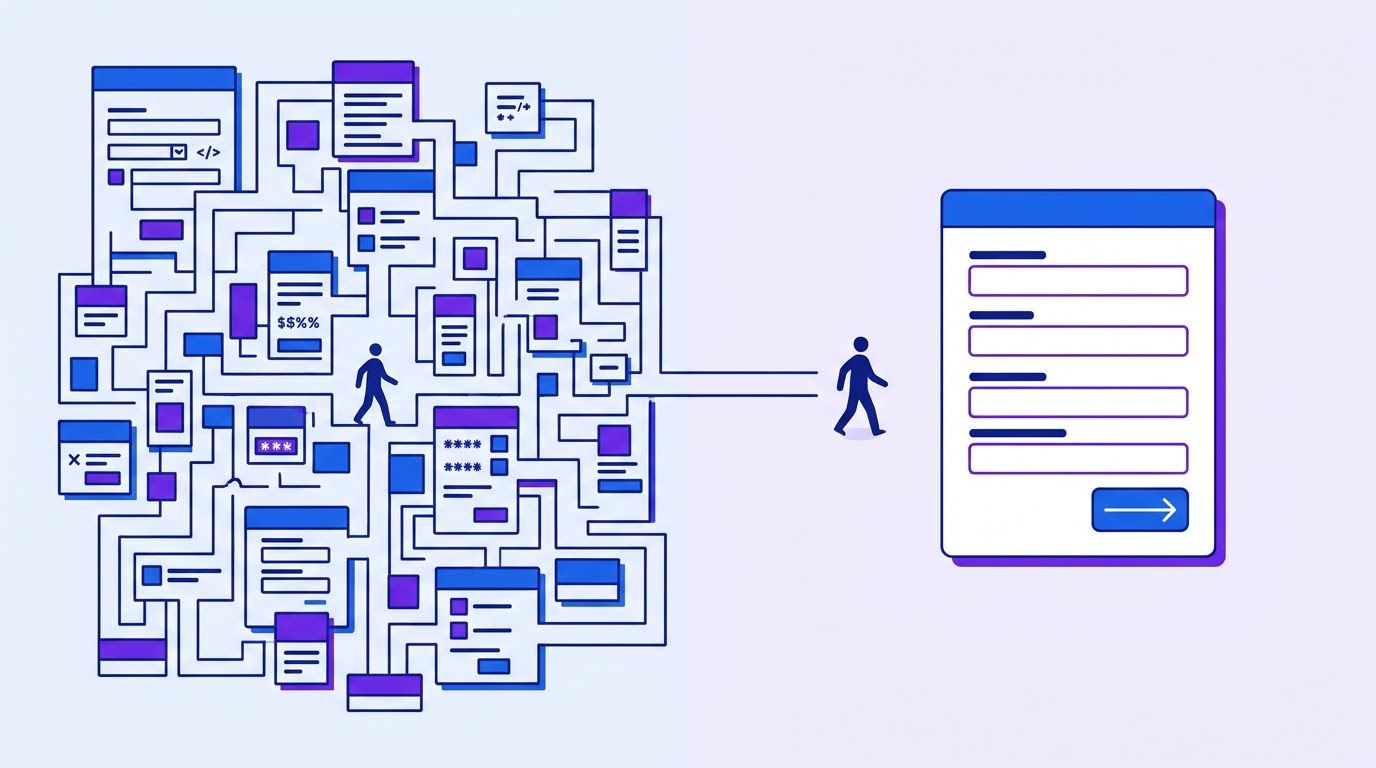
On Monday the sales manager opens the pipeline for the weekly review. Forty deals are open, worth about $200,000 on paper. The first rep says a deal in “Proposal sent” went quiet in September. The second says two deals closed last week but nobody updated them. The third has a field for competitors, a field for budget and a field for the buyer’s role, and has never filled in any of them. The manager sighs, sends a message that says “please update your deals by Friday” and goes back to a forecast that nobody trusts. (An invented scene, and a common one.)
That message is nagging, and it does not work for long. This guide takes the opposite view: CRM adoption is not a discipline problem. It is a design problem. If entering data takes effort and gives the rep nothing back, reps will do it late, badly or not at all, and that is a reasonable response to a badly designed tool. The fix is to redesign the workflow so that the record fills itself where possible, asks for less where it cannot, and helps the rep sell in return for what it asks.
CRM adoption here means a simple thing: the records in the system match what is really happening in your deals, because the people closest to the deals keep them current as a by-product of selling. It does not mean logins. A rep can log in daily and keep the pipeline fiction.
A note on evidence. The surveys we found on CRM burden come from CRM vendors, and we flag that every time. The eight design principles below are our own suggestions, built on how the work is structured. We have not tested them on real sales teams, and every before-and-after example in this guide is invented. Where the brief for this article called for real screenshots of a live instance, we have replaced them with a field audit you can run yourself, in a spreadsheet we built for the purpose.
- 1. Every field serves a decision. If nobody uses the answer, delete the question.
- 2. Capture automatically from email, calendar and calls, then let a person confirm.
- 3. Make the CRM help the rep sell. Its first job is the next action, not the report.
- 4. Show what is current, and reward it without shaming individuals.
- 5. Fewer stages, each with an exit rule that anyone can check.
- 6. Pick lists and defaults instead of free text.
- 7. One place for deal truth. Retire the side spreadsheets.
- 8. The manager reviews pipeline only from the CRM. This one change does more than any reminder.
- The real cost of a CRM nobody trusts
- Principle 1: every field serves a decision
- Principle 2: capture automatically
- Principle 3: the CRM helps the rep sell
- Principle 4: make “current” visible and valued
- Principles 5 to 8: structure and habits
- A before and after (invented)
- Measuring adoption without nagging
- Automating the nudges
- A four-week rollout
- When it is time to hand it to someone
- Frequently asked questions
- Sources
The real cost of a CRM nobody trusts
Two quiet failures
- A phantom pipeline. Deals that are dead but still open inflate the total and push real deals out of sight.
- A broken forecast. If stages and dates are not maintained, every number built on them is wrong, and managers start building shadow spreadsheets to compensate. That makes adoption worse, because now there are two places to update.
A team shows 40 open deals worth $200,000. An audit finds 14 of them have had no activity for over 60 days and the buyer has stopped replying. Suppose those 14 average $5,000 each. That is $70,000 of the $200,000 (35%) that is almost certainly not real. All numbers are invented. The point is the mechanism: nothing in the CRM says these deals are dead, so everyone plans around them.
What the surveys say, and how far to trust them
Pipedrive’s CRM Trends Report 2026, announced in a press release dated August 4, 2026, is based on an online survey of 1,000 U.S. sales and marketing professionals who used a CRM, fielded in June 2026. Among its findings: 38% spend most of their time logging calls, emails and meetings, and 42% say non-revenue tasks take at least 40% of their day. Pipedrive sells a CRM and names no independent survey firm, and the release’s conclusion that the problem is a software problem fits its product.
A 2021 survey sponsored by SugarCRM of 1,000 sales decision-makers in the US, UK, Germany and Australia reported that 53% of sales leaders felt fatigued by the administrative burden of their CRM and that reps spent only 54% of their time selling. SugarCRM also sells a CRM, and the article describes no sampling method. Both surveys are self-reported and come from vendors. Read them as signs that the complaint is common, not as measurements of how much time your own reps lose.
- Vendor-sponsored. Each survey comes from a company that benefits from describing the problem a certain way.
- Self-reported. People estimate their own time badly.
- Not your team. Your reps may spend far more or far less on admin. Section 8 shows how to measure your own.
- We could not verify others. We were unable to read a widely cited Salesforce “State of Sales” figure on selling time, so we do not quote it.
Why reps do not fill in the CRM
Most of the reasons are structural, and none of them is laziness.
| What the rep experiences | What it teaches them |
|---|---|
| Fields that only management reads | Entry is a tax, so do the minimum, later |
| Information typed twice, in an email and then in the CRM | The CRM is a second job |
| No visible benefit from a complete record | Effort has no return |
| The CRM shows what happened, never what to do next | It is a reporting system, not a selling tool |
| Reviews run from spreadsheets or from memory | Only the spreadsheet counts |
| Punishment for gaps, silence for good records | Hide the gaps |
A two-minute diagnosis
Answer these for your own team. Each “yes” points to a principle in this guide.
| Question | If yes, go to |
|---|---|
| Are there fields that no report, view or automation uses? | Principle 1 |
| Do reps retype information that already sits in an email, a calendar or a call note? | Principle 2 |
| Does a rep open the CRM and see what to do next today? | If no: Principle 3 |
| Can you see at a glance which deals have not been touched in two weeks? | If no: Principle 4 |
| Do the stages have rules, or does each rep define them? | If no: Principle 5 |
| Do pipeline reviews start from a spreadsheet or a slide instead of the CRM? | Principle 8 |
Principle 1: every field serves a decision

Every field in a CRM is a small request to a person: please type this. Most CRMs accumulate fields the way garages accumulate boxes, one reasonable request at a time. The test for each one is brutal and simple: what decision does this answer support, and who makes it? If nobody can name one, the field is a tax.
The five-question field audit
| Question | Why it matters |
|---|---|
| What decision does this field support? | If blank, the field has no job |
| Is it used in a report, view or automation in the last 90 days? | Unused fields are candidates for removal |
| What share of records have a value? | Low fill means reps already treat it as optional |
| Could it be captured automatically? | If yes, a person should confirm, not type |
| Does it duplicate another field? | Duplicates give two answers to one question |
Verdict rules
The audit spreadsheet below applies a rule of thumb to the five answers. It is our own, not a standard, and you should argue with it.
| Verdict | Rule | Meaning |
|---|---|---|
| MERGE | It duplicates another field | Keep one, move the data, retire the other |
| REMOVE | No decision, unused in 90 days | Hide, then delete after a month |
| AUTOMATE | Supports a decision, can be captured automatically, fill rate under 80% | Capture it from email, calendar or call notes (Principle 2) |
| FIX OR DROP | Supports a decision, fill rate under 60% | Make it easier to fill or admit it is not needed |
| KEEP | Supports a decision | Leave it |
| REVIEW | None of the above | Look at it with a rep and a manager |
The rule has an uncomfortable implication: a field that supports a real decision but is rarely filled is not safe. Low fill means the design is failing, so the field is either made easier or demoted. We checked the rules with a short function against the sheet’s invented example, and they agree on all the rows we tried.
function verdict(f) {
  if (!f.name) return "";
  if (f.duplicates === "Yes") return "MERGE";
  const hasDecision = !!f.decision;
  if (!hasDecision && f.used90 === "No") return "REMOVE";
  if (hasDecision && f.auto === "Yes" && f.fill < 0.8) return "AUTOMATE";
  if (hasDecision && f.fill < 0.6) return "FIX OR DROP";
  if (hasDecision) return "KEEP";
  return "REVIEW";
}
A spreadsheet with the five questions, an automatic verdict for each field and a summary count, plus an example tab with 20 invented fields. Copy it to your own Google Drive or Excel before you use it.
In the example tab, 7 fields come out KEEP, 2 AUTOMATE, 5 FIX OR DROP, 2 MERGE, 3 REMOVE and 1 REVIEW. Only 45% of the fields are in the keep or automate groups. The point is not the percentage. It is that a team can walk through a list in an hour and agree, row by row, which questions it is really asking its reps to answer.
Doing the audit without breaking the CRM
- Export the field list and the fill rates for the last 90 days. Most CRMs can report fill rates, or you can sample 50 records.
- Run the audit with one rep and one manager, not alone. They know which fields are secretly load-bearing.
- Hide before deleting. Remove a field from forms and layouts for a month. If nobody asks, delete it.
- Do not remove a required field for a report you have not checked. Ask who uses the report first.
- Write the decision next to every kept field. If the reason cannot be written, the field is on probation.
Our guide to the Friday 20-minute CRM data cleanup protocol covers the weekly care of the records you keep. The audit decides what deserves that care.
Principle 2: capture automatically

The strongest adoption lever is to stop asking people to type what a system already knows. A meeting is on the calendar. An email thread is in the inbox. The call produced a transcript. Each of those can create or update a CRM record, with a person confirming rather than composing.
| Source | What it can fill | What a person should still check |
|---|---|---|
| Logged messages, contact details, last contact date | That the right contact and deal were matched | |
| Calendar | Meeting dates and attendees, next meeting as a next step | That the meeting belongs to the right deal |
| Call recordings and notes | Summary, buyer’s problem, timing, decision-maker named | Anything the model wrote that the buyer did not say |
| Forms and website | Lead source, first message, company | Duplicates against existing records |
| Payments and invoices | Closed-won confirmation, amount | That amount matches the agreement |
Our guide to call notes in your CRM without typing describes a six-call test, a scoring grid and sync rules for an AI note taker. The principle for adoption is the same one it uses: the person reviews a draft in five minutes instead of writing from scratch.
Rules for automatic capture
- Capture facts, not judgments. A date and attendees are safe to automate. Whether the buyer is serious is a human call.
- Show the source. Next to each captured value, keep a link to the email, event or note it came from.
- Never overwrite a human edit. If a rep corrected a value, the automation must not change it back.
- Queue the doubtful. If the match to a contact or deal is uncertain, put it in a short review list, not in the record.
- Tell reps what is automatic. A rep who does not know a field fills itself will keep typing it.
A workflow that checks data quality
On the review side, our Zoho CRM data quality audit workflow checks records for problems on a schedule, which is the kind of check that replaces a manager’s weekly scolding with a short list. It is a starting point for a customization, and it is written for Zoho. For another CRM, the pattern is the same: read the records, apply rules, send a list.
Tell us which CRM you use, where your emails, meetings and calls live and which fields cost your reps the most time. We review the request, send a quote, and you decide whether to go ahead.
Principle 3: the CRM helps the rep sell
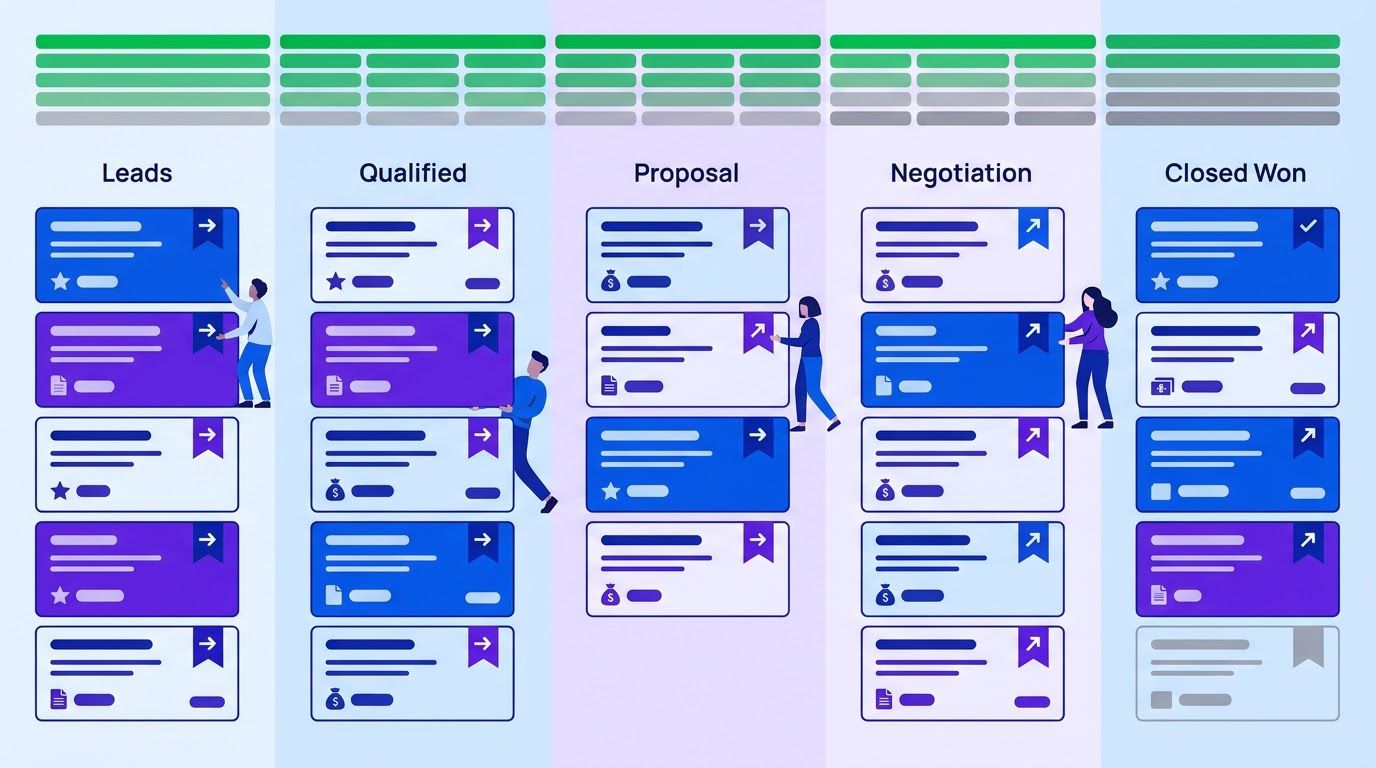
Most CRMs were designed to answer the manager’s question: what is in the pipeline? Reps experience them as a place to report to. The shift that changes behaviour is to make the CRM answer the rep’s question first: what should I do today?
The next-action rule
Every open deal has exactly one next action, with a date and an owner. It is the only field we would make strictly required for an open deal. When a rep logs a call or sends an email, the CRM asks one question: what happens next, and when? The answer becomes a task, and tomorrow the rep opens a list of what is due.
| Design choice | Poor version | Better version |
|---|---|---|
| Home screen | A dashboard of totals | A list of today’s next actions, sorted by due date |
| After a call | A blank notes box | A short template with five prompts and a mandatory next action |
| Stale deals | Appear in a report once a month | Rise to the top of the rep’s list with a reason |
| Follow-up | Remembered, or not | Created as a task with a suggested message |
| Proposals | Built from scratch in a document | Filled from CRM fields, as in our guide to sales proposals from CRM data |
Give the CRM something the rep wants
- A call prep view: the last notes, open questions and the buyer’s own words, before the call. Reps who see their notes come back to them have a reason to write them.
- Templates that read the record: follow-up emails and proposals that pull in the buyer’s problem and timing. A good record becomes less typing later.
- Reminders that earn trust: a task that fires when a deal goes quiet is a help. A hundred tasks of low value is noise, and reps will ignore the lot.
- Qualification built into the flow: the five questions in our lead qualification framework for solo sellers double as fields that matter, because each one changes what the rep does next.
- Follow-up discipline: our guide to a missed-lead follow-up system shows how the same next-action habit recovers deals that would otherwise be lost.
- Adding a required field to every stage. Each one is a small wall.
- Using the CRM mainly to check on people. Reps notice, and enter the least that satisfies the check.
- Sending a daily digest of everything. A message with 40 items teaches reps to ignore it. Send a short list of what matters.
- Creating tasks the rep cannot act on. A task without a suggested next step is a nag with a due date.
Principle 4: make “current” visible and valued
People maintain what is visible and what is noticed. Most CRMs make staleness invisible: a deal last touched 80 days ago looks the same as one touched yesterday. A small amount of design fixes that.
A freshness rule
| Days since last activity or update | Display | Meaning |
|---|---|---|
| 0 to 7 | Normal | Active |
| 8 to 14 | Amber marker | Needs a next action or a decision |
| 15 to 30 | Red marker, top of the rep’s list | Update, move or close |
| Over 30 | Flagged in the weekly review | Close it or explain why it is alive |
The thresholds are our own suggestion, and the right numbers depend on how long your sales cycle is. A deal in a six-week cycle can be quiet for a week without trouble. A deal in a three-day cycle cannot. Our slowing-deals workflow for Zoho CRM flags deals that are moving more slowly than they should, using n8n, OpenAI and Slack, and it is a good model for building this flag.
Reward the behaviour, carefully
The brief for this article suggested a hygiene leaderboard. We would be careful. A public ranking of individuals can turn into shaming, and a metric that people are ranked on will be gamed. Three safer alternatives:
- A team freshness score shown in the weekly meeting: the share of open deals with a next action and an update in the last 14 days. Everyone improves it together.
- Recognition for the useful, not the busy. Praise the rep whose notes let a colleague take over a deal without a call.
- Remove a chore as a reward. A team that keeps freshness above its target for a month can drop one weekly report, because the CRM now provides it.
- Show the problem to the person who can fix it first. A rep should see a stale deal before their manager does.
- Never rank people on raw activity counts. Counts reward noise.
- Explain every flag. “Stale: no activity for 21 days” is a fact. “Bad hygiene” is an accusation.
- Give a fast way to clear a flag. Close, snooze with a reason or log a next step in two clicks.
A spreadsheet that ranks your repetitive tasks by what is worth automating first. List the task, rate how often it happens, how long it takes, how error-prone it is and how many tools it touches, and the sheet orders your list. Enter your email below and we will send the download link.
Principles 5 to 8: structure and habits
Principle 5: fewer stages, each with an exit rule
Pipelines with eight or nine stages usually have stages that nobody can define. A stage is useful only if you can say what must be true for a deal to enter it. Aim for four to six stages, and write the exit rule on the stage itself. For example, a deal enters “Proposal sent” only when a proposal with a price is in the buyer’s hands. If two reps would disagree about whether a deal belongs in a stage, the stage needs a rule.
Principle 6: pick lists and defaults instead of free text
- Replace free text with a short list wherever you will later count or filter. Lead source, loss reason and industry are the usual candidates.
- Keep each list short. Seven to ten choices, plus Other with a note, is easier to use than thirty.
- Default what you know. A deal created from a form can start with the form’s source and the date already filled.
- Make the common case one click.
Principle 7: one place for deal truth
If a rep keeps a spreadsheet because it is faster or because the CRM does not show what they need, the spreadsheet is a design review. Ask what it does that the CRM does not, and build that in. Then retire the sheet publicly, because two systems of record means neither is right.
Principle 8: review from the CRM only
This is the cheapest and the most powerful change on the list. Run the pipeline review from the CRM screen, and treat anything that is not in it as not discussed. If a deal is real but missing, the rep adds it in the meeting. If it is in the CRM but stale, the group decides on the spot to move it or close it. After a few weeks, reps learn that the CRM is where the conversation happens, and updating it before the meeting becomes the easy path. We have not measured this, so treat it as a suggestion, but it is the closest thing to a cure for nagging we know of: the meeting itself does the enforcing.
Objections you will hear, and honest answers
| What a rep says | What may be behind it | A useful answer |
|---|---|---|
| “I do not have time to update it.” | Entry is a separate chore after the work | Fair. Let us cut fields and capture the rest automatically, and measure the minutes before and after. |
| “My spreadsheet is faster.” | The CRM lacks a view or shortcut the sheet has | What does the sheet show that the CRM does not? Let us build that in, then retire the sheet. |
| “It is only used to watch me.” | Past experience of CRM data used for blame | Reviews will start from the CRM and use it to help with deals, not to rank people on activity counts. |
| “The data is wrong anyway.” | Nobody trusts it, so nobody fixes it | Agreed. Let us start with the 20 most important deals and make those right. |
| “My deals do not fit your stages.” | Stages are vague or do not match how buyers decide | Show me a deal that does not fit. If it is common, the stages need to change. |
Notice that each answer admits something. Reps usually know where the system fails them, and a manager who agrees with the true part of an objection earns the right to ask for change.
The manager’s part
- Use the CRM yourself, visibly. If the manager asks questions that only a spreadsheet can answer, reps will keep the spreadsheet.
- Ask for next actions, not updates. “What is the next step on this deal?” is a question the CRM can answer in a second. “Have you updated it?” invites a cosmetic edit.
- Do not punish an honest gap. A rep who says “this deal is dead” is giving you the data you wanted.
- Protect the changes. The first quarter after a redesign is when fields creep back and old habits return.
A before and after (invented)
The brief for this article asked for real screenshots of a live HubSpot or Salesforce instance, before and after simplification. We do not have one, and we will not fake screenshots. Here is an invented five-rep services team instead, to show how the principles combine. Every figure is made up.
| Before | After | |
|---|---|---|
| Fields on a deal | 38 | 14 after the field audit |
| Required fields | 12 | 5 (name, owner, amount, close date, next action with date) |
| Stages | 9, undefined | 5, each with an exit rule |
| Where deal notes live | Email, a personal notebook, the CRM | Drafted from the call and approved in the CRM |
| Pipeline review | From a slide the manager builds on Sunday | From the CRM screen, live |
| Reps’ home screen | A dashboard of totals | Today’s next actions |
| Stale deals | Found once a month | Flagged at 14 and 30 days |
| Manager’s weekly nudge message | “Please update your deals” | Gone, replaced by a short list of three flags per rep |
In this invented team, a rep spends less time typing and sees a next-action list each morning. The manager stops running reviews from slides. We would expect the data to be more current. We cannot say how much, and we would not publish a number without measuring it on a real team, which is what the next section is for.
How to run your own before and after
- Take a baseline for two weeks before you change anything: the four measures in the next section and the minutes-per-day sample.
- Change one thing at a time where you can. If you cut fields, add automatic capture and change the review in the same week, you will not know which one helped.
- Compare like with like. A pipeline that shrinks because you deleted dead deals looks worse on volume and better on freshness. Decide beforehand which numbers count.
- Expect noise. Five reps and a month of data cannot prove a cause. Treat the result as a decision aid, and say so when you report it.
Measuring adoption without nagging
Do not measure logins. Measure whether the records are current and usable. Four numbers from your own CRM tell you most of what you need, and none of them requires watching individuals.
| Measure | How to compute it | What it tells you |
|---|---|---|
| Next-action coverage | Open deals with a future-dated next action / open deals | Whether reps know what to do next |
| Freshness | Open deals updated in the last 14 days / open deals | Whether the pipeline is alive |
| Stage age outliers | Open deals older than twice the median for their stage | Phantom pipeline candidates |
| Fill rate of kept fields | Records with a value / records, per field | Which fields still cost more than they give |
To find out how much time your reps really spend on entry, run a two-week sample. Ask each rep to note, once a day, the minutes spent updating the CRM and the minutes spent retyping information that already existed somewhere else. It is self-reported and rough, and it is still better than a vendor’s average for a different team.
week | open deals | with next action | updated in 14 days | older than 2x stage median | note
2026-11-16 | 40 | 22 | 18 | 14 | before changes (invented)
2026-11-23 | 31 | 24 | 21 | 9  | removed dead deals (invented)
Track the trend, not the level. The first reading is almost always unflattering, because the audit removes the dead deals that were inflating it. That is a feature.
Tell us which CRM you use and which stages and fields you keep. We review the request, send a quote, and you decide whether to go ahead.
Automating the nudges
Some nudging is worth automating, as long as it is short, specific and useful. A good rule is that a rep receives at most one message a day, and every item in it is something they can act on in a minute.
- Trigger: every morning on a schedule.
- Read: open deals with no future-dated next action, deals stale at 14 days, and tasks due today.
- Compose: one message per rep, with at most five items, each with the deal name, the reason and one suggested action.
- Send: by email or chat to the rep. Managers see counts, not names, unless a rep asks for help.
- Log: what was flagged and what was cleared, so you can measure Section 8 without extra effort.
Subject: 4 deals need a next step

1. Harbor Plumbing: no next action. Last note 9 days ago. Suggest: book a call this week.
2. Lin Studio: quiet for 16 days. Suggest: send the follow-up draft (link).
3. Delta Foods: close date passed 3 days ago. Suggest: move the date or close it.
4. Orchard & Co: proposal sent 12 days ago. Suggest: ask if they have questions (link).

Clear any item with one click and a reason.
The names in the message are invented. The format is the point: a short count in the subject, one reason and one suggested action per item, and a way to clear each one.
- One message a day, five items at most. More than that and the message is noise.
- Every item is actionable. No “please be more careful.”
- Reps see their own list first. Managers see aggregates.
- Let a rep clear a flag with a reason. A forced update produces false data.
- Never change records on the rep’s behalf without a trace. Log the change and its source.
- Stop what does not work. If a nudge is cleared without action more than half the time, remove it.
Describe your CRM, your stages and what a good Monday looks like. We review the request, send a quote and you decide whether to go ahead. You pay 40% to start and 60% on delivery.
A four-week rollout
| Week | Task | Time |
|---|---|---|
| 1 | Export the fields and fill rates. Run the audit with one rep and one manager. Hide the REMOVE and MERGE fields. | 2 hours |
| 1 | Write the exit rule for each stage. Cut stages that cannot be defined. | 60 min |
| 2 | Make next action with date the one strictly required field. Build the rep’s home view of tasks due today. | 2 hours |
| 2 | Turn on automatic capture for email and calendar, with a review list for doubtful matches. | 2 hours |
| 3 | Add the freshness markers at 14 and 30 days. Start the weekly adoption sheet. | 90 min |
| 3 | Run the first pipeline review from the CRM screen only. Tell the team why. | 45 min |
| 4 | Review the sheet. Delete the hidden fields. Add one reward: drop a report the CRM now makes redundant. | 60 min |
| 4 | Decide what to automate next: call notes, the daily list or proposals. | 30 min |
Introducing the changes to the team
- Start with two reps, one enthusiast and one sceptic. Their feedback is worth more than a company-wide launch that fails.
- Say what you are removing first. “We are deleting 24 fields” is a better opening than “we are changing the CRM.”
- Explain the new rule once, in writing, and then let the pipeline review enforce it.
- Ask for the first complaint. If nobody complains in the first two weeks, nobody is really using the new setup.
- Keep the old way available for a short time for anything critical, then close it on a date you announced.
What not to change yet
Resist three temptations in the first month. Do not change your CRM vendor, because the audit and the review habit are portable and a migration will consume the energy you need for them. Do not change your sales process and your CRM at the same time, because you will not know which one broke something. And do not add a new required field to fix a problem you found along the way: write it down, and run it through the audit like every other field.
If it feels like too much, do only the first week. A 20-field audit and one rule, that every open deal has a next action, already changes how the CRM feels.
When it is time to hand it to someone
You can do all of this with an export, an hour of your best rep’s time and a few settings, and for the first month you should. What tends to break is consistency: the review that went back to slides, the field that quietly returned, the nudge that grew to forty items.
At LeenLabs we build n8n workflows for tasks like this. The process is plain. You describe the task once on a single form, with your CRM, your stages and the rules you want applied. We review it and send a quote. You pay 40% to start and the remaining 60% when we deliver the workflow. There is no bidding round and no profiles to compare. We do not promise that adoption will rise or that your forecast will improve, because that depends on your team and your habits. What we deliver is a workflow that does what your request describes.
Tell us which CRM you use and what your reps do every morning. You get a quote, and you decide whether to go ahead.
To see how these workflows are put together first, browse the free workflows, which come with JSON you can import, or read more about us.
Frequently asked questions
What is CRM adoption?
It is the degree to which the records in your CRM match what is really happening in your deals because the people closest to them keep them current. Logins are not adoption: a rep can log in daily and keep the pipeline fiction.
Why do sales reps not use the CRM?
Usually because entering data costs effort and gives the rep nothing back. Fields that only management reads, retyping, no next-action view and punishment for gaps all push the same way. Vendor surveys describe the complaint as common, but they are self-reported and sponsored, so test your own team.
How do I improve CRM adoption?
Remove fields that no decision uses, capture what you can automatically, make the CRM show each rep what to do today, make staleness visible, define stages with exit rules and run pipeline reviews from the CRM. These are our design suggestions, not tested results.
How many fields should a CRM have?
We do not quote a number, because we found no trustworthy benchmark. Count the fields that support a decision someone actually makes. The audit spreadsheet gives each field a verdict so you can decide for yourself.
Which CRM fields should be required?
As few as possible. For an open deal we would require an owner, an amount, a close date and a next action with a date. Everything else should earn its place by supporting a decision.
Should I use a leaderboard for CRM updates?
We would be careful. A public ranking of individuals can shame people, and counts get gamed. A team freshness score, or recognition for notes that help colleagues, is safer.
Can AI fill in CRM fields automatically?
It can draft summaries and pick up dates, attendees and some details from emails, calendars and call notes. A person should confirm anything that matters, and the draft should show where each value came from.
What is a CRM field audit?
A review of every field against five questions: what decision it supports, whether it was used in the last 90 days, how often it is filled, whether it can be captured automatically and whether it duplicates another field.
How long does it take to see an improvement?
We cannot promise a time. A field audit and a next-action rule can be set up in a week, and the weekly adoption sheet shows within a month whether freshness is moving in your own data.
Do I need to switch CRM tools to fix adoption?
Not usually. Most of the steps here are settings, field changes and habits that work in any CRM. Switch only if the tool cannot do the things you need, for example capture email and calendar activity or show a task list, and test that before you commit.
What if one rep refuses to use the CRM at all?
First find out why: a missing view, a clumsy form or a workflow that costs them time. If you fix the design and one person still refuses, it becomes a management conversation, not a software one. Do not use the pipeline review to shame them, and do not accept their spreadsheet as the record.
How do I measure CRM adoption?
Measure whether records are current and usable, not logins: next-action coverage, freshness, stage-age outliers and fill rate of the fields you keep. Track the trend week by week.
Sources
- Pipedrive, The Modern Salesperson Is Becoming a Data-Entry Clerk. Press release dated August 4, 2026; read November 16, 2026. Online survey of 1,000 U.S. sales and marketing professionals, fielded June 2026. Figures used: 38% spend most of their time logging activities, 42% say non-revenue tasks take at least 40% of their day. Pipedrive sells a CRM and names no independent survey firm.
- IT Business Edge, Survey: CRMs Can Hinder as Much as Help. Published March 12, 2021; read November 16, 2026. SugarCRM-sponsored survey of 1,000 sales decision-makers. Figures used: 53% of leaders fatigued by admin burden, reps spend 54% of time selling. Vendor-sponsored, method not described, fieldwork date not stated, decision-makers rather than frontline reps.
- Calculated by us: the phantom-pipeline arithmetic (14 deals times $5,000 is $70,000, which is 35% of $200,000) and the summary counts in the field audit example (checked by recalculating the spreadsheet in LibreOffice and by running the verdict function in Node on sample rows).
- Created by us, not tested on real sales teams: the eight principles, the field audit and its rules, the freshness thresholds, the adoption measures, the nudge rules, the rollout and the before-and-after. Every team, field count and deal in the examples is invented.
- Not found and therefore not quoted: real before-and-after screenshots of a live CRM instance (we have none), a verified figure on how much time reps spend selling, a verified US Chamber figure linking fear of change to adoption (we found no CRM-specific US Chamber data), G2 review quotes on CRM adoption (not collected), and evidence that a hygiene leaderboard raises data quality.
- About Us: who we are and how we work
- Free Workflows: n8n workflows with JSON you can import
- Request a Custom Workflow: describe a task and get a quote
- Terms of Service
- Privacy Policy
This article is general information and not legal, tax or financial advice. Laws and rules differ by country and state and change over time. Check with a qualified professional about your own situation.